FILE G2 / HARDWARE SECURITY
What Is Secure Enclave?
The Secure Enclave is Apple’s isolated hardware security processor inside modern iPhone, iPad, and Apple silicon Mac chips. It handles key storage, biometric matching, and other sensitive cryptographic operations in a separate environment the main operating system cannot directly read. This guide explains what the Secure Enclave is, which Apple security features depend on it, and where its protection stops.
UPDATED · 2026-07-22 · REVIEWED BY APP-VAULT
TL;DR
The Secure Enclave is Apple’s isolated hardware security processor that protects keys, biometrics, and other secrets from the rest of the system. It underpins Apple security features like Face ID, Touch ID, Apple Pay, parts of Keychain protection, and device-bound cryptographic keys used by apps such as App-Vault.
Every modern iPhone contains a second security processor that most users never see.
That processor is the Apple Secure Enclave. It is separate from the main chip logic that runs iOS, and its job is simple: keep the device’s most sensitive secrets away from the rest of the system.
If you searched for what is Secure Enclave or Apple Secure Enclave security features, this is the short answer: the Secure Enclave is the hardware boundary behind Face ID, Touch ID, Apple Pay, parts of Keychain protection, and app-created device-bound keys. It makes key extraction and biometric theft much harder because the main processor cannot directly read the Enclave’s secrets.
This guide explains what the Secure Enclave is, how it talks to the rest of the system, which Apple security features depend on it, how apps like App-Vault use it, and the honest limits.
What Is Secure Enclave?
The Secure Enclave is a hardware security module integrated into Apple’s A‑series and M‑series System-on-Chips. It is an isolated coprocessor with its own processor, memory, boot ROM, and security logic. The main application processor — the one running iOS or macOS — cannot directly read its internal memory or key store. Apple’s canonical technical reference is the Secure Enclave chapter of Apple Platform Security.
In plain language, think of it as a built-in hardware vault for secrets. The operating system can ask it to do things, but it cannot simply open it and inspect what is inside.
The Secure Enclave includes the components that matter for that role:
- A dedicated CPU separate from the main processor
- A secure boot ROM
- A hardware AES engine
- A true random number generator
- Elliptic curve cryptography support for P‑256 keys
- A dedicated key store for protected secrets
- Anti-replay protections that help resist passcode brute-force workflows
It also runs its own firmware, often referred to as sepOS. That firmware is signed by Apple and checked during boot. If the signature chain does not validate, the Secure Enclave does not boot normally.
What Apple Security Features Use the Secure Enclave?
If your real question is Apple Secure Enclave security features, this is the section to read.
The Secure Enclave is not a user-facing feature on its own. It is the hardware foundation that other Apple security features rely on. Here are the main ones covered by Apple’s public security documentation and by the app interfaces Apple exposes.
Face ID and Touch ID
Biometric authentication is the feature most people interact with every day.
When you enroll a face or fingerprint, the sensor data is processed into a mathematical template and stored inside the Secure Enclave. During a later unlock or authentication attempt, the new scan is compared against that stored template inside the Enclave. The rest of the system receives only the result, not the raw template.
What that means in practice:
- Your biometric template is not stored as a normal photo in Photos
- Apps do not get your fingerprint or face model
- The operating system gets a match or no-match result
Apple Pay
Apple Pay relies on device-bound payment keys protected by the Secure Enclave.
When a payment credential is used, the Secure Enclave helps sign the transaction data with the protected key material. That is why Apple Pay can authenticate a payment on the device without exposing the underlying secret to normal app memory.
Keychain Protection
Parts of Apple’s key protection model depend on the Secure Enclave.
The Keychain contains sensitive items such as passwords, certificates, and credentials. The master protection for that system is tied to device security and passcode handling, with the Secure Enclave managing protected key material in a way the OS cannot casually inspect in plaintext.
Passcode-Related Device Protection
The Secure Enclave plays a role in defending the passcode path itself.
Its anti-replay and key-handling design help make brute-force attacks on a locked device much harder. This is one reason the difference between a device passcode and no device passcode is so significant on iPhone.
App-Created Secure Keys
Apple also lets third-party apps use the Secure Enclave through supported frameworks.
On iOS, an app can generate certain cryptographic keys inside the Secure Enclave via CryptoKit. The key is created on-device and is not exported in plaintext. The app then asks the Enclave to perform the needed operation, such as signing.
That is the part that matters for privacy apps. The app can bind secrets to the hardware without ever handling the raw private key itself.
Quick Feature Map
| Apple security feature | How the Secure Enclave helps |
|---|---|
| Face ID | Stores and matches biometric template in isolated hardware |
| Touch ID | Stores and matches fingerprint template in isolated hardware |
| Apple Pay | Protects payment-related keys and signing operations |
| Keychain protection | Helps protect key material tied to sensitive credentials |
| Passcode defense | Supports anti-replay and device-bound key handling |
| App cryptographic keys | Lets apps generate and use non-exportable keys through Apple APIs |
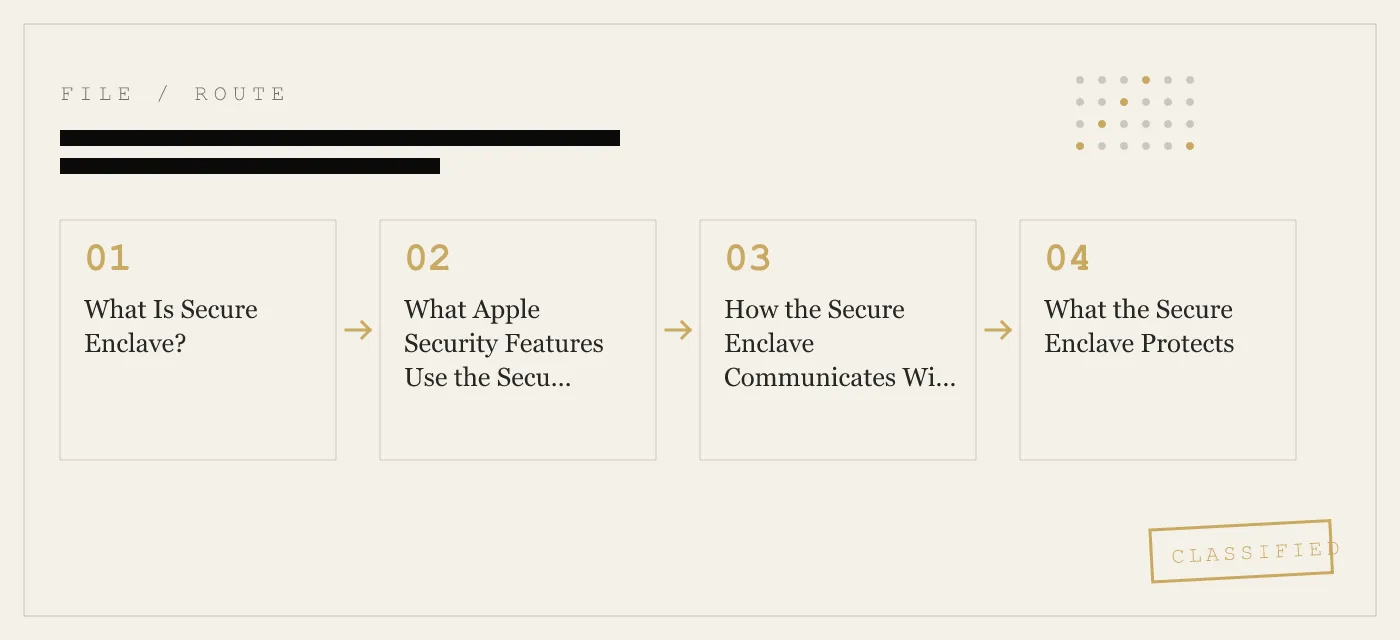
How the Secure Enclave Communicates With the Main Processor
The Secure Enclave is isolated, but it is not disconnected. It still has to work with iOS.
The main processor and the Secure Enclave communicate through a restricted mailbox-style interface managed by the operating system’s SEP driver. They do not share memory in the ordinary sense, and the application processor cannot simply map the Enclave’s key store and read it.
The flow looks like this:
- An app or system service needs a protected operation.
- The request goes through system software to the SEP interface.
- The Secure Enclave performs the operation with its own stored secrets.
- It returns the result of that operation, not the underlying secret.
That distinction matters more than any marketing phrase. The boundary is useful because the Secure Enclave exposes results, not raw key material.
For example:
- a biometric match result
- a signature
- a decrypted or unwrapped result, if policy allows
- confirmation that a key operation succeeded
What it does not do is hand the main processor a dump of its internal secrets.
What the Secure Enclave Protects
The Secure Enclave protects categories of secrets rather than “all private data on the phone.”
That is an important distinction. Your entire camera roll is not stored inside the Secure Enclave. Instead, the Secure Enclave protects the key material and security decisions that other parts of the platform depend on.
Biometric Templates
Face ID and Touch ID templates are stored and matched inside the Secure Enclave. The main processor does not receive the raw templates.
Payment Credentials
Apple Pay-related secrets are protected so the device can authorize a transaction without exposing the private payment key to regular app space.
Key Material
The Secure Enclave stores or wraps keys used for protected operations, including app-generated device-bound keys created through Apple’s supported APIs.
Some Keychain-Related Secrets
The Keychain’s protection model uses keys that are ultimately tied to device security in ways the Secure Enclave helps enforce.
How Apps Use the Secure Enclave
Apple does not let ordinary App Store apps talk to the Secure Enclave through undocumented back doors. For third-party apps, the supported path is Apple’s security frameworks.
In practical terms, an app can use the Secure Enclave to generate a device-bound private key and then ask the hardware to perform operations with it later. The app receives the public key and the operation result, not the private key bytes.
That design answers a useful evaluation question: when an app says it “uses Secure Enclave,” does it mean real hardware-bound key handling, or is it just storing something in software and invoking the phrase for marketing.
What App-Vault Does
App-Vault uses the iPhone Secure Enclave for key wrapping.
From our security documentation, App-Vault’s vault is protected by:
- AES‑256‑GCM for file confidentiality and integrity
- PBKDF2‑SHA256 for key derivation from the 5×5 pattern
- Secure Enclave key wrapping for the derived secret
- ThisDeviceOnly keychain binding so keys do not travel into backup systems
The important point is not that the Secure Enclave encrypts every file by itself. The file cipher is AES‑256‑GCM. The Secure Enclave’s role is to bind key material to that specific device and keep the most sensitive wrapping operation inside Apple’s hardware boundary.
That is why App-Vault’s security page states that without the exact pattern, the encrypted container is mathematically indistinguishable from random data, and why the app is designed so that App-Vault cannot recover the contents for you.
How App-Vault Fits Into Apple’s Security Model
App-Vault is not a replacement for iPhone security. It is an app-layer vault built on top of it.
The stack looks like this:
| Layer | Role |
|---|---|
| iPhone passcode and platform security | Protect the device as a whole |
| Secure Enclave | Protect device-bound key operations and isolated secrets |
| App-Vault pattern lock | Derive the vault key from your 5×5 pattern |
| AES‑256‑GCM per-file encryption | Encrypt photos, videos, and documents in the vault |
In App-Vault’s own design:
- You draw a 5×5 pattern.
- App-Vault derives key material from that pattern with PBKDF2‑SHA256.
- The Secure Enclave is used to wrap that key material so it stays tied to the device.
- Files are encrypted into the vault with AES‑256‑GCM.
That means a stolen device and a copied vault container are not enough on their own. The attacker would still need the right pattern, and the hardware binding matters because the protected key path is designed around that specific iPhone.
Secure Enclave vs Encryption: Not the Same Thing
A common confusion is treating the Secure Enclave as if it were the encryption algorithm.
It is not.
The Secure Enclave is hardware that stores secrets and performs protected operations. The actual data encryption still relies on standard cryptography such as AES. In App-Vault’s case, that file encryption is AES‑256‑GCM, and the pattern-derived key uses PBKDF2‑SHA256 before Secure Enclave wrapping.
A useful shorthand:
- Secure Enclave = where sensitive key operations are isolated
- AES‑256‑GCM = how the file data is encrypted
- PBKDF2‑SHA256 = how a human-entered pattern becomes cryptographic key material
Honest Limits of the Secure Enclave
The Secure Enclave is one of the strongest hardware security boundaries in consumer devices, but it is not magic. This is where we think many articles get too vague.
It Does Not Fix a Compromised Device
If the device is jailbroken or running an active spyware payload, app-level protection has limits.
App-Vault’s own threat model says this directly: if iOS itself is compromised, no app-level vault is sufficient. The Secure Enclave may still keep its internal memory unreadable, but the overall trust chain is already damaged if the surrounding system can lie about what is being requested or shown.
It Does Not Defeat Coercion
Hardware security does not help if you are forced to unlock the device or open a vault yourself.
That is why we distinguish between protection against a finder, casual access by a familiar party, or visual inspection, versus protection against compelled unlock. Those are different threat models.
It Is Not a General Cloud Privacy Solution
The Secure Enclave is an on-device security component.
It does not automatically protect every copy of your data once that data is uploaded somewhere else. For App-Vault, this matters because our vault directory is explicitly excluded from iCloud Backup and from iTunes/Finder backups, and master keys are pinned to ThisDeviceOnly in the iOS Keychain. That design avoids creating an off-device copy of vault contents through those backup paths.
It Does Not Make Physical Attack Impossible
A highly resourced attacker with physical access may still attempt advanced hardware attacks. The point of the Secure Enclave is not to promise invulnerability. The point is to make extraction difficult enough that common threats and routine access attempts fail.
Secure Enclave, Face ID, and Your iPhone Settings
Users often look for a visible “Secure Enclave setting” on iPhone. There is no direct on/off switch for it.
Instead, you interact with features built on top of it through normal iOS settings, such as:
- Face ID & Passcode in Settings
- Touch ID & Passcode on devices that use Touch ID
- Wallet & Apple Pay in Settings
- General → Transfer or Reset iPhone → Erase All Content and Settings if you are wiping the device
Those are not Secure Enclave control panels. They are user-facing settings for features that rely on the underlying hardware security model.
If you erase the device through Settings → General → Transfer or Reset iPhone → Erase All Content and Settings, the Secure Enclave key store is zeroed and protected biometric or derived secrets are lost with that device state.
Secure Enclave Compared With Other Hardware Security Approaches
The Secure Enclave is often compared with other hardware-backed security designs. The practical point is that it is a separate Apple coprocessor with its own trust boundary.
At a high level:
| Approach | Basic model | Main difference from Secure Enclave |
|---|---|---|
| TPM | Dedicated trust chip with standardized functions | Different interface and integration model |
| TrustZone-style TEE | Secure and normal worlds on the same broader processor environment | Less physically separate than Apple’s dedicated coprocessor model |
| Samsung hardware security stack | Hardware-backed mobile security model | Similar goal, different architecture and implementation choices |
We mention Samsung only because users often search comparisons across phone security ecosystems. The main takeaway is not that one label automatically wins. It is that Apple’s Secure Enclave is a distinct hardware-isolation design with very tight integration into Apple silicon and Apple’s platform security model.
What to Ask When an App Claims “Secure Enclave Support”
This matters if you are evaluating privacy apps.
Ask:
- Does the app use the Secure Enclave for real key operations, or only mention it loosely?
- Is the actual file encryption still based on standard, inspectable cryptography such as AES‑GCM?
- Does the app explain what happens if the device is compromised?
- Does the app explain what happens to backups?
- Is the protected key material tied to the current device?
For App-Vault, the answers are spelled out in our security pages:
- files are encrypted on-device with AES‑256‑GCM
- the pattern is turned into key material with PBKDF2‑SHA256
- the iPhone Secure Enclave is used for key wrapping
- the vault directory is excluded from iCloud Backup and iTunes/Finder backups
- master keys are pinned to ThisDeviceOnly in the iOS Keychain
- there is no server holding vault contents
Those details are more meaningful than the phrase “military-grade” or any other vague security adjective.
The Bottom Line
If you wanted the simplest correct answer to what is Secure Enclave, it is this: the Secure Enclave is Apple’s isolated hardware security processor for keys, biometrics, and device-bound cryptographic operations.
If you wanted the answer to Apple Secure Enclave security features, it is this: the Enclave is the hardware foundation behind Face ID, Touch ID, Apple Pay, parts of Keychain protection, passcode-related defenses, and supported app-created secure keys.
And if you are evaluating a privacy app, the right question is not whether the app says “Secure Enclave” on its website. It is whether the app explains exactly what the Secure Enclave does in the design, what encryption protects the files themselves, and where the protection stops.
That is why we describe App-Vault the way we do. The files are sealed with AES‑256‑GCM on the device. The pattern-derived key material is wrapped with help from the iPhone Secure Enclave. The vault is excluded from Apple backup pipelines. And the limits are stated plainly: if the device is compromised, if you are coerced to unlock it, or if you forget your pattern without your recovery phrase, hardware security alone will not save the day.
For the threats most people actually face — a lost phone, casual access on a shared device, visual inspection of the camera roll, or a copied app container without the correct unlock secret — the Secure Enclave is one of the most important security features Apple ships.
DIAGRAM · 02
DOSSIER
QUESTIONS
13 sharp answers.
-
01 What is the Apple Secure Enclave?
The Secure Enclave is a dedicated hardware security coprocessor inside Apple’s A‑series and M‑series chips. It handles sensitive tasks like biometric matching, key storage, and cryptographic signing in an isolated environment. -
02 How does the Secure Enclave differ from a TPM or TEE?
The Secure Enclave is a custom Apple design, not a Trusted Platform Module (TPM) or ARM TrustZone. It has its own CPU and boot ROM, and it communicates with the main processor through a restricted interface. It is closer in concept to a dedicated secure element. -
03 What data does the Secure Enclave protect?
Touch ID and Face ID biometric templates, Apple Pay payment keys, the Keychain master encryption key, and private keys created through CryptoKit’s SecureEnclave.P256 interface. -
04 Can the Secure Enclave be hacked?
No publicly known exploit has extracted secrets from the Secure Enclave’s internal memory. Attacks against the SEP have targeted the software interface — tricking it into signing or decrypting data — rather than reading its key store directly. -
05 Does the Secure Enclave protect against law enforcement extraction tools?
The Secure Enclave’s anti‑replay counter and device‑specific keys make it extremely difficult to brute‑force the passcode or extract biometric data from a locked device. Extraction attempts generally target the main processor and software path, not the Secure Enclave’s internal key store directly. -
06 Does the Secure Enclave require a network connection?
No. The Secure Enclave operates entirely on‑device. It has no external network interface. -
07 How does an app use the Secure Enclave?
On iOS, apps can use the `SecureEnclave` class in CryptoKit to generate and store elliptic curve private keys. The key is created inside the SEP and never exported. The app can then request signing or decryption operations through the SEP driver. -
08 What is the Secure Enclave’s true random number generator used for?
It generates cryptographic nonces, salt values, and key material. Apple uses it to seed the kernel’s entropy pool and to produce values used in modern encryption workflows. -
09 Does resetting the device wipe the Secure Enclave?
Yes. When you erase the device in Settings → General → Transfer or Reset iPhone → Erase All Content and Settings, the Secure Enclave key store is zeroed and derived secrets such as biometric templates are lost. -
10 Can the Secure Enclave protect data after the device is lost or stolen?
It makes extraction much harder by keeping keys device-bound and isolated from the main system. It raises the cost of attack sharply, but it is not an absolute guarantee against a sophisticated physical attacker. -
11 What is Secure Enclave in simple terms?
Secure Enclave is Apple’s built-in hardware vault for secrets. It stores and uses sensitive keys and biometric data in a separate processor so the main OS and apps cannot simply read them. -
12 What Apple security features use the Secure Enclave?
Apple security features that rely on the Secure Enclave include Face ID, Touch ID, Apple Pay, passcode-related key protection, and app-created device-bound keys through CryptoKit. The exact feature may use the Enclave directly or use keys that are managed through it. -
13 Is Secure Enclave the same as encryption?
No. The Secure Enclave is not a cipher by itself; it is a hardware security processor. It protects keys and performs sensitive operations, while encryption algorithms such as AES handle the actual data encryption.
RELATED DOSSIERS
Keep reading.
9 ENTRIES
- LINK / 01 · Encryption
AES‑256‑GCM Encryption
How App-Vault uses AES‑256‑GCM with unique nonces per file
- LINK / 02 · Architecture
Zero‑Knowledge Architecture
App-Vault never sees your files or passwords. No servers
- LINK / 03 · Threat Model
Security and Threat Model
What App-Vault defends against — and what it does not. Honest boundaries for a local encryption app.
- LINK / 04 · Authentication
Pattern Lock
The 5×5 grid that becomes a cryptographic key. How pattern entropy is transformed into an AES‑256 key.
- LINK / 05 · Comparison
App-Vault vs Vaultaire
Feature‑by‑feature comparison of the two most technically ambitious iPhone vaults.
- LINK / 06 · Comparison
App-Vault vs Keepsafe
How App-Vault’s hardware‑bound encryption compares to the category leader’s cloud‑centric model.
- LINK / 07 · GUIDE
Does iPhone Have a Secure Folder? The Full Answer for iOS Users
iOS has no Samsung-style Secure Folder. Learn what Apple offers natively, the gaps that remain, and how App-Vault fills them with AES-256 encryption.
- LINK / 08 · GUIDE
What Is AES-256 Encryption? A Non-Cryptographer’s Guide
AES-256 is the encryption standard used by governments and banks. Learn what 256-bit AES means, how it works, and where it falls short.
- LINK / 09 · GUIDE
AES-256-GCM: The Authenticated Encryption Standard That Secures Your iPhone Files
AES-256-GCM is the authenticated cipher behind TLS 1.3, WireGuard, and Signal. How it works, its nonce discipline, and why App-Vault uses it for file encryption.
GET STARTED
Seal the vault.
Free to download. The free tier holds one file. Premium removes the limit — Weekly from $3.99 or Yearly from $29.99 with a 7-day free trial.