FILE P1 / FOR LEGAL PROFESSIONALS
How Lawyers Can Protect Privileged Client Material on iPhone
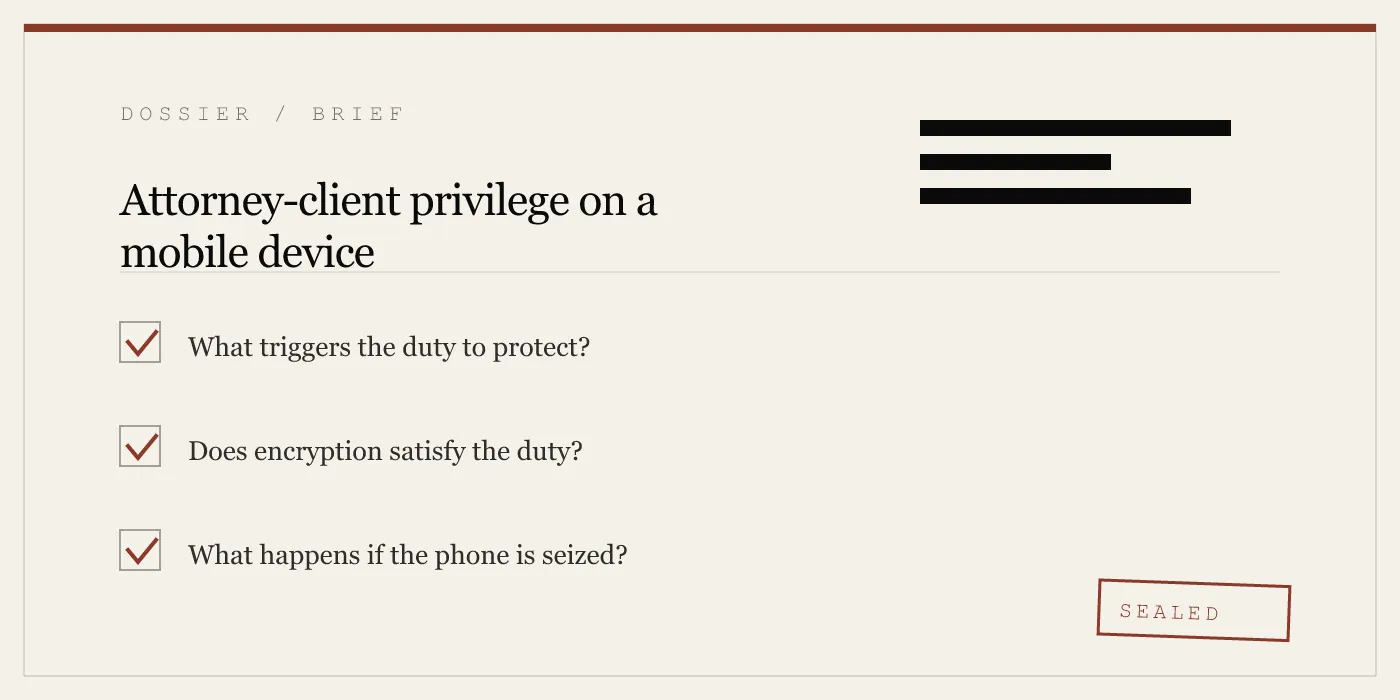
Attorney-client privilege and the work-product doctrine impose real obligations on the devices lawyers carry. App-Vault gives legal professionals a local-only vault with AES-256-GCM encryption, no servers in the discovery chain, and a Decoy Vault for seizure scenarios — all running entirely on the iPhone.
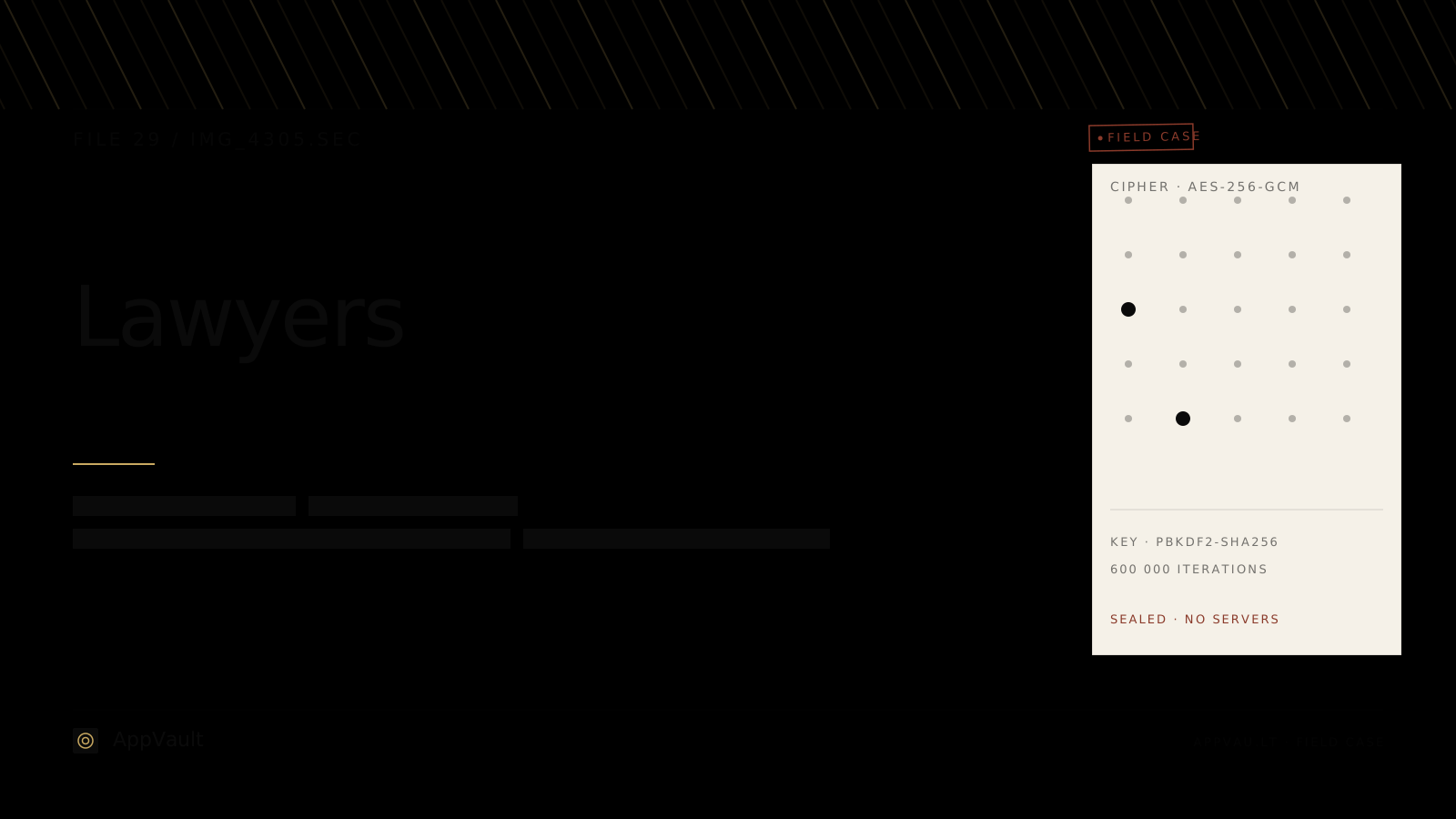
UPDATED · 2026-05-16 · REVIEWED BY APP-VAULT
TL;DR
App-Vault is a local-only iPhone vault designed for lawyers who store privileged client material on personal devices. It uses AES-256-GCM encryption with keys derived through PBKDF2-SHA256 at 600,000 iterations and wrapped by the iPhone Secure Enclave. There are no servers, no accounts, and no telemetry — meaning nothing exists in a discovery chain outside the device itself. A Decoy Vault feature provides a second, mathematically independent vault catalog behind a separate 5×5 pattern, relevant in compelled-decryption scenarios. The app ships a fully functional iOS calculator as its primary icon, with a long-press shortcut into the vault.
The Privilege Problem Inside Your iPhone
A lawyer’s iPhone is a liability. Not because the device is insecure by default, but because the camera roll is a flat, searchable, scrollable archive of everything the lawyer has photographed in the course of practice. A signed retainer taken in a coffee shop. A picture of a whiteboard from a client meeting. A screenshot of a text message that contains case strategy. A photo of a document handed across a table during discovery review.
None of these files are privileged because they are encrypted. They are privileged because of the relationship and the context in which they were created. But privilege can be waived — and one of the ways it gets waived is through negligent storage. If opposing counsel gains access to a device and finds client confidences sitting unencrypted in the Photos app, the argument that the lawyer took reasonable steps to protect them becomes difficult.
The duty belongs to the client. The failure belongs to the lawyer.
What the Work-Product Doctrine Demands of Your Device
The work-product doctrine, codified in Federal Rule of Civil Procedure 26(b)(3) and mirrored in most state rules, protects materials prepared in anticipation of litigation. Like attorney-client privilege, it is not a technology rule — it is a legal protection that can be eroded by careless handling.
The doctrine interacts with mobile devices in a specific way. Lawyers routinely photograph documents, exhibits, and evidence during depositions, site visits, and client meetings. Those photographs land in the same camera roll as family photos and screenshots of restaurant menus. There is no separation. There is no access control. Anyone who holds the phone and knows the passcode can see everything.
A vault app introduces separation. But not all vaults are equal from a discovery perspective.
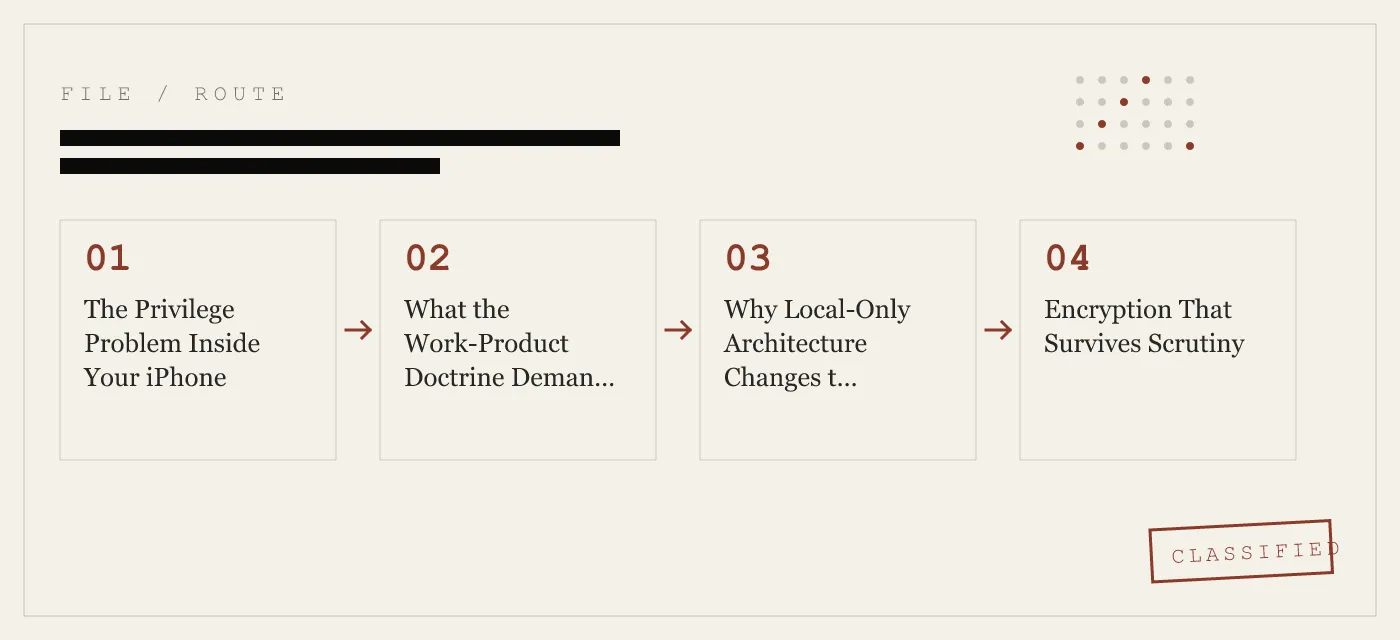
Why Local-Only Architecture Changes the Discovery Calculus
Most “secure” photo vault apps on the App Store sync to a cloud backend. The user pays a subscription, the files upload, and the company stores them — sometimes encrypted, sometimes not, sometimes with keys the company holds. From a discovery standpoint, this creates a new target. A subpoena served on the cloud provider can compel production of file metadata, access logs, and in some cases the files themselves.
App-Vault makes zero network calls by default. There is no server. There is no account. There is no third-party infrastructure that can be subpoenaed, hacked, or served with a national security letter. The encrypted files exist only on the device.
This is not a marginal distinction. It is the difference between a discovery chain that ends at the iPhone and one that extends to a cloud provider’s data center in another jurisdiction.
For lawyers practicing under GDPR, the distinction is even more concrete. Article 48 of the Regulation prohibits transfers of personal data to third-country authorities except under specific conditions. A vault that never leaves the device never triggers the transfer question. The full zero-knowledge architecture page explains what App-Vault’s serverless design means in practice.
Encryption That Survives Scrutiny
App-Vault encrypts each file with AES-256-GCM (Galois/Counter Mode), using a unique 96-bit nonce per file. AES-256 is specified in NIST FIPS 197; GCM mode is defined in NIST SP 800-38D. The encryption key is derived from the user’s 5×5 pattern through PBKDF2-SHA256 at 600,000 iterations with a per-install 128-bit salt — the OWASP 2026 recommendation for password-based key derivation.
The PBKDF2 output is then wrapped by a key generated inside the iPhone Secure Enclave. That key never leaves the chip. Without the specific iPhone that created it, the wrapped key material is computationally infeasible to unwrap.
This matters for lawyers because the encryption is not a marketing claim — it is a specific, auditable stack with primary-source citations. If a court ever asks what steps were taken to protect client confidences, “we used an app with military-grade encryption” is not an answer. “We used AES-256-GCM with PBKDF2 at 600,000 iterations and Secure Enclave key wrapping, and here are the NIST specifications” is an answer.
Secure Capture During Client Intake
Client intake is one of the highest-risk moments for privilege exposure. A new client hands over documents. The lawyer photographs them. The photos sit in the camera roll until the lawyer remembers to move them — which often means they sit in the camera roll indefinitely.
App-Vault’s capture workflow is designed for this moment. A lawyer can photograph a signed retainer, an identification document, or an evidence exhibit and move it directly into the vault in the same session. The file is encrypted at rest with AES-256-GCM before the app returns to the home screen. The camera roll never holds the unencrypted original.
For paralegals and legal assistants who handle intake at a front desk, the Pattern Lock system means the vault is accessible with a quick 5×5 grid gesture — faster than typing a password, and without the password being visible to someone standing nearby.
The Shared-Firm iPad Problem
Small firms and solo practitioners often share iPads among staff. A receptionist uses the same device as a paralegal. A partner hands the iPad to a client to sign a document. The Photos app on that shared device may contain intake photos, signed retainers, and case-related screenshots from multiple matters.
Without a vault, the access control on that iPad is binary: either someone knows the device passcode and can see everything, or they cannot. There is no middle ground. A vault app with a separate pattern creates a second layer. The shared iPad’s passcode gets the user to the home screen. The vault pattern gets the user to the privileged material. Different staff members can have different vault access without sharing a single password.
This is not a theoretical problem. Bar associations have issued ethics opinions on the duty to protect client confidences on shared devices. The duty does not change because the firm is small.
Decoy Vault and Compelled Decryption
The compelled-decryption question is one of the most unsettled areas in Fifth Amendment jurisprudence. Courts in different circuits have reached different conclusions about whether a suspect can be forced to provide a passcode or biometric unlock. The Third Circuit in In re Grand Jury Subpoena Duces Tecum (2012) held that compelling a passcode violated the Fifth Amendment when the government could not describe with reasonable particularity what it expected to find. The First Circuit in United States v. Gavegnano (2016) reached the opposite conclusion.
App-Vault’s Decoy Vault feature is built for this uncertainty. A second 5×5 pattern opens a completely separate vault catalog — mathematically independent from the primary vault, with no shared key material, no linked metadata, and no way to prove that a second vault exists. The decoy vault is not a hidden folder. It is a separate encrypted catalog that appears, from the outside, to be the only vault on the device.
This feature is relevant in several scenarios beyond criminal defense. Customs and border inspections, where officers may ask to browse a device. Device seizure during civil discovery. Situations where a lawyer travels to a jurisdiction with aggressive decryption demands. The decoy vault does not solve the legal question — no app can — but it changes the factual landscape in a way that gives the lawyer options.
What App-Vault Does Not Defend Against
Honesty about limits is a design principle, not an oversight. App-Vault does not protect against:
- A lawyer who writes the pattern on a sticky note attached to the iPhone. The vault is only as strong as the operational security around it.
- Compelled biometric unlock in a jurisdiction that permits it. If a court orders a lawyer to place a finger on the Touch ID sensor, the vault opens. The Decoy Vault mitigates this only if the lawyer has a decoy pattern configured.
- Physical extraction by a forensic tool with a known exploit. If the iPhone itself is vulnerable to a bootrom exploit (like checkm8 on A5–A11 chips), the encrypted vault data can be extracted and attacked offline. App-Vault’s encryption makes offline attacks computationally expensive, but it does not make them impossible against a sufficiently resourced adversary.
- The lawyer’s own device backup habits. If the lawyer backs up the iPhone to an unencrypted iTunes backup on a laptop, the vault’s encrypted blob is in that backup — but so is everything else. App-Vault’s opt-in iCloud Backup uses a separate per-device backup key so that Apple receives only ciphertext, but this protection does not extend to unencrypted local backups.
The full threat model page details what App-Vault defends against and what it does not.
How App-Vault Differs from Cloud-Synced Vaults
Most widely installed photo vault apps in the category are cloud-first products: file data or metadata sits on the vendor’s servers, account registration is required, and some bundle analytics SDKs that transmit usage data off-device. From a privilege and discovery standpoint, each of those vendor systems is a separate point of legal process. The dedicated App-Vault vs Keepsafe and App-Vault vs Vaultaire comparison pages break down the specific architectural differences for each named competitor.
App-Vault’s architecture is the opposite. No account. No servers. No SDKs. No network calls. The encrypted files exist on the iPhone and nowhere else unless the user explicitly exports them.
For lawyers evaluating vault apps, the question is not “which app has the best interface.” The question is: if this vendor gets subpoenaed tomorrow, what do they have to produce? With App-Vault, the answer is nothing — because there is no vendor infrastructure holding client data.
The App-Vault vs Keepsafe and App-Vault vs Vaultaire comparison pages break down the architectural differences in detail.
Calculator Launcher: Practical Discretion
App-Vault ships a fully functional iOS calculator as its primary icon. The calculator works — it performs arithmetic, handles order of operations, and behaves exactly like the built-in iOS Calculator app. A long-press on the equals key opens the encrypted vault.
This is not a disguise. It is a fully functional alternate icon that satisfies Apple guideline 4.3. The calculator does not pretend to be something it is not. It is a calculator that also happens to provide access to a vault through a deliberate gesture.
For lawyers, the practical value is discretion in low-stakes situations. A borrowed phone. A shared screen during a meeting. A device handed to someone for a group photo. The calculator icon does not advertise that a vault exists. The Calculator Launcher page covers the implementation.
Setup and Recovery
App-Vault generates an optional written recovery passphrase during initial setup. This is the only recovery mechanism. There is no password reset. There is no support channel that can unlock the vault. If the pattern is forgotten and the recovery passphrase is lost, the vault stays sealed permanently.
This is a feature for lawyers, not a limitation. A vault that can be reset by the vendor is a vault that can be reset by a court order directed at the vendor. A vault with no recovery mechanism outside the user’s control is a vault that keeps its contents sealed regardless of what happens to the company.
The recommendation is straightforward: write down the recovery passphrase, store it in a separate physical location (a safe, a locked drawer, a firm’s document management system), and treat it with the same care as any other privileged material.
The Bottom Line for Legal Professionals
Attorney-client privilege is not a technology problem, but technology can make it harder to protect. A flat camera roll with no access control, no encryption, and no separation between personal and professional files is a waiver waiting to happen.
App-Vault does not solve the privilege problem. Only legal judgment, ethical practice, and reasonable operational security solve the privilege problem. What App-Vault does is remove the most common failure mode: privileged material sitting unencrypted on a device that anyone with the passcode can browse.
AES-256-GCM encryption. PBKDF2 at 600,000 iterations. Secure Enclave key wrapping. No servers. No accounts. No telemetry. A Decoy Vault for seizure scenarios. A Calculator Launcher for discretion. A Pattern Lock that takes two seconds to open and that no one standing nearby can observe.
The files stay on the iPhone. The keys stay on the iPhone. Nothing else exists.
DIAGRAM · 02
DOSSIER
QUESTIONS
8 sharp answers.
-
01 Why does local-only storage matter for attorney-client privilege?
When privileged files sit on a third-party server, that server becomes part of the discovery chain. Subpoenas, national security letters, and cross-border data requests can reach cloud providers. A vault that never transmits data off-device removes that entire vector. -
02 How does App-Vault's encryption work?
Each file is encrypted with AES-256-GCM using a unique 96-bit nonce. The encryption key is derived from the user's 5×5 pattern via PBKDF2-SHA256 at 600,000 iterations with a per-install 128-bit salt, then wrapped by a key generated inside the iPhone Secure Enclave that never leaves the chip. -
03 What is the Decoy Vault and when would a lawyer use it?
A second 5×5 pattern that opens a completely separate vault catalog with no mathematical connection to the primary vault. In a compelled-decryption scenario — customs inspection, device seizure — the decoy presents a plausible but independent set of files. -
04 Can App-Vault reset a forgotten pattern?
No. There is no password recovery, no support channel, and no backdoor. Forgetting the pattern means the vault stays sealed permanently. App-Vault generates an optional written recovery passphrase during setup for this reason. -
05 Does App-Vault collect any data about what I store?
No. There is no account, no email requirement, no analytics SDK, and no telemetry. The App Store privacy nutrition label declares zero data collected. -
06 What happens if my firm's shared iPad has client photos on it?
Without a vault, anyone with the passcode can open Photos and scroll through intake pictures, signed retainers, or evidence exhibits. App-Vault's Pattern Lock restricts access to the vault behind a 5×5 grid that only authorized staff know. -
07 Is a calculator-icon vault appropriate for legal use?
App-Vault's Calculator Launcher is a fully functional iOS calculator with an opt-in long-press equals-key shortcut to the encrypted vault. It satisfies Apple guideline 4.3 (alternate icons) and presents no deceptive behavior — the calculator works as a calculator. -
08 How does App-Vault compare to cloud-synced vault apps?
Cloud-synced apps store file data or metadata on third-party servers, creating a separate point of legal process. App-Vault makes zero network calls by default. The full comparison with category leaders is available on the [App-Vault vs Keepsafe](/compare/app-vault-vs-keepsafe/) page.
RELATED DOSSIERS
Keep reading.
9 ENTRIES
- LINK / 01 · Feature
Calculator Launcher
Fully functional iOS calculator with a long-press shortcut into the encrypted vault.
- LINK / 02 · Feature
Decoy Vault
Second 5×5 pattern opening a mathematically independent vault catalog.
- LINK / 03 · Concept
Pattern Lock
How the 5×5 grid maps to key derivation and why the math matters.
- LINK / 04 · Concept
AES-256-GCM Encryption
The full cryptography stack with primary-source citations.
- LINK / 05 · Concept
Zero-Knowledge Architecture
What App-Vault cannot know and why that matters for privilege.
- LINK / 06 · Concept
Threat Model
What App-Vault defends against and what it does not.
- LINK / 07 · SCENARIO
A Clinical Photo Vault for Doctors, Nurses, and Therapists
How doctors, nurses, and therapists use App-Vault to protect clinical photos on personal iPhones and shared clinic iPads under HIPAA and GDPR Article 9.
- LINK / 08 · SCENARIO
Selling Your iPhone? Here Is What Factory Reset Leaves Behind
Factory reset alone is not enough. What forensic tools still pull from NAND flash, and how App-Vault's File Shredder overwrites deleted photos before you hand the phone off.
- LINK / 09 · SCENARIO
iPhone Privacy for International Travelers
Practical device privacy for customs stops, lost phones abroad, and vaulted travel documents. No servers, no accounts, AES-256-GCM.
GET STARTED
Seal the vault.
Free to download. The free tier holds one file. Premium removes the limit — Weekly from $3.99 or Yearly from $29.99 with a 7-day free trial.