FILE P1 / FOR MEDICAL PROFESSIONALS
A Clinical Photo Vault for Doctors, Nurses, and Therapists
Clinical photographs on personal iPhones create a regulatory problem that most vault apps ignore. App-Vault gives medical professionals a way to separate patient images from the Camera Roll entirely — with encryption that satisfies HIPAA technical safeguards and GDPR Article 9 special-category data requirements.
UPDATED · 2026-05-16 · REVIEWED BY APP-VAULT
TL;DR
Medical professionals who capture clinical photos on personal iPhones face HIPAA and GDPR obligations that the default Camera Roll cannot meet. App-Vault provides AES-256-GCM encryption, a separate encrypted catalog, and a Calculator Launcher to keep patient images off the visible photo grid — no accounts, no servers, no telemetry.
The Problem With Clinical Photos on a Personal iPhone
A dermatologist photographs a lesion before prescribing. A dentist captures a before-and-after series. A nurse documents a wound during a home visit. A therapist takes a snapshot of a whiteboard diagram during a telemedicine session. In every case, the image lands in the same Camera Roll as vacation photos, screenshots, and family pictures.
The regulatory frameworks are clear. In the United States, HIPAA’s Security Rule requires technical safeguards for electronic protected health data (ePHI) — including encryption at rest on devices that store or transmit it. In the European Union, GDPR Article 9 classifies health data as special-category personal data, subject to the strictest processing requirements and requiring explicit consent or a recognized legal basis.
The iPhone Camera Roll satisfies neither framework. It is a single, unencrypted gallery. Anyone who picks up the phone and swipes left can see everything.
Most clinicians know this. Few have a practical solution that does not involve carrying a second device.
What HIPAA Actually Requires for ePHI on Personal Devices
HIPAA’s Security Rule does not mandate a specific product. It mandates outcomes. The encryption standard is NIST FIPS 197 — the Advanced Encryption Standard. The access control standard requires unique user identification and automatic logoff. The audit control standard requires mechanisms to record and examine access.
App-Vault addresses the encryption and access control requirements directly. Files are sealed with AES-256-GCM — NIST FIPS 197 and NIST SP 800-38D — using a unique 96-bit nonce per file. The key is derived from the user’s 5×5 pattern through PBKDF2-SHA256 at 600,000 iterations, matching the OWASP 2026 recommendation. That derived key is then wrapped by a key generated inside the iPhone Secure Enclave, which never leaves the chip.
The encrypted catalog is mathematically sealed. Even the list of files — count, names, dates — is encrypted. An attacker with raw storage access cannot determine how many files exist, let alone read them.
HIPAA compliance is an organizational obligation. App-Vault provides the technical layer. The clinician’s institution must still conduct its own risk assessment, document its policies, and ensure the overall workflow meets the rule’s administrative and physical safeguard requirements.
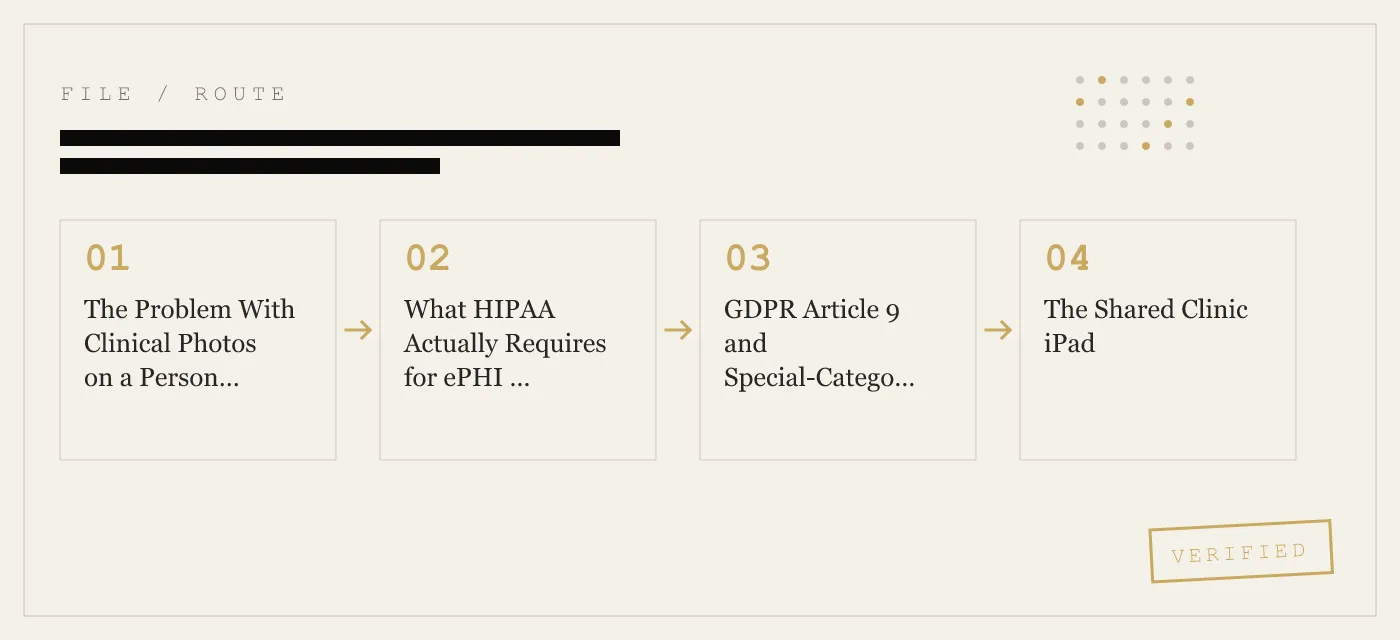
GDPR Article 9 and Special-Category Health Data
For European clinicians, the calculus is similar but the framework is different. GDPR Article 9 prohibits processing of health data unless one of several conditions is met — explicit consent, employment law authorization, or substantial public interest, among others. The regulation does not prescribe specific encryption algorithms, but it does require “appropriate technical and organisational measures” given the risk.
App-Vault’s zero-knowledge architecture is relevant here. The app makes zero network calls by default. There are no accounts, no telemetry, no third-party SDKs. The privacy nutrition label declares no data collected. The app operator processes no personal data at all — the encryption happens entirely on-device, and the ciphertext never leaves the phone unless the user opts into encrypted iCloud Backup.
For a clinician processing health data under Article 9, this architecture means the vault app itself introduces no additional data processing. It is a local encryption tool, not a data processor.
The Shared Clinic iPad
Many clinics issue a single iPad for patient check-in, telemedicine sessions, or clinical documentation. Multiple providers use the same device across a single day. Without separation, every provider’s clinical photos sit in the same gallery.
App-Vault’s Decoy Vault feature addresses this directly. A second 5×5 pattern opens a separate, mathematically independent vault catalog. The two catalogs share no key material. One does not reveal the other’s existence.
This is not a multi-user account system. There is no login, no user management, no cloud sync between vaults. Each provider’s catalog is a self-contained encrypted container. If one provider leaves the clinic, their pattern is simply not shared with the replacement.
The Handover Moment
A colleague borrows the phone to make a quick call. A patient asks to see a photo on the screen and the phone gets passed over. A friend takes a group photo at a restaurant and swipes further than intended.
In every case, the risk is the same: the Camera Roll is a single scroll with no access control. Clinical photos are visible to anyone who holds the phone.
App-Vault breaks this pattern. Clinical photos are imported into the encrypted vault and deleted from the Camera Roll. The vault does not appear in the Photos app, the photo grid, or search results. The only way to open it is through the vault’s own interface — behind the 5×5 pattern.
The Calculator Launcher adds another layer. The app presents as a fully functional iOS calculator. The vault is accessed through an opt-in long-press on the equals key. This is not deception — the calculator works. It is an alternate icon built to satisfy Apple guideline 4.3, providing a standard tool with an optional secondary function.
Patient Consent and the Camera Roll Problem
Most clinicians obtain consent before capturing clinical photographs. The consent form typically covers use, storage, and sharing. It rarely addresses the fact that the photo will sit in the same gallery as the clinician’s personal images, visible to anyone who picks up the phone.
This is a gap between consent and technical reality. The patient consented to clinical use of the image. The patient did not consent to the image being visible to the clinician’s family, friends, or anyone who borrows the phone.
App-Vault closes that gap. Once a clinical photo is imported into the vault and the original is deleted from the Camera Roll, the image exists only in the encrypted catalog. The consent form’s intent — clinical use only — is matched by the technical implementation.
Telemedicine Snapshots
Telemedicine visits often produce clinical images: a screenshot of a skin condition captured during a video call, a photo of a medication label, a whiteboard diagram the patient drew to explain symptoms. These images are clinical data. They belong in a protected environment, not in the Camera Roll.
App-Vault’s import workflow allows direct capture or import from the camera. The image goes straight into the encrypted catalog. It never touches the visible photo grid.
For clinicians who conduct telemedicine from a personal iPhone, this is the difference between a compliant workflow and a Camera Roll full of unencrypted clinical images.
What App-Vault Does Not Defend Against
Honesty about limits is a design principle. App-Vault does not protect against:
- A compromised iPhone. If the device is jailbroken or running malware, the encryption is irrelevant. The attacker can read the screen, intercept the pattern, or access the decrypted catalog in memory.
- A clinician who shares the pattern. App-Vault cannot enforce institutional policy. If a provider gives their pattern to a colleague, the vault is open.
- Physical coercion. App-Vault does not include a duress feature. If someone forces the clinician to unlock the phone, the vault opens like any other app.
- iCloud Backup without the backup key. If the user opts into encrypted iCloud Backup but loses the per-device backup key, the backup is unrecoverable. There is no reset.
The threat model page covers these scenarios in detail. A product that overstates its protections is a product that cannot be trusted.
How App-Vault Compares to Other Vault Apps
The photo vault category is large. Keepsafe is the category leader by install count. Vaultaire is the closest competitor in the calculator-vault niche. Most apps in this space do not publish their cryptography stack, do not cite primary sources, and do not run with zero network calls by default.
App-Vault publishes its full stack: AES-256-GCM, PBKDF2-SHA256 at 600,000 iterations, Secure Enclave key wrapping, unique 96-bit nonce per file. Every claim links to a primary source — NIST, OWASP, Apple Platform Security. The app makes zero network calls by default. The privacy nutrition label declares no data collected.
For a clinician evaluating tools under HIPAA or GDPR, this transparency matters. Compliance depends on understanding what the tool actually does, not what the marketing page claims.
Setup for Clinical Use
The recommended workflow for medical professionals:
- Install App-Vault and set a 5×5 pattern. Write down the recovery passphrase and store it offline — a desk drawer, a locked cabinet, a personal safe.
- Enable the Calculator Launcher if the alternate icon is useful in your setting.
- If sharing a device with another provider, set up the Decoy Vault with a second pattern. Each provider uses their own.
- Import existing clinical photos from the Camera Roll. Delete the originals from the Photos app.
- Going forward, capture clinical photos directly into the vault or import them immediately after capture.
- Do not enable iCloud Backup unless you are willing to manage the per-device backup key. If you do enable it, understand that losing the key means losing the backup.
This workflow keeps clinical images in a sealed catalog, separate from personal photos, outside the visible Camera Roll, and encrypted to a standard that satisfies HIPAA technical safeguards and GDPR Article 9 processing requirements.
The Regulatory Burden Is Real
No app eliminates the clinician’s obligation to conduct a risk assessment, document policies, and ensure the overall workflow meets regulatory requirements. HIPAA and GDPR are organizational frameworks. App-Vault is a technical tool.
What the tool does is remove the most common failure point: clinical photos sitting in an unencrypted, publicly visible gallery on a personal device. That failure point is the one most likely to trigger a complaint, a breach notification, or a regulatory inquiry.
For a doctor, nurse, dentist, dermatologist, or therapist who already carries an iPhone into clinical settings, App-Vault is the difference between a Camera Roll problem and a sealed catalog.
DIAGRAM · 01
DOSSIER
QUESTIONS
10 sharp answers.
-
01 Is App-Vault HIPAA compliant?
App-Vault implements AES-256-GCM encryption, per-device key derivation via PBKDF2-SHA256 at 600,000 iterations, and Secure Enclave key wrapping — the technical controls HIPAA's Security Rule expects for ePHI at rest. Compliance is an organizational obligation; App-Vault provides the technical layer. -
02 Does App-Vault store patient data on its servers?
App-Vault makes zero network calls by default. There are no servers, no accounts, no telemetry. Encrypted iCloud Backup is opt-in and uses a separate per-device backup key — Apple receives only ciphertext. -
03 Can I use App-Vault on a shared clinic iPad?
Yes. The Decoy Vault feature provides a second, independent 5×5 pattern that opens a separate encrypted catalog. One device can serve two providers with mathematically independent vaults. -
04 What happens if I forget my pattern?
There is no password reset. No support tool. The vault stays sealed. App-Vault generates an optional written recovery passphrase during setup — store it offline. -
05 Will clinical photos still appear in the iOS Photos app?
No. App-Vault imports photos into its own encrypted catalog. The originals can be deleted from the Camera Roll. The vault catalog is sealed — even the file count and names are encrypted. -
06 Does the Calculator Launcher hide the app from patients or colleagues?
The Calculator Launcher is a fully functional iOS calculator with an opt-in long-press equals-key shortcut to the vault. It is built to satisfy Apple guideline 4.3 (alternate icons). It does not deceive anyone — it provides a standard calculator with an optional secondary function. -
07 What about GDPR Article 9 for health data in the EU?
GDPR Article 9 classifies health data as special-category personal data requiring the highest level of protection. App-Vault's zero-knowledge architecture — no accounts, no servers, no telemetry — means the app operator processes no personal data at all. The encryption happens entirely on-device. -
08 Can I use App-Vault for telemedicine snapshots?
Yes. Telemedicine snapshots taken during a video visit can be imported directly into the vault. The encrypted catalog keeps them separate from personal photos and outside the visible Camera Roll. -
09 What if my phone is inspected at customs or a border crossing?
App-Vault's threat model includes device-level adversaries. The encrypted catalog is sealed with AES-256-GCM and the key is wrapped by the Secure Enclave. Without the pattern, the catalog is indistinguishable from random data. See the threat model page for full details. -
10 How does App-Vault compare to Keepsafe for clinical use?
Keepsafe is the category leader by install count; the full feature-by-feature breakdown is on the App-Vault vs Keepsafe comparison page. App-Vault differs by publishing its full cryptography stack with primary-source citations and running with zero network calls by default.
RELATED DOSSIERS
Keep reading.
9 ENTRIES
- LINK / 01 · Calculator Launcher
Fully functional calculator with vault shortcut
Alternate iOS calculator icon with an opt-in long-press equals-key shortcut to the encrypted vault. Built for Apple guideline 4.3.
- LINK / 02 · Decoy Vault
Second pattern, separate album
A second 5×5 pattern that opens a mathematically independent vault catalog. One device, two providers.
- LINK / 03 · Pattern Lock
5×5 grid with real key derivation
How the 5×5 pattern maps to cryptographic key material through PBKDF2-SHA256 at 600,000 iterations.
- LINK / 04 · AES-256-GCM
The full cryptography stack
Unique 96-bit nonce per file, NIST FIPS 197 and SP 800-38D, with Secure Enclave key wrapping.
- LINK / 05 · Zero-Knowledge
What App-Vault cannot know
No accounts, no servers, no telemetry. The privacy nutrition label declares no data collected.
- LINK / 06 · Threat Model
What we defend against and what we do not
- LINK / 07 · SCENARIO
Selling Your iPhone? Here Is What Factory Reset Leaves Behind
Factory reset alone is not enough. What forensic tools still pull from NAND flash, and how App-Vault's File Shredder overwrites deleted photos before you hand the phone off.
- LINK / 08 · SCENARIO
iPhone Privacy for International Travelers
Practical device privacy for customs stops, lost phones abroad, and vaulted travel documents. No servers, no accounts, AES-256-GCM.
- LINK / 09 · ALTERNATIVE
Keepsafe alternative for iPhone
Looking for a Keepsafe alternative on iPhone? Compare App-Vault, Vaultaire, and Private Photo Vault on storage model, account requirements, and pricing.
GET STARTED
Seal the vault.
Free to download. The free tier holds one file. Premium removes the limit — Weekly from $3.99 or Yearly from $29.99 with a 7-day free trial.