FILE G5 / IPHONE PRIVACY GUIDE
App Lock iPhone: what actually works
Apple now offers a few ways to restrict access to apps on iPhone, but they are not all the same thing. This guide explains the iOS app lock feature people usually mean, how Screen Time and Face ID app locking actually work, where they fall short, and when a separate encrypted vault is the only setup that still holds after the phone itself is unlocked.
UPDATED · 2026-07-22 · REVIEWED BY APP-VAULT
TL;DR
If you want an app lock on iPhone, the short answer is that iOS offers limited app-level gating, but it does not provide a universal independent lock for any app you choose. Screen Time and Face ID can add friction, but for photos, videos, and documents that must stay private even on an unlocked phone, a vault app with its own authentication and encryption is the architecture that actually works. Use native iOS tools for convenience and parental controls; use an encrypted vault when you need real separation from the device passcode.
What “app lock iPhone” usually means
If you search for app lock iPhone, iphone app lock phone, or ios app lock feature, you are usually trying to do one of three things:
- Put a second lock in front of a specific app
- Stop someone using your unlocked phone from opening private content
- Hide or isolate photos, videos, or documents from the normal camera roll
Those are related problems, but iOS solves them in different ways. Some built-in controls are good for friction and family-device boundaries. They are not the same as independent encryption.
That distinction matters most when the phone is already unlocked, shared briefly with another person, or handed over for inspection, repair, or resale.
iOS app lock feature: what Apple gives you natively
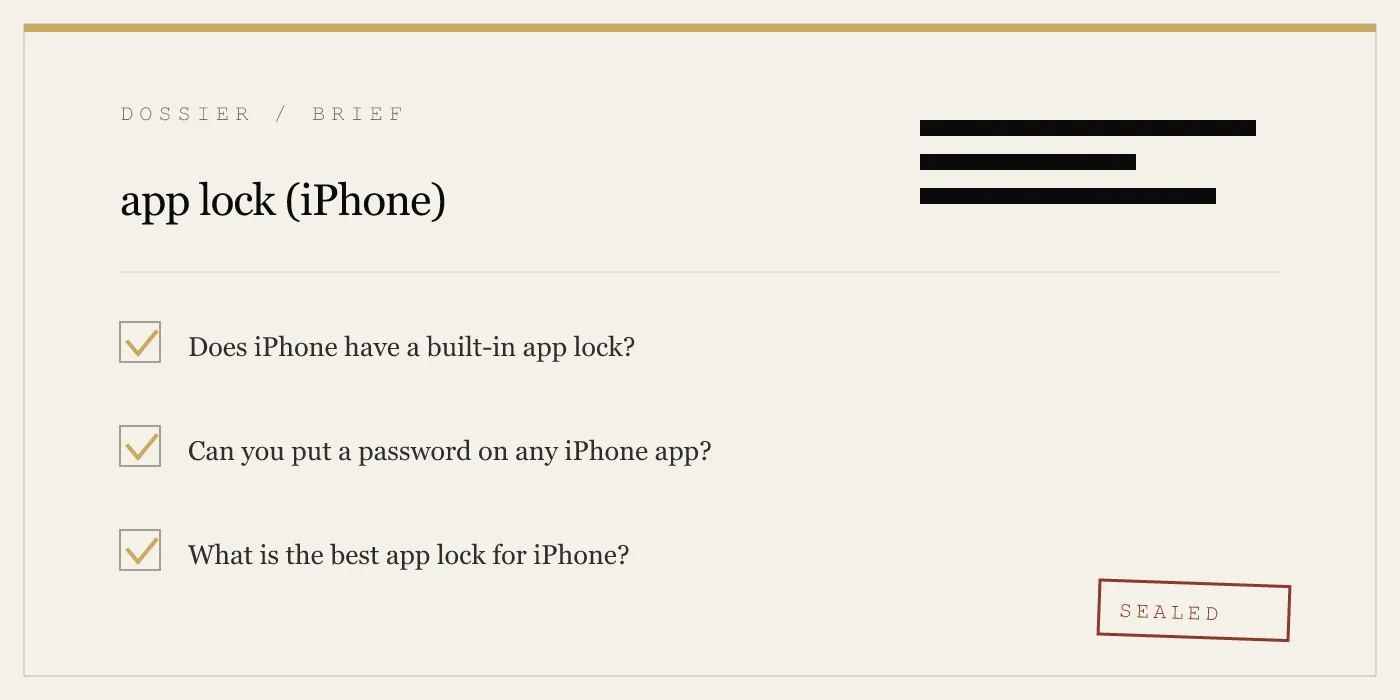
Apple does provide native restrictions, but there is no single universal iPhone app lock switch for every installed app.
Screen Time restrictions
Screen Time is the oldest built-in option people use as an iPhone app lock phone workaround.
You set it up here:
Settings → Screen Time
From there, you can use:
- App Limits for categories or specific apps
- Content & Privacy Restrictions
- A separate Screen Time Passcode
This can be useful if your goal is parental control, habit control, or basic blocking. It is the closest native feature to a broad app restriction system.
Its weakness is the architecture. Screen Time is part of iOS settings management, not a separate encrypted boundary. If someone knows the device passcode, they may be able to get to Screen Time settings and undo or reset restrictions through Apple’s account-based flows. That makes Screen Time a poor fit for protecting genuinely sensitive files from an adult with the phone in hand.
Best for: parental controls, self-limits, category blocking
Not best for: private files, shared unlocked-phone scenarios, device handover
Per-app Face ID and app-specific locks
Newer versions of iOS add more app-level biometric gating, which is the iOS app lock feature many people are really asking about.
In practice, this is not a universal “lock any app” system. It is a mix of:
- Apple-provided locks on certain first-party app areas
- App-specific biometric support where the app itself adopts it
- Some system-level options for supported apps
The important limitation is that Apple does not let you place a custom password or pattern in front of any arbitrary app on the phone. If the app you want to protect does not support biometric gating through Apple’s available APIs or app-specific settings, iOS alone may not help.
This native route is useful against casual shoulder-surfing or someone briefly tapping into an app on a shared family device. It is weaker when your concern is deeper separation from the device passcode.
Hidden album and locked Notes
People often treat these as an app lock for iPhone, but they solve narrower problems.
Hidden album
In Photos, you can hide images and require Face ID to view the Hidden album. That is better than leaving everything visible in the camera roll, but it is still inside Apple’s Photos environment. It is not the same as moving files into a separate vault.
Locked Notes
Notes can protect note content behind an extra gate, and that is genuinely useful for text and lightweight information. But it is not a general-purpose private file locker for photo libraries, videos, and mixed documents.
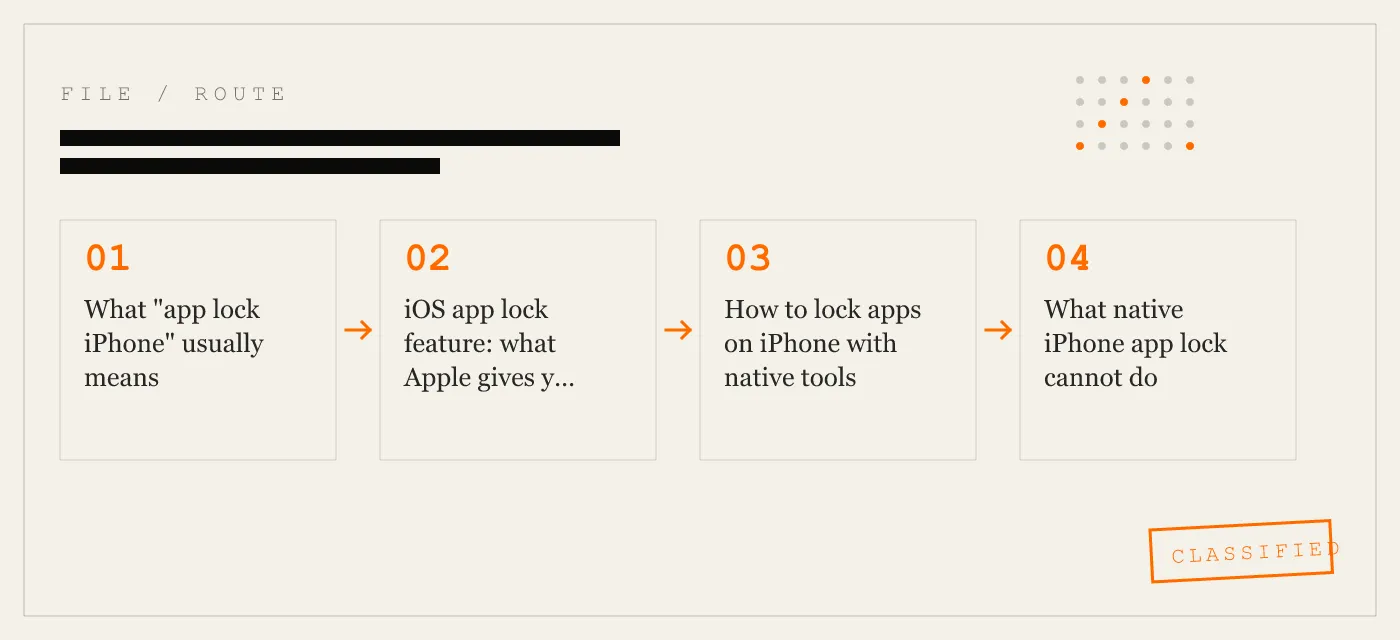
How to lock apps on iPhone with native tools
If your goal is simply to add friction, start with the built-in options.
Method 1: Use Screen Time
Path:
Settings → Screen Time
Then set:
- Turn On Screen Time
- Use Screen Time Passcode
- App Limits or Content & Privacy Restrictions
This is the most flexible native restriction tool, but it is still a restriction system, not a cryptographic vault.
Method 2: Use app-specific Face ID support
On supported apps, look for a biometric or lock setting either in:
- Settings → Face ID & Passcode
- the app’s own settings
Availability varies. That variability is the reason so many searches for app lock iPhone end up unsatisfied: there is no one place in iOS where every app appears with a simple lock toggle.
Method 3: Use Hidden album for basic photo privacy
Path:
Settings → Apps → Photos
or, depending on iOS layout, Settings → Photos
Then make sure the Hidden album protections are enabled. Inside Photos, move sensitive images to Hidden.
This is better than leaving them in the main library, but it is not the same as a dedicated encrypted photo vault.
What native iPhone app lock cannot do
This is where most confusion comes from. Native tools can gate access. They do not always isolate data.
No universal lock for any app
The biggest gap is simple: iPhone does not let you put a custom password or pattern on every installed app.
That means the answer to “Can I lock any app on iPhone?” is still no, not natively.
No separate key from the device passcode
Apple’s model treats the device passcode as the root of trust. Native restrictions sit downstream from that trust model.
If your threat model includes someone who knows the phone passcode, native app-lock behavior is weaker by design than a separate vault secret.
No real gallery lock for the Photos library
The Hidden album is not a full gallery lock in the sense most people mean. The photos are still part of the Photos environment. If what you want is photos that do not appear in the camera roll at all, the native route does not fully solve it.
No disguised vault interface
iOS does not provide a native way to turn protected content into a calculator-style launcher or a separate disguised entry point. If your privacy need includes avoiding obvious exposure on a shared family device or during a quick visual inspection, native iOS does not cover that use case.
When an encrypted vault works better
A dedicated vault app solves a different problem than Screen Time or app-specific Face ID.
Instead of just re-prompting for access, a vault app stores the protected files inside its own encrypted container. That means the content is not merely hidden behind a convenience gate. It is sealed with a separate authentication system.
For photos, videos, and documents, that architecture matters because the files are no longer sitting in the normal camera roll waiting for someone to browse them.
Two categories of “app lock” apps
Not every App Store result for app lock iphone is doing the same thing.
Category 1: wrappers and simple gates
Some apps mostly add a second prompt or rearrange content access without creating independent encryption. These can help against casual snooping, but they do not create a strong boundary from the phone’s broader trust model.
Category 2: encrypted vaults
A vault app creates a separate container for protected files and seals it with its own secret. This is the stronger design when you need privacy that survives an already-unlocked phone.
App-Vault, Vaultaire, and Keepsafe: what type of protection each approach implies
The useful question is not just which name you download. It is what architecture the app uses.
| Question | Native iOS restrictions | Encrypted vault approach |
|---|---|---|
| Works as a simple app gate | Yes, sometimes | Yes |
| Locks any arbitrary app on iPhone | No | No, but can isolate files inside the vault |
| Separates protected files from the camera roll | Limited | Yes |
| Still matters if phone is already unlocked | Limited | Yes |
| Protects with its own secret | Usually not fully separate | Yes, if designed that way |
For file privacy, what matters is whether the app creates a separate encrypted container rather than relying only on the same access model as the rest of the phone.
App-Vault is built around that second model.
How App-Vault handles the gap iOS leaves
App-Vault is not a universal lock for every app on your iPhone. Nothing on iPhone truly is. What it does is isolate the files you move into it.
That distinction is honest, and it matters.
Separate encrypted container
App-Vault stores photos, videos, and documents in an AES-256-GCM encrypted container on the device itself. The contents stay on-device and the vault directory is explicitly excluded from iCloud Backup and iTunes/Finder backups.
Separate authentication from the phone passcode
The vault key is derived from a 5×5 pattern using PBKDF2-SHA256 with 600,000 iterations, and key material is wrapped using the iPhone Secure Enclave. Without the exact pattern, the encrypted container is designed to be mathematically indistinguishable from random data.
That is why App-Vault addresses a problem native app gating does not: the vault secret is separate from the phone passcode.
No account and no vault-content server
App-Vault requires no account and operates no server that holds vault contents. That removes the account-reset path that many people instinctively expect from mainstream apps, but it is also part of the privacy model.
Optional convenience and privacy features
Depending on your use case, App-Vault can add:
- Face ID quick re-unlock
- Calculator Launcher with three alternate icons
- Decoy Vault with a second pattern and separate album
- Intruder Selfie
- File Shredder
- BIP-39 12-word recovery phrase
These are privacy features for situations like shared family devices, border travel, journalism, legal or medical work, shoulder-surfing, or preparing a phone for resale. They are not a substitute for device security, and they do not defend against a coerced unlock or a compromised iPhone.
App-Vault vs native iOS app lock features
Here is the plain-language comparison.
| Need | Screen Time | Face ID on supported apps | Hidden album | App-Vault |
|---|---|---|---|---|
| Restrict casual access | Yes | Yes | Yes | Yes |
| Works for any app | No | No | No | No, but protects imported files |
| Separate from device passcode | No | No | No | Yes |
| Protects photos outside camera roll | No | No | No | Yes |
| Stores files in encrypted container | No | No | No | Yes |
| Excluded from iCloud Backup and iTunes/Finder backups | No | No | No | Yes |
| Can appear as calculator | No | No | No | Yes, optional |
The key limitation to understand is that App-Vault is a file vault, not a magic system-wide app lock. If you want to protect content inside apps Apple does not let anyone lock universally, the practical solution is to move that sensitive content into a vault built for that purpose.
When Screen Time is enough, and when it is not
Use Screen Time if:
- you are setting limits for a child
- you want to block categories or purchases
- you want friction, not deep isolation
Use native Face ID gating if:
- the app supports it
- your concern is casual access on a shared device
- no one else knows the device passcode
Use an encrypted vault if:
- the phone may already be unlocked when another person handles it
- you need photos or documents removed from the camera roll
- you want a separate secret that is not the phone passcode
- you care about shared-family-device privacy, border travel, field reporting, legal or medical confidentiality, or selling a phone without exposing leftover private material
The “iphone app lock phone” problem in plain terms
That awkward query usually means one of two things:
- “How do I lock apps on my iPhone using the phone’s own features?”
- “How do I lock content on my phone even if the phone itself is unlocked?”
For the first, use Screen Time and supported biometric app locks.
For the second, iOS alone is not enough. You need a separate encrypted vault because the phone being unlocked is exactly the condition where native protections thin out.
What to check before you download any app lock iPhone app
Whether you are comparing App-Vault, Vaultaire, or Keepsafe, these are the questions that matter more than marketing language:
1. Is it actually an encrypted vault?
If it only adds a prompt without isolating files in a separate container, it is weaker than it looks.
2. Does it publish the cryptography?
You want named standards, not vague claims. App-Vault publishes AES-256-GCM for file encryption, PBKDF2-SHA256 for key derivation from the pattern, and Secure Enclave key wrapping.
3. Is the vault tied to cloud backup paths?
App-Vault explicitly excludes the vault directory from iCloud Backup and iTunes/Finder backups, and master keys are pinned to ThisDeviceOnly in the iOS Keychain.
4. Is there a recovery path, and what does it imply?
App-Vault shows a BIP-39 12-word recovery phrase during onboarding. If you forget the pattern and did not save that phrase, the vault stays sealed by design.
5. Does the app clearly state what it does not protect against?
App-Vault is explicit that it does not defend against a coerced unlock, a compromised device, lawful orders directed at you personally, or a forgotten pattern without the recovery phrase.
Honest limitations
No serious privacy guide should pretend app locks solve everything.
- If someone forces you to unlock the vault, the vault opens.
- If the device itself is compromised, app-level vaulting is not enough.
- If you forget the pattern and recovery phrase, the vault is unrecoverable by design.
- Native iOS app locks are useful convenience controls, but they are not universal and they are not the same as separate encryption.
- A vault app protects what you put inside it. It does not automatically lock every other app on your phone.
Bottom line
If you are searching for app lock iPhone, the answer is that iPhone has partial built-in app lock features, but not a universal independent lock for every app.
Use Screen Time and supported Face ID gating when you want convenience or family-device restrictions.
Use an encrypted vault when you need content to stay private on an already-unlocked phone, outside the camera roll, behind its own secret. That is the gap App-Vault is designed to fill.
Sources
- Apple Support: Hide and show photos on iPhone
- Apple Support: Use Screen Time on iPhone
- Apple Platform Security guide: Data protection overview
- Apple Developer: App Privacy details on the App Store
- NIST FIPS 197: Advanced Encryption Standard
DIAGRAM · 03
DOSSIER
QUESTIONS
11 sharp answers.
-
01 How do I lock individual apps on iPhone?
You can lock individual apps on iPhone only where Apple supports it. On supported apps, use the app's lock option or the relevant Face ID requirement in iOS; for files you need isolated from the rest of the phone, use an encrypted vault app. -
02 Does iPhone have an iOS app lock feature?
Yes, iPhone has iOS app lock features, but not one universal switch for every app. Apple offers Screen Time restrictions, Face ID protection for some apps and content, and app-specific support where developers adopt it. -
03 Can I put a password on my Photos app?
No, you cannot password-lock the Photos app itself natively. The Hidden album can be gated with Face ID, but that is not the same as moving photos into a separate encrypted container. -
04 What happens if I forget my app-lock password?
It depends on the system. Screen Time can be reset through Apple account flows, while a true encrypted vault may stay sealed if you forget the secret and did not save its recovery phrase. -
05 Do app-lock apps collect my data?
Some do, so you need to read the privacy details carefully. App-Vault stores vault contents on-device, uses no account, and keeps the vault off iCloud Backup and iTunes/Finder backups. -
06 Can someone bypass an app lock if they have my iPhone passcode?
Yes, native iPhone app locks are weaker if someone has the device passcode. A vault with its own key derivation is stronger because the vault key is separate from the phone passcode. -
07 Is there a fingerprint app lock for iPhone?
Yes, on Touch ID devices some apps can use fingerprint authentication, but iPhone does not offer a universal fingerprint lock for every app. In vault apps, biometrics are best treated as convenience on top of a separate secret. -
08 What is the difference between Screen Time and a vault app?
Screen Time is a restriction tool inside iOS. A vault app is a separate encrypted container for files, with its own authentication and threat model. -
09 Can I hide an app lock app itself?
Yes, some vault apps can disguise access. App-Vault offers an optional Calculator Launcher that appears as a working calculator and opens the vault with a long-press on the equals key followed by the pattern. -
10 Do I need an app lock if I use iCloud Backup?
If your goal is to isolate specific sensitive files, yes, you may still need one. App-Vault excludes its vault directory from iCloud Backup and iTunes/Finder backups, so the protected files do not ride along in those backup paths. -
11 What is a gallery lock on iPhone?
A gallery lock on iPhone usually means moving photos out of the camera roll into a separately protected vault. The Hidden album is not the same thing as a true encrypted photo vault.
RELATED DOSSIERS
Keep reading.
9 ENTRIES
- LINK / 01 · Calculator Launcher
Disguised Vault Access
A fully functional calculator app with a hidden vault entry point — how it works and why Apple allows it.
- LINK / 02 · Decoy Vault
Second Pattern, Separate Album
How a decoy vault gives you two independent encrypted catalogs behind two different patterns.
- LINK / 03 · Pattern Lock
5×5 Grid Authentication
The math behind App-Vault's pattern lock — key derivation, entropy, and why grid size matters.
- LINK / 04 · Encryption
AES-256-GCM and Key Derivation
The full cryptography stack App-Vault uses to seal every file with a unique nonce and hardware-bound key.
- LINK / 05 · Zero-Knowledge
What App-Vault Cannot Know
Why no account, no servers, and no telemetry means the developer cannot access your files.
- LINK / 06 · Threat Model
What We Defend Against
The specific attack scenarios App-Vault is designed for — and the ones it is not.
- LINK / 07 · GUIDE
Best iPhone Photo Vault Apps 2026
Compare the best photo vault app for iPhone by encryption, key storage, offline use, and subscription model, including App-Vault, Keepsafe, and Vaultaire.
- LINK / 08 · GUIDE
Calculator Vault iPhone Guide
Best calculator vault iPhone guide for 2026: how calculator photo vault apps work, what iOS allows, and what to check before trusting one.
- LINK / 09 · GUIDE
How to Find Hidden Apps on iPhone — and What Actually Stays Hidden
A practical guide to finding hidden apps on iPhone, how iOS app hiding works, and what calculator vault apps like App-Vault do that standard tools miss.
GET STARTED
Seal the vault.
Free to download. The free tier holds one file. Premium removes the limit — Weekly from $3.99 or Yearly from $29.99 with a 7-day free trial.