FILE G1 / GUIDE
Calculator Vault iPhone Guide
A calculator vault iPhone app looks and works like a normal calculator on the surface, while keeping photos, videos, or documents inside an encrypted vault. This guide explains how calculator photo vault apps work on iPhone, what iOS allows, and how to tell a serious on-device vault from a weak disguise.
UPDATED · 2026-07-22 · REVIEWED BY APP-VAULT
TL;DR
A calculator vault iPhone app is a working calculator that hides an encrypted photo and file vault behind a separate unlock action. The safe ones use on-device encryption, strong key derivation, hardware-backed key protection, and keep the vault off cloud backups by default.
What a calculator vault iPhone app actually is
A calculator vault iPhone app is a specific kind of privacy app: it opens to a working calculator, but behind that calculator is a separate encrypted vault for photos, videos, or documents.
That distinction matters. A calculator photo vault app is not just a gallery with a calculator theme. In a serious design, the calculator does real arithmetic and the vault opens only through a separate action, such as a hidden gesture plus authentication.
In App-Vault, that shortcut is an opt-in long-press on the equals key. If you never trigger it, you just use a calculator. If you do trigger it, the app asks for your pattern and opens the vault only after the correct pattern is drawn.
This is different from a visible photo vault. Keepsafe, for example, is a photo-vault style app where the privacy function is obvious as soon as you open it. A calculator vault adds plausible deniability because the visible surface is a normal utility.
That extra layer is why people search for terms like calculator vault iphone and calculator photo vault app in the first place. The need is usually simple and legitimate: keep sensitive files out of the Photos app, out of the Hidden album, and out of casual view on a device other people may handle.
What iPhone already gives you, and where it stops
Before you install any vault, it helps to know what iOS can already do.
The built-in Hidden album
In Photos, you can hide an image by opening the photo, tapping the share sheet, and choosing Hide. Hidden items move to the Hidden album inside Photos. You can also hide that album from view in Settings → Apps → Photos → Show Hidden Album.
That is useful for tidying the camera roll. It is not the same as a vault.
Limitations:
- Hidden photos are still in the Photos system
- They are not moved into a separate encrypted container by a vault app
- If someone authenticates to your phone and knows where to look, the Hidden album is still an Apple Photos feature, not a disguised private vault
- It does not create a second app surface such as a calculator
Face ID on the device is not the same as a separate vault
Your iPhone passcode and Face ID protect the device. They do not automatically create a second, separate layer for selected files once the phone is already unlocked.
That is the gap calculator vault apps try to fill. They are for cases like:
- a shared family device
- a borrowed unlocked phone
- travel where someone may inspect the camera roll
- work files you do not want mixed into Photos
- selling or handing off a device
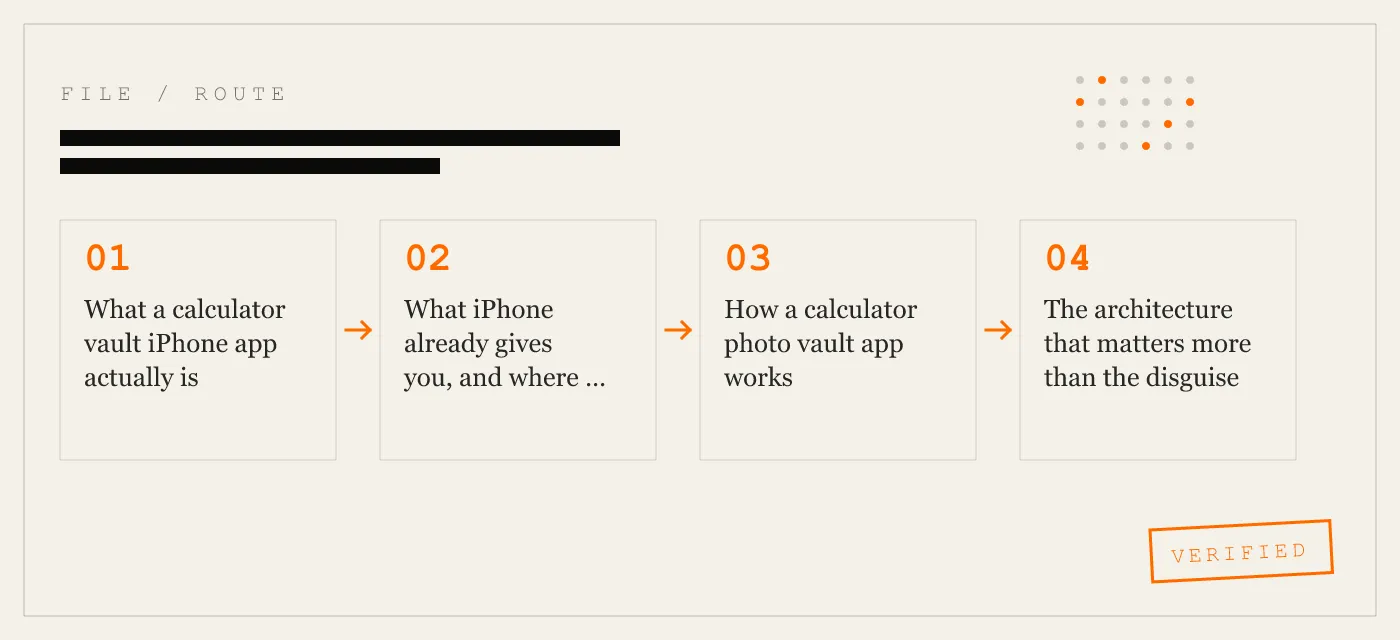
How a calculator photo vault app works
The disguise is the visible part. The security lives underneath it.
1) The app presents a real calculator
A legitimate calculator vault should function as a normal calculator first. That is not cosmetic. It is the reason the app can exist as a real utility rather than a fake shell.
App-Vault’s Calculator Launcher is a real calculator with an optional hidden entry to the vault. The calculator still calculates. The shortcut does not replace the calculator; it sits behind it.
2) A separate unlock action opens the vault
The vault should not appear by default. It opens only after a distinct user action and the correct secret.
In App-Vault, that flow is:
- Open the calculator screen
- Long-press the equals key
- Draw the correct 5×5 pattern
- Enter the vault
That is what makes the app a calculator vault iPhone app rather than a normal lock-screen gallery.
3) Files live in an encrypted container on the device
A real calculator photo vault app does not just mark files hidden in Photos. It imports them into its own storage and encrypts them there.
In App-Vault, photos, videos, and documents are stored in an AES-256-GCM encrypted container on the device itself. The vault contents are not stored on an App-Vault server, and the vault directory is explicitly excluded from iCloud Backup and iTunes/Finder backups.
4) The key should come from your secret, not from the phone alone
App-Vault derives the vault key from a 5×5 pattern using PBKDF2-SHA256 and protects key material with the iPhone Secure Enclave for key wrapping.
That matters because a vault should not fall open just because someone knows the phone passcode. The vault secret needs to remain separate from the general device unlock.
The architecture that matters more than the disguise
The words calculator vault describe the outside. The real question is whether the vault behind it is serious.
Encryption
App-Vault uses AES-256-GCM for file confidentiality and integrity. AES is defined in NIST FIPS 197, and GCM mode in NIST SP 800-38D.
This means each file is encrypted on-device, and tampering with ciphertext causes authentication failure rather than a silently corrupted open.
Key derivation
App-Vault derives keys from the user’s 5×5 pattern with PBKDF2-SHA256 at 600,000 iterations, matching the stack described on its security page and aligned to current OWASP guidance.
The practical takeaway is simple: your pattern is not stored as a plain password. It is transformed into key material through a standard key-derivation process.
Hardware-backed protection
App-Vault uses the iPhone Secure Enclave for key wrapping, consistent with Apple’s Platform Security model.
That gives the design hardware-backed protection around wrapped key material instead of relying only on app storage.
Catalog encryption
This is one of the easiest details to miss.
Some vaults encrypt files but leave useful metadata exposed, such as names, dates, or counts. App-Vault’s security material says the catalog is sealed too. Without the pattern, a raw extraction should not reveal the vault’s file names, or even a readable catalog of what is inside.
Calculator vault iPhone apps vs standard photo vaults
A calculator vault and a standard photo vault solve related problems, but they are not the same thing.
| Feature | Calculator vault iPhone app | Standard photo vault |
|---|---|---|
| Visible app surface | Calculator | Vault or gallery |
| Plausible deniability | Yes, if the calculator is real | Limited |
| Main purpose on first open | Utility app | Privacy app |
| Hidden entry step | Yes | Usually no |
| File protection quality | Depends on encryption design | Depends on encryption design |
Keepsafe belongs to the visible photo-vault style category described in the original article: the privacy function is apparent when opened. App-Vault adds the calculator surface for users who want the app to look ordinary before authentication.
What calculator vault apps do not do on iPhone
This is where many pages on this topic get vague. iOS sets real limits.
They do not hide other apps
A calculator vault app cannot hide another app’s icon on iPhone. If you are searching for a calculator app that hides apps, that is not what this category does under normal iOS rules.
These apps hide files, not applications.
They do not defeat coercion
App-Vault’s published threat model is clear: if you are forced to draw the pattern, the vault opens. A decoy vault can help in some shared-device or inspection scenarios, but it is not a guarantee against a determined adversary who already knows two patterns exist.
They do not fix a compromised device
If iOS itself is compromised, an app-level vault is not enough. App-Vault explicitly says it does not defend against a jailbroken device or active spyware payloads. That is an honest limit, and it is the sort of limit you want a privacy product to state plainly.
They do not recover a forgotten secret for you
In App-Vault, there is no recovery process if you forget the pattern and did not preserve the recovery phrase. That is a hard tradeoff, but it is also what it means for the developer not to hold a backdoor.
Legitimate reasons people use a calculator photo vault app
The search intent here is often treated carelessly. We think it is better to state the legitimate cases directly.
Shared family devices
On a family iPhone or iPad, not every photo or document belongs in the shared Photos app. A vault provides a separate space. A calculator launcher makes that space less obvious when someone is casually using the device.
Border travel and visual inspection
If someone scrolls the camera roll during travel, the camera roll only shows what is in Photos. App-Vault’s threat model specifically discusses visual inspection at a border and positions the calculator launcher as a way to avoid presenting sensitive material in plain view.
Journalism, legal, and medical work
Some professionals keep sensitive images or documents on personal devices temporarily. App-Vault is not sold as a certified compliance system, and it explicitly says it is the wrong tool if you require HIPAA, SOC 2, ISO 27001, or other formal compliance. But for consumer on-device privacy, the design goal is clear.
Lending a phone briefly
A common risk is not a forensic lab. It is a familiar person holding an already unlocked phone for a minute. App-Vault’s threat model names this directly: casual access by a familiar party.
Preparing a device for sale
Keeping files outside the Photos app, in a separate on-device vault, can reduce the chance that private material stays mixed into a normal photo library while you clean up a device before handoff.
What to look for in a calculator vault iPhone app
If you are comparing App-Vault, Vaultaire, or Keepsafe, these are the questions that matter most.
1) Can the app name its cryptography?
If a vault cannot tell you its cipher and key derivation method, do not trust it. App-Vault publishes AES-256-GCM and PBKDF2-SHA256 with 600,000 iterations.
2) Is the calculator actually functional?
A calculator vault app should be a calculator first, not a fake numeric keypad. App-Vault’s calculator actually calculates, and the vault shortcut is separate.
3) Are vault contents kept on-device?
App-Vault says vault contents stay on-device, with no server holding those contents. Its vault directory is excluded from iCloud Backup and iTunes/Finder backups.
4) Is there an account requirement?
App-Vault requires no account. That removes an entire class of unnecessary personal-data collection.
5) Is the catalog encrypted too?
File encryption alone is not enough. Metadata leaks matter. App-Vault says file names and the catalog are sealed.
6) Does the product state its limits honestly?
This is one of the best filters. App-Vault clearly says it does not protect against coerced unlock, a compromised device, a forgotten pattern without recovery phrase, lawful orders directed at you, or future cryptographic breaks.
App-Vault vs Vaultaire vs Keepsafe
We are not turning this page into a padded listicle. These are the same products already named in the source material, with the comparison tightened around the query intent.
| Question | App-Vault | Vaultaire | Keepsafe |
|---|---|---|---|
| Calculator-style entry | Yes, via Calculator Launcher | Not established here beyond the source naming Vaultaire in this category context | No calculator-style disguise described in this guide |
| On-device vault contents | Yes | Not detailed here | Not detailed here |
| Named cryptography in source materials here | Yes: AES-256-GCM, PBKDF2-SHA256, Secure Enclave wrapping | Not detailed here | Not detailed here |
| No account required | Yes | Not detailed here | Not detailed here |
| Decoy vault | Yes | Not detailed here | Not detailed here |
| Vault sharing | No, deliberately left out in version one | Yes, per App-Vault’s features page description | Not discussed here |
The point is not that every app should have the same feature list. The point is that if your search is specifically calculator vault iphone, you want to know whether the calculator layer is real, whether the vault is genuinely encrypted on-device, and whether the app explains its threat model in plain language.
How App-Vault’s calculator vault approach works in practice
App-Vault’s setup flow is unusually straightforward:
- Draw a 5×5 pattern
- Import files from Photos, Files, or the camera
- Lock the app
The app’s how-it-works page adds useful specifics:
- the pattern becomes the input to PBKDF2-SHA256
- the wrapped key material is tied into the iPhone’s security model
- files are encrypted on-device before they live in the vault
- the vault can then be reopened through the calculator launcher shortcut
- Face ID quick re-unlock is available after the first pattern unlock
- a 12-word recovery phrase is shown during onboarding
For users comparing this with iPhone’s built-in Hidden album, that is the real distinction: a hidden album is still part of Photos. A vault is a separate encrypted container.
iPhone steps people usually need alongside a vault
These are not App-Vault-specific features, but they answer common confusion around using any calculator photo vault app on iPhone.
Hide the Hidden album itself
If you do not want the Hidden album visible in Photos:
- Open Settings
- Go to Apps → Photos
- Turn Show Hidden Album off
That removes the Hidden album from the Photos app view, but it does not create a calculator vault.
Review subscriptions for a vault app
If you are managing a paid vault subscription on iPhone:
- Open Settings
- Tap your name at the top
- Tap Subscriptions
- Select the app
- Choose Cancel Subscription if needed
For App-Vault specifically, the pricing page says Apple handles billing, and paid plans are Weekly Premium from $3.99 per week or Yearly Premium from $29.99 per year with a 7-day free trial for new yearly subscribers. The free tier holds one file.
The bottom line
A calculator vault iphone app is useful when you need two things at once: a real encrypted vault and a surface that does not immediately announce itself as a vault.
That is why the category exists. But the calculator surface is only the outer shell. The real checklist is still the same: named encryption, strong key derivation, hardware-backed key protection, an encrypted catalog, on-device storage, no account requirement, and clear limits.
App-Vault is built around that model. Its calculator launcher is real, its vault is on-device, its cryptography is published, and its threat model says plainly what it defends against and what it does not. If you are evaluating a calculator photo vault app on iPhone, those are the details worth caring about.
DIAGRAM · 01
DOSSIER
QUESTIONS
11 sharp answers.
-
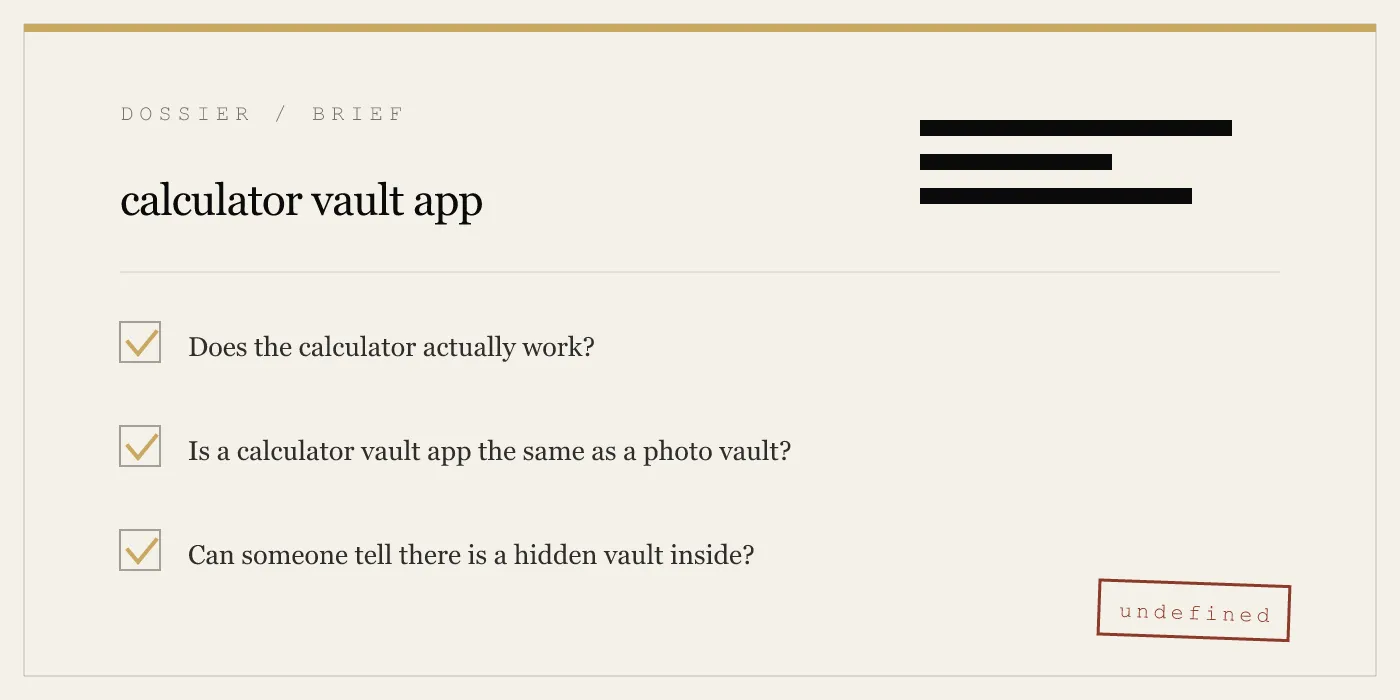
01 What is a calculator vault app?
A calculator vault app is an iPhone app that shows a working calculator on the surface while hiding an encrypted photo and file vault behind a separate unlock action. The calculator and the vault should be functionally separate, not just a fake front screen. -
02 What is a calculator photo vault app?
A calculator photo vault app is a calculator vault focused on storing photos and videos, sometimes documents too. On iPhone, the good ones work like normal calculator apps until you trigger the hidden vault shortcut and authenticate. -
03 Why do people search for calculator hide apps?
People usually mean a way to keep private files off the main Photos app on a shared device. Common cases include family devices, border travel, journalism, legal or medical work, lending a phone to someone briefly, or preparing a phone for sale. -
04 Is a calculator vault app safe to use?
It can be, but only if the architecture is sound. Look for on-device AES-256-GCM encryption, PBKDF2-based key derivation, hardware-backed key protection, an encrypted catalog, and no server storing vault contents. -
05 Can a calculator vault app hide other apps?
No. iOS does not allow one app to hide another app's icon. A calculator vault app hides files, not other applications. -
06 Does Apple allow calculator vault apps on the App Store?
Yes, if the calculator is real and the app is not misleading about what it does. A calculator launcher is safer territory when it is an actual calculator with an optional shortcut into a separate vault. -
07 What is the difference between a fake calculator app and a real one?
A fake one uses the calculator as decoration or a thin shell. A real calculator vault app performs arithmetic normally and keeps the vault behind a separate authenticated path. -
08 How do I access the vault inside a calculator app?
In App-Vault, you long-press the equals key and then draw your pattern. Without the correct pattern, the app remains just a calculator. -
09 Can someone find my hidden photos if they open the calculator?
Not without the correct unlock secret. In App-Vault, the files and the vault catalog are encrypted, so there are no visible thumbnails, names, or counts outside the unlocked session. -
10 Do calculator vault apps upload my photos to the cloud?
Some apps may, but App-Vault does not store vault contents on a server. Its vault directory is excluded from iCloud Backup and from iTunes/Finder backups, so there is no off-device vault copy in those Apple backup paths. -
11 What should I look for when choosing a calculator vault app?
Look for a named cipher, a named key derivation function, hardware-backed key protection, an encrypted catalog, no account requirement, and honest limits. If the app cannot explain how the vault is protected, do not trust it with sensitive files.
RELATED DOSSIERS
Keep reading.
9 ENTRIES
- LINK / 01 · Feature
Calculator Launcher
Fully functional iOS calculator with an opt-in long-press equals-key shortcut to the encrypted vault.
- LINK / 02 · Feature
Decoy Vault
A second 5×5 pattern that opens a separate, mathematically independent vault catalog for shared-device scenarios.
- LINK / 03 · Concept
Pattern Lock
How App-Vault's 5×5 grid works, how the pattern becomes a cryptographic key, and why grid size matters.
- LINK / 04 · Concept
AES-256-GCM Encryption
The full cryptography stack — cipher, mode, nonce, key derivation, and hardware binding — with primary-source citations.
- LINK / 05 · Concept
Zero-Knowledge Architecture
What App-Vault cannot see, cannot know, and cannot recover — by design.
- LINK / 06 · Concept
Threat Model
What App-Vault defends against, what it does not, and why honest threat modeling matters more than marketing claims.
- LINK / 07 · GUIDE
How to Find Hidden Apps on iPhone — and What Actually Stays Hidden
A practical guide to finding hidden apps on iPhone, how iOS app hiding works, and what calculator vault apps like App-Vault do that standard tools miss.
- LINK / 08 · GUIDE
How to Find Hidden Photos on iPhone
Step-by-step guide to finding hidden photos on iPhone: the built-in Hidden Album, third-party vault apps, iCloud recovery, and what encryption actually protects.
- LINK / 09 · GUIDE
How to Hide an Album on iPhone — Using Hidden Album, Private Folders, and Dedicated Vaults
Step-by-step guide to hiding photo albums on iPhone — using the Hidden Album, toggling its visibility, creating private folders, and when to use a dedicated vault app.
GET STARTED
Seal the vault.
Free to download. The free tier holds one file. Premium removes the limit — Weekly from $3.99 or Yearly from $29.99 with a 7-day free trial.