FILE G5 / IPHONE PRIVACY GUIDE
How to Find Hidden Photos on iPhone
Every iPhone has a built-in way to hide photos — and a built-in way to find them. This guide covers the Hidden Album, third-party vault apps, iCloud recovery, and what "hidden" actually means when encryption is involved.
UPDATED · 2026-05-16 · REVIEWED BY APP-VAULT
TL;DR
The iPhone Hidden Album is not a security feature — it is a convenience toggle that moves photos to a separate tab. Anyone with the device passcode can open it. Third-party vault apps add encryption, and the quality of that encryption varies enormously. If you need photos to stay private from someone who has physical access to the phone, the built-in Hidden Album is not enough.
The Built-in Hidden Album: What It Actually Does
Apple added the Hidden Album to iOS as a way to keep certain photos out of the main library view. It works. A photo you hide disappears from All Photos, from Memories, from search results, and from the For You tab. It reappears in a separate album called Hidden, located in the Utilities section of the Albums tab.
The problem is that “out of the main library view” is not the same as “private.”
On iOS 15 and earlier, the Hidden Album was visible by default. Anyone who opened your Photos app could scroll down and find it. Apple changed this in iOS 16: the Hidden Album is now hidden by default and requires Face ID, Touch ID, or the device passcode to open. That sounds like progress. It is — against a casual glance. But the device passcode unlocks everything, and the toggle to show the Hidden Album lives in Settings > Photos, two taps from the home screen.
The Hidden Album does not encrypt photos differently. It does not move them to a separate file. It flips a metadata flag in the Photos database. The image data sits in the same APFS container, protected by the same hardware encryption that protects every file on the iPhone. If you want to know whether the Hidden Album protects your photos from someone who has your phone and your passcode, the answer is no.
How to find the Hidden Album on your own iPhone:
- Open Settings.
- Scroll to Photos.
- Toggle on “Hidden Album.”
- Open Photos, tap Albums, scroll to Utilities, tap Hidden.
- Authenticate with Face ID, Touch ID, or the device passcode.
To unhide photos, select them, tap the share icon, and choose Unhide. They return to the main library immediately.
What “Hidden” Means in iCloud
If iCloud Photos is enabled — and it is on by default for most users — every photo in your library syncs to Apple’s servers. That includes hidden photos. The Hidden flag syncs too, so the album stays hidden on your iPad, your Mac, and any other device signed into the same Apple ID.
Apple encrypts iCloud Photos in transit and at rest. For standard iCloud accounts, Apple holds the encryption keys. That means Apple can decrypt your photos if compelled by a valid legal request. Advanced Data Protection, an opt-in feature Apple introduced in iOS 16.2, extends end-to-end encryption to iCloud Photos — including hidden photos. With Advanced Data Protection enabled, Apple cannot decrypt the data. The trade-off is that if you lose your device and your recovery key, the photos are gone.
Hidden photos in iCloud are recoverable for 30 days after deletion, just like any other photo. They sit in the Recently Deleted folder. After 30 days, Apple’s servers delete them. Forensic recovery from iCloud backups is a different question — one that depends on the backup encryption settings and the legal framework involved.
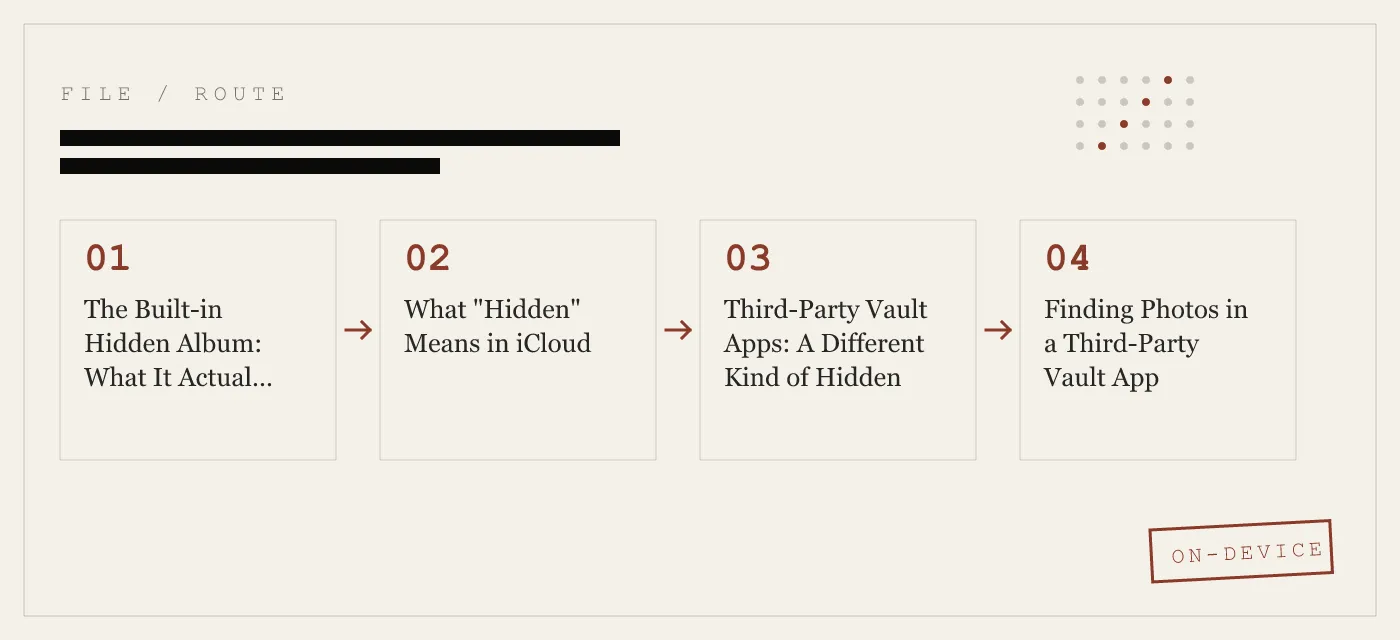
Third-Party Vault Apps: A Different Kind of Hidden
The built-in Hidden Album is a convenience feature. Third-party vault apps attempt to be a security feature. The gap between those two categories is where most confusion lives.
A vault app stores photos and files in a separate encrypted container. When you move a photo into the vault, the app encrypts it, stores the ciphertext in its own sandbox, and — in well-designed apps — deletes the original from the Photos library. To view the photo again, you open the vault app, authenticate, and the app decrypts the file in memory.
The strength of this protection depends on three things: the cipher, the key derivation, and the key storage.
The cipher. AES-256-GCM is the current standard for symmetric encryption. It provides both confidentiality and integrity — meaning an attacker cannot read the file or tamper with it without detection. NIST published the AES specification as FIPS 197 and the GCM mode as SP 800-38D. Apps that use AES-256-GCM with a unique nonce per file are doing the cryptography correctly. Apps that use AES-128, CBC mode without authentication, or ECB mode are not.
The key derivation. A passcode or pattern is not an encryption key. It has to be transformed into one through a key derivation function. PBKDF2-SHA256 with 600,000 iterations is the OWASP 2026 recommendation for password-based key derivation. The iteration count matters: 1,000 iterations can be brute-forced in seconds on modern hardware. 600,000 takes meaningfully longer. A per-install salt prevents precomputed attacks.
The key storage. The derived key has to live somewhere. If it lives in the app’s sandbox as a plaintext file, an attacker with a jailbroken device can extract it. If it is wrapped by a key generated inside the iPhone Secure Enclave, the wrapping key never leaves the chip. The Secure Enclave is a separate processor with its own encrypted memory. Even Apple cannot extract keys from it.
App-Vault uses all three: AES-256-GCM with a unique 96-bit nonce per file, PBKDF2-SHA256 at 600,000 iterations with a per-install 128-bit salt, and Secure Enclave wrapping of the derived key. The full cryptography stack is documented with primary-source citations.
Not every vault app makes these choices. Some store the encryption key in plaintext. Some use weak derivation. Some use no encryption at all — they simply move files to a directory the Photos app does not index. When you are evaluating a vault app, the question is not “does it hide photos?” It is “what happens if someone copies the app’s data container off the phone?”
Finding Photos in a Third-Party Vault App
Each vault app has its own authentication method and interface. The general pattern is the same: open the app, authenticate, browse the encrypted album.
Some vault apps use a disguised icon. App-Vault’s Calculator Launcher ships a fully functional iOS calculator. The vault opens through a long-press on the equals key — a gesture that is not discoverable without knowing it exists. This design is built to satisfy Apple guideline 4.3 (alternate icons) by ensuring the calculator is genuinely functional, not a skin over a login screen.
App-Vault also offers a Decoy Vault: a second 5×5 pattern that opens a completely separate vault catalog. The two catalogs are mathematically independent. Entering the decoy pattern shows one set of files. Entering the real pattern shows another. There is no metadata leak that reveals the second vault exists. This is useful when one physical device serves more than one person — a shared family iPad, for example.
If you are trying to find photos hidden in someone else’s vault app, the answer depends on the app’s architecture. Apps with strong encryption and no cloud backup do not have a backdoor. There is no password reset. There is no support tool that can recover the files. Forget the pattern, and the vault stays sealed. This is the point. It is also why App-Vault generates an optional written recovery passphrase during setup.
What Forensic Tools Can and Cannot Do
Law enforcement and private forensic firms use tools like Cellebrite UFED and GrayKey to extract data from iPhones. These tools exploit vulnerabilities in iOS to bypass the device passcode or to brute-force it. Apple patches these vulnerabilities regularly; the forensic tools find new ones. It is an arms race.
Against the built-in Hidden Album, forensic tools are effective. The Hidden Album is not a separate security boundary. Once the device passcode is bypassed, all photos are accessible.
Against a well-designed vault app, the picture is different. If the app uses hardware-backed key derivation and the device is powered off, the encryption key is not in memory. The Secure Enclave will not release the wrapped key without the correct biometric or passcode. Brute-forcing a 5×5 pattern through PBKDF2 at 600,000 iterations is not the same as brute-forcing a 4-digit PIN. The Pattern Lock page covers the math: the key space is large, and the derivation function is slow by design.
This does not make a vault app forensically invulnerable. It raises the cost. Whether that cost is prohibitive depends on the adversary’s resources and the legal framework they operate under. App-Vault’s threat model page is explicit about what the app defends against and what it does not.
The Shared Device Problem
The most common reason people hide photos on iPhone is not espionage. It is the shared family iPad. It is lending a phone to a friend for a group photo. It is a colleague who needs to make a call.
In these scenarios, the threat is not a forensic lab. It is a curious person swiping one screen too far. The built-in Hidden Album does not address this. A friend who opens your Photos app and scrolls to Utilities will see the Hidden Album — and on iOS 16, they will need your face or your passcode to open it. But if they have your phone, they may have your passcode.
A vault app with a separate authentication layer does address this. The photos are not in the Photos app at all. They are in an encrypted container behind a pattern or passcode that is different from the device passcode. The zero-knowledge architecture means App-Vault has no server-side copy, no account, and no way to recover the data. The files exist only on the device, sealed behind AES-256-GCM.
How to Audit Your Own iPhone for Hidden Photos
If you are trying to find hidden photos on your own device — or on a device you are about to sell or trade in — here is the checklist.
Step 1: Check the Hidden Album. Settings > Photos > toggle on Hidden Album. Open Photos > Albums > Utilities > Hidden. Review everything. Unhide or delete what you no longer need.
Step 2: Check Recently Deleted. Photos > Albums > Utilities > Recently Deleted. Hidden photos that were deleted sit here for 30 days. Delete them permanently or recover them.
Step 3: Check iCloud.com. Sign in at icloud.com with your Apple ID. Open Photos. The Hidden Album appears here too. If you are preparing to sell your iPhone, sign out of iCloud and erase the device. But know that iCloud retains the data until you delete it from the server.
Step 4: Check for third-party vault apps. Look through every home screen page and the App Library. Search for apps with generic names — “Calculator,” “Notes,” “Utilities.” Open them. If an app asks for a pattern or passcode before showing its contents, it may be a vault. App-Vault’s Calculator Launcher looks and functions as a standard iOS calculator until you long-press the equals key.
Step 5: Check Settings > General > iPhone Storage. This screen lists every app and its storage footprint. A vault app with gigabytes of data but a generic name is worth investigating.
Step 6: Erase and start over. If you are selling or trading in the iPhone, go to Settings > General > Transfer or Reset iPhone > Erase All Content and Settings. This cryptographically destroys the encryption keys for all data on the device. The data remains on the flash storage but is unrecoverable without the keys. This is the only way to be certain that hidden photos — in the Hidden Album, in vault apps, in Recently Deleted — are gone.
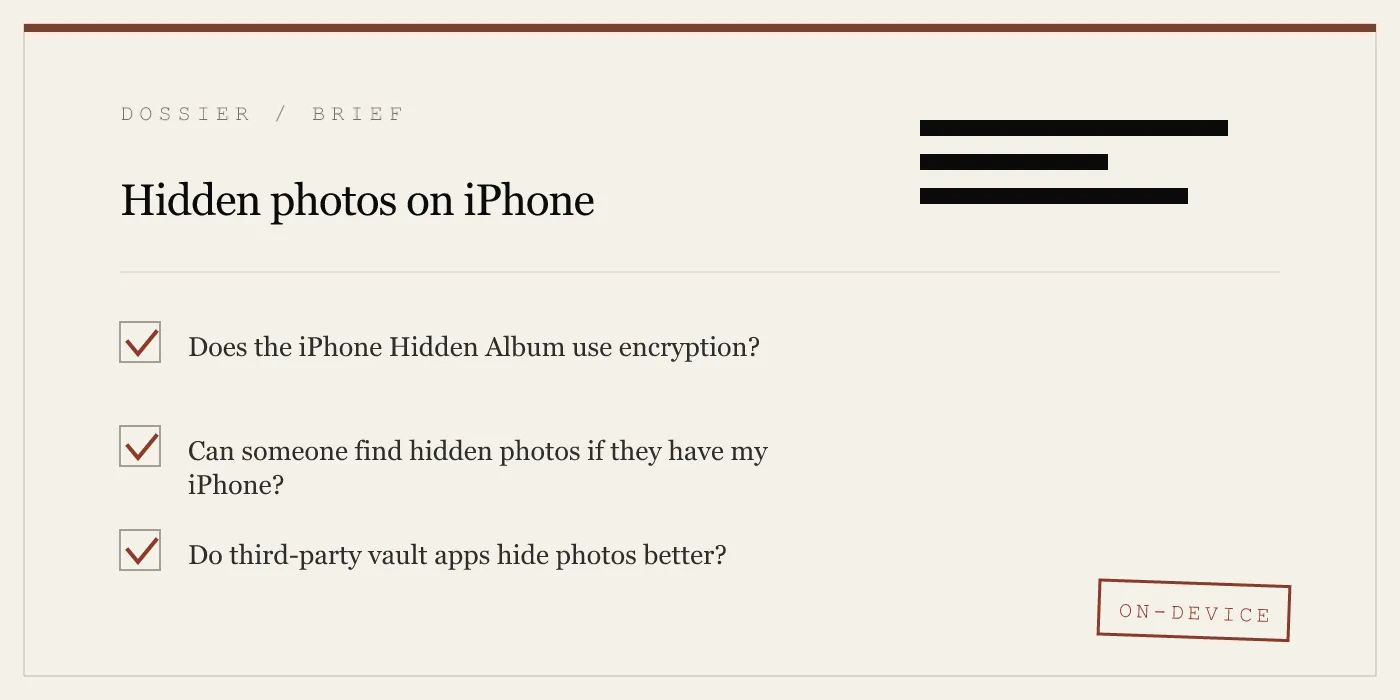
What “Hidden” Really Means
The word “hidden” does different work depending on context. In the Photos app, it means “not shown in the main library.” In a vault app with real encryption, it means “not accessible without the correct key.” In iCloud with Advanced Data Protection, it means “not accessible to Apple.”
If your threat model is a friend swiping through your camera roll, the built-in Hidden Album with Face ID lock is probably enough. If your threat model is a customs officer scrolling your phone at a border, a lent device, or a forensic extraction, you need encryption — and you need to understand what kind of encryption you are getting.
App-Vault publishes its full cryptography stack, its threat model, and its zero-knowledge architecture with primary-source citations. The comparison with Vaultaire and the comparison with Keepsafe break down how different apps in this category make different architectural choices — and what those choices mean for your photos.
DIAGRAM · 03
DOSSIER
QUESTIONS
10 sharp answers.
-
01 How do I find hidden photos on my iPhone?
Open Settings > Photos and toggle on the Hidden Album. Then open the Photos app, go to the Albums tab, scroll to Utilities, and tap Hidden. On iOS 16 and later, the Hidden Album can be locked with Face ID or Touch ID, but the device passcode still overrides it. -
02 Where are hidden photos stored on iPhone?
In the same photo library database as every other image. The Hidden flag is a metadata attribute — the file does not move to a different location on the flash storage. -
03 Can I password-protect the Hidden Album?
On iOS 16 and later, the Hidden Album can require Face ID or Touch ID to open. This is a convenience lock, not an encryption boundary. The device passcode bypasses it. -
04 How do I unhide photos on iPhone?
Open the Hidden Album, select the photos, tap the share icon, and choose Unhide. The images return to the main Photos library and appear in All Photos, Memories, and search results. -
05 Do hidden photos show up in iCloud?
Yes. If iCloud Photos is enabled, hidden photos sync to iCloud and appear on every device signed into the same Apple ID. The Hidden flag syncs as well, so the album stays hidden on each device — unless someone toggles it visible. -
06 Can someone find my hidden photos if I lend them my iPhone?
Yes, if they know where to look. The Hidden Album toggle in Settings takes two taps. Third-party vault apps with a separate authentication layer provide stronger protection in this scenario. -
07 What is the difference between the Hidden Album and a vault app?
The Hidden Album is a UI filter inside the Photos app. A vault app stores files in a separate encrypted container that requires its own authentication. The two approaches offer fundamentally different levels of protection. -
08 How do I find photos hidden in a third-party vault app?
Open the vault app and authenticate with its passcode, pattern, or biometric. Each app has its own interface. If the app uses a disguised icon — such as a calculator — you will need to know the launch gesture. -
09 Are hidden photos recoverable after factory reset?
Only if they were backed up to iCloud or to a computer via Finder or iTunes. The Hidden Album itself does not survive a reset, but iCloud Photos will restore the full library, including hidden images, when you sign back in. -
10 Can law enforcement access hidden photos on iPhone?
The Hidden Album offers no protection beyond the device passcode. Forensic tools that bypass or extract the passcode can access all photos. Third-party vault apps with strong encryption and no cloud backup present a harder problem — but the legal landscape varies by jurisdiction.
RELATED DOSSIERS
Keep reading.
9 ENTRIES
- LINK / 01 · Calculator Launcher
How App-Vault's Calculator Launcher Works
A fully functional iOS calculator with a long-press shortcut to the encrypted vault — built to satisfy Apple guideline 4.3.
- LINK / 02 · Decoy Vault
The Decoy Vault: A Second Pattern, A Separate Album
A mathematically independent vault catalog opened by a second 5×5 pattern. One device, two separate realities.
- LINK / 03 · Pattern Lock
App-Vault's 5×5 Pattern Lock and Key Derivation
How a grid pattern becomes an encryption key — PBKDF2, salt, and the math that makes brute-force impractical.
- LINK / 04 · Encryption
AES-256-GCM and App-Vault's Cryptography Stack
The full cipher suite: AES-256 in Galois/Counter Mode, unique nonces, hardware-backed key wrapping, and the primary-source citations.
- LINK / 05 · Zero-Knowledge
What App-Vault Cannot Know
No servers, no accounts, no telemetry. The architecture that makes it impossible for us to read your files.
- LINK / 06 · Threat Model
What App-Vault Defends Against — and What It Does Not
- LINK / 07 · GUIDE
How to Hide an Album on iPhone — Using Hidden Album, Private Folders, and Dedicated Vaults
Step-by-step guide to hiding photo albums on iPhone — using the Hidden Album, toggling its visibility, creating private folders, and when to use a dedicated vault app.
- LINK / 08 · GUIDE
How to Hide Apps on Android
Learn how to hide apps on Android, including Samsung Secure Folder steps, what launcher hiding does, and where private apps still remain visible.
- LINK / 09 · GUIDE
How to Hide Apps on iPhone — Built-In Methods, Limits, and What to Use Instead
Complete guide to hiding apps on iPhone using built-in iOS features, Screen Time, Face ID locks, and dedicated vault apps. What each method protects against.
GET STARTED
Seal the vault.
Free to download. The free tier holds one file. Premium removes the limit — Weekly from $3.99 or Yearly from $29.99 with a 7-day free trial.