FILE G1 / PRIVACY ON IPHONE
How to Hide Photos from Camera Roll on iPhone: Beyond the Hidden Album
The iPhone's Hidden Album gives you one thing: a second folder that does not appear in the main Photos grid. It does not give you privacy from Apple, from iCloud, or from anyone who knows where to look. This article explains how to hide photos from the camera roll in a way that actually removes them from cloud sync and from plain sight.
UPDATED · 2026-05-16 · REVIEWED BY APP-VAULT
TL;DR
The Hidden Album hides photos from the main grid but leaves them in iCloud and accessible via the album list. To truly hide photos from the camera roll, you need an app that moves files out of the Photos library entirely, encrypts them with AES-256-GCM, and never uploads them to iCloud. App-Vault does this with hardware-backed encryption and zero network calls.
Every iPhone user has asked the question: how do I hide a photo from the camera roll? The answer Apple provides is the Hidden Album. But that feature was designed for decluttering, not for privacy. If you need to hide photos from someone who has access to your unlocked phone — a customs officer, a family member using a shared iPad, a friend borrowing your phone to snap a group shot — the Hidden Album is not enough.
This guide explains the difference between hiding a photo and actually securing it. You will learn what the Hidden Album does, why it fails as a privacy tool, and how a dedicated vault app like App-Vault removes photos from the camera roll entirely.
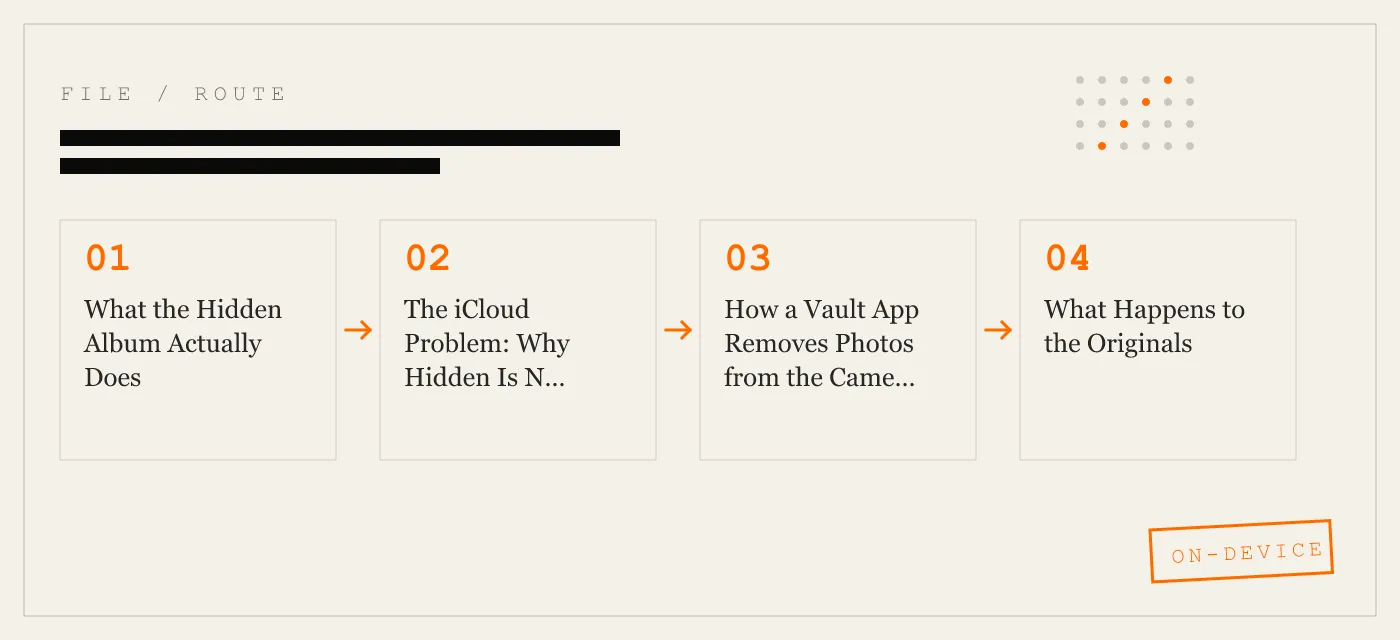
What the Hidden Album Actually Does
The Hidden Album is a system folder inside the Photos app. When you tap the share icon on a photo and choose “Hide,” iOS moves that photo out of the main camera roll grid and into the Hidden Album. The photo is still on the device. It is still in your iCloud Photos library. It is still fully readable by any app with photo library access. The only change is that the photo no longer appears in the “All Photos” view.
To find the Hidden Album, open the Photos app, tap the Albums tab, and scroll to the bottom. You will see a folder labeled “Hidden” with a lock icon. Unlock it with Face ID, Touch ID, or your passcode. Every photo you have ever hidden is there, in plain view.
You can also hide the Hidden Album itself in Settings > Photos. That removes the folder from the Albums list. But the photos do not disappear. They remain searchable via the Photos app search bar. Type “hidden” and the album appears. Type the name of a person in a hidden photo and that photo surfaces in search results.
The Hidden Album is a visual filter, not a security boundary.
The iCloud Problem: Why Hidden Is Not Private
The most dangerous misconception about the Hidden Album is that it stops iCloud sync. It does not.
If you have iCloud Photos enabled, every photo in the Hidden Album is uploaded to Apple’s servers at full resolution. Apple stores the photo, indexes it for search, and makes it available on all your other signed-in devices. If someone gains access to your iCloud account — through a password reset, a phishing attack, or a court order — they can download every hidden photo.
Even if you trust Apple with your data, the fact that the photo leaves your device means you have lost control over its copies. Apple’s iCloud uses end-to-end encryption for some data types, but as of iOS 19, iCloud Photos is not end-to-end encrypted by default for all users. Photos in iCloud are encrypted at rest, but Apple holds the keys. That is not privacy in the cryptographic sense.
A vault app like App-Vault takes a different approach. It never sends your photos to any server. The encryption keys are generated and stored in the iPhone’s Secure Enclave. Apple never sees the plaintext. The only way to access the photo is on the device where it was imported.
How a Vault App Removes Photos from the Camera Roll
A vault app does not hide photos inside the Photos library. It moves them out.
The process is straightforward. You open the vault app, grant it read access to your photo library (a one-time permission), select the photos you want to protect, and tap import. The app copies the full-resolution photo into its own encrypted storage. Then it offers to delete the original from the camera roll. Once you confirm, the photo is gone from the Photos app. It no longer appears in the camera roll, in any album, or in iCloud.
The vault app becomes the sole location for that photo. No other app can read it. Not the Photos app, not a file manager, not a forensic tool that relies on the Photos library database.
App-Vault takes this a step further by encrypting the entire file catalog. Even the file names, dates, and the number of stored photos are sealed. An attacker who gains raw file system access cannot tell how many photos the vault contains.
What Happens to the Originals
After import, the original photo in the camera roll is deleted. iOS moves it to the Recently Deleted album, where it stays for 30 days. You must delete it from Recently Deleted to fully remove it from the device and from iCloud.
Some vault apps handle this automatically. App-Vault prompts you to empty Recently Deleted after import. If you skip that step, the photo remains recoverable. A thorough privacy workflow includes the final deletion.
Once the original is gone from the Photos library and the vault app has deleted its copy, the photo exists only inside the vault’s encrypted container. There is no copy on iCloud. There is no copy in any other app. The photo is as private as the vault’s encryption.
Encryption: The Real Difference
The Hidden Album uses no encryption beyond the standard iOS file-level protection, which relies on your device passcode. If someone knows your passcode, they can open the Hidden Album. If law enforcement uses a forensic tool that bypasses the passcode, the Hidden Album yields its contents.
A vault app adds a second layer of encryption that is independent of the device passcode.
App-Vault implements AES-256 in Galois/Counter mode (GCM), as specified in NIST FIPS 197 and RFC 5116. Each file receives a unique 96-bit nonce. The encryption key is derived from your pattern using PBKDF2-SHA256 with 600,000 iterations, per OWASP recommendations. That derived key is then wrapped by a key generated inside the Apple Secure Enclave. The Enclave key never leaves the chip. Even if an attacker extracts the vault’s encrypted files, they cannot decrypt them without your pattern and the physical device.
This architecture means that hiding a photo in App-Vault is cryptographically different from hiding it in the Hidden Album. The Hidden Album offers convenience. App-Vault offers a security boundary.
Use Cases for a Camera Roll Vault
A vault app is not for everyone. It is for situations where the Hidden Album creates real risk.
Customs and border inspections. Officers may ask you to unlock your phone and scroll through the camera roll. A vault app with a Calculator Launcher entry method — a fully functional calculator that opens the vault only after a long-press on the equals key — gives you a plausible surface to show. The officer sees only the calculator and the decoy content.
Shared family iPads. A single device used by multiple people, including children, is a common scenario. A Decoy Vault with a second pattern lets you keep a separate set of photos for shared use while the real vault stays hidden.
Lent phones. You hand your phone to a friend to take a photo. They may swipe through your camera roll out of habit. A vault app ensures that sensitive photos are not in the camera roll at all.
Journalists, lawyers, and medical professionals. Privileged work material must not be visible in the camera roll. A vault app with zero network calls ensures that photos never leave the device for any reason.
Selling or trading in an iPhone. Before erasing the device, you can move sensitive photos into a vault app, then factory reset. The photos are gone from the camera roll and from iCloud. The vault app’s encrypted data is wiped with the reset.
Choosing the Right Vault
Not all vault apps are equal. Many ad-supported vaults bundle third-party SDKs that send usage telemetry off-device. Some store files on cloud servers under the app developer’s control. Others use outdated encryption like AES-128-ECB, which leaks patterns.
App-Vault publishes its full cryptography stack with primary-source citations. It uses AES-256-GCM, PBKDF2-SHA256 with 600k iterations, Secure Enclave key wrapping, and zero network calls. It has no account system, no telemetry, and no third-party SDKs. Its threat model is documented honestly, including what it does not defend against — such as physical extraction of the Secure Enclave by state-level actors.
For a feature-by-feature comparison, see App-Vault vs Vaultaire and App-Vault vs Keepsafe.
The Bottom Line
The Hidden Album hides photos from the camera roll grid. It does not hide them from iCloud, from search, or from anyone who knows the Photos app. To truly hide photos, you need to remove them from the Photos library entirely and encrypt them with a key that only you control.
A vault app like App-Vault does exactly that. It imports photos, deletes the originals, encrypts each file with AES-256-GCM, and never sends data to a server. The camera roll becomes a clean surface. The photos you choose to protect exist only inside the vault, behind a pattern lock that is bound to the Secure Enclave.
That is the difference between hiding and securing.
DIAGRAM · 01
DOSSIER
QUESTIONS
10 sharp answers.
-
01 How to hide photos from camera roll on iPhone?
Use the Hidden Album in the Photos app, but know that it still syncs to iCloud. For full removal from cloud and encryption, use a vault app like App-Vault that imports photos and deletes originals. -
02 Can I hide photos from camera roll without deleting them?
The Hidden Album hides them from the grid but does not delete them. A vault app can import a copy and then delete the original, effectively hiding the photo while keeping it accessible inside the vault. -
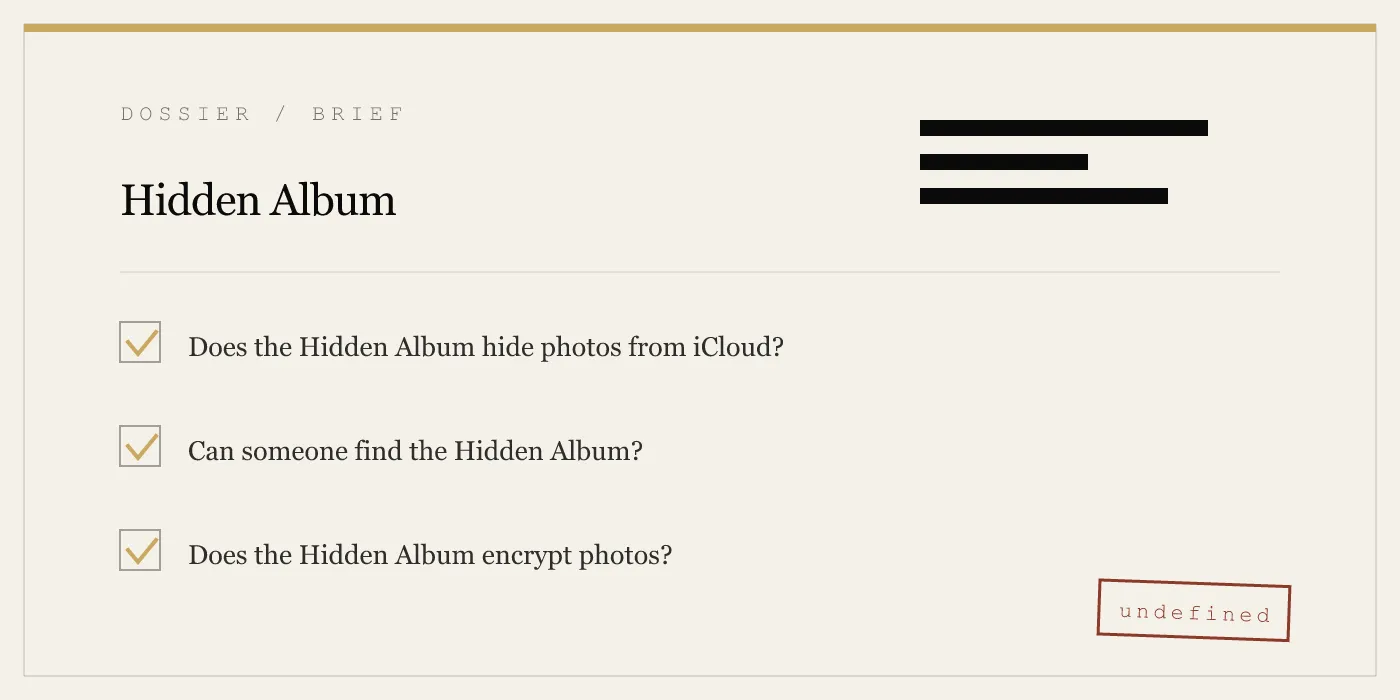
03 Does the Hidden Album hide photos from iCloud?
No. The Hidden Album is a local folder label. iCloud Photos syncs its contents regardless of the Hidden flag. -
04 How to hide photos from camera roll but not album?
Move photos to a custom album and then hide that album from the main grid using the Hidden Album. However, the photos remain in the camera roll unless you delete them from there. -
05 What is the best app to hide photos on iPhone?
The best app depends on your threat model. App-Vault offers AES-256-GCM encryption, Secure Enclave key wrapping, zero network calls, and a Calculator Launcher entry method. -
06 How to hide camera roll photos from someone?
Use a vault app with a decoy vault or alternate icon. App-Vault’s Decoy Vault lets you show a separate set of photos under a second pattern. -
07 How to hide pictures in camera roll permanently?
Import them into a vault app, then delete the originals from the camera roll. The vault app keeps them encrypted and offline. -
08 Can I hide photos from camera roll without a third-party app?
Yes, using the Hidden Album. But it does not encrypt or block iCloud sync. For real privacy, a third-party vault is required. -
09 How to hide stuff in camera roll from family?
On a shared iPad, use a vault with a decoy vault. App-Vault’s Decoy Vault creates a separate catalog for shared use while the real vault remains hidden. -
10 Does App-Vault hide photos from camera roll?
Yes. App-Vault imports photos into its encrypted storage and optionally deletes the originals from the camera roll. The photos never leave the device.
RELATED DOSSIERS
Keep reading.
9 ENTRIES
- LINK / 01 · Feature
Calculator Launcher
A fully functional iOS calculator that doubles as a vault entry point via a long-press on the equals key.
- LINK / 02 · Feature
Decoy Vault
A second pattern lock that opens a separate vault catalog, designed for shared devices.
- LINK / 03 · Concept
Pattern Lock
A 5×5 grid pattern that generates the encryption key via PBKDF2, bound to the Secure Enclave.
- LINK / 04 · Concept
AES-256-GCM Encryption
Each file is encrypted with a unique 96-bit nonce using AES-256 in Galois/Counter mode, per NIST standards.
- LINK / 05 · Concept
Zero-Knowledge Architecture
App-Vault makes no network calls. The encryption keys never leave the device. Apple receives only ciphertext during iCloud Backup.
- LINK / 06 · Concept
Threat Model
What App-Vault defends against and what it does not. Honest limits for informed decisions.
- LINK / 07 · GUIDE
How to Hide Photos on iPhone — Every Method, Honestly Evaluated
A practical guide to hiding photos on iPhone — the built-in Hidden Album's real limits, how dedicated vault apps work, and which approach fits your threat model.
- LINK / 08 · GUIDE
How to Hide Text Messages on iPhone: iOS Privacy Tools and the iMessage Locking Problem
Learn how to hide text messages on iPhone using Notification privacy, Messages filters, Screen Time, and why no app can lock iMessages.
- LINK / 09 · GUIDE
How to Hide Videos on iPhone: Three Methods That Actually Work
Hide videos on iPhone using Apple’s Hidden Album or a vault app. Compare privacy, password protection, and encryption limits.
GET STARTED
Seal the vault.
Free to download. The free tier holds one file. Premium removes the limit — Weekly from $3.99 or Yearly from $29.99 with a 7-day free trial.