FILE G4 / SECURITY ARCHITECTURE
iCloud Encryption Explained — What Apple Protects, What It Does Not
Apple encrypts every byte moving to and from iCloud. But encryption alone does not mean Apple cannot read your data. The distinction between in-transit encryption, at-rest encryption with Apple-held keys, and true end-to-end encryption determines who can access what. This guide maps Apple's current iCloud encryption model, explains what Advanced Data Protection changes, and shows where a local-only vault like App-Vault occupies a fundamentally different security posture.
UPDATED · 2026-05-16 · REVIEWED BY APP-VAULT
TL;DR
Standard iCloud encryption protects data in transit and at rest on Apple's servers, but Apple holds the encryption keys for most categories. Advanced Data Protection (ADP) shifts 23 data categories to end-to-end encryption, removing Apple's key access. iCloud Backup, Photos, and iCloud Drive join that list only under ADP. Even with ADP enabled, Apple cannot read your Health data, iCloud Keychain, or Screen Time settings — those were already end-to-end encrypted. No iCloud tier, including ADP, encrypts metadata such as file names, timestamps, or folder structure with user-controlled keys. A local-only vault like App-Vault, which never sends data to any server and derives keys inside the Secure Enclave, operates outside Apple's infrastructure entirely — no cloud key management, no metadata exposure, no account recovery backdoor.
Apple encrypts iCloud data. That statement is true, but it is also incomplete. Encryption comes in layers, and each layer answers a different question about who can read your data.
The first layer is transport encryption. Every bit moving between your iPhone and Apple’s servers travels inside a TLS 1.3 tunnel. An attacker on the same coffee shop Wi-Fi cannot see your photos, your notes, or your calendar events in transit. That protection is universal and always on.
The second layer is server-side encryption. Once data reaches Apple’s data centers, it is written to disk in encrypted form using AES-256. Apple’s Hardware Security Modules manage the wrapping keys. This means a physical attacker who steals hard drives from an Apple data center cannot read the raw bytes without the keys stored in those HSMs.
The third layer is key ownership. This is where most confusion lives. Under standard iCloud encryption, Apple holds the keys. Under Advanced Data Protection, you hold the keys for most data categories. The difference is not academic — it determines whether Apple can comply with a lawful request for your data, whether Apple can reset your account access, and whether an employee with data center privileges could theoretically access your plaintext.
This guide maps Apple’s encryption architecture as of iOS 19 and macOS Sequoia. It covers what each tier protects, what Advanced Data Protection actually changes, and where a local-only vault like App-Vault operates outside Apple’s infrastructure entirely.
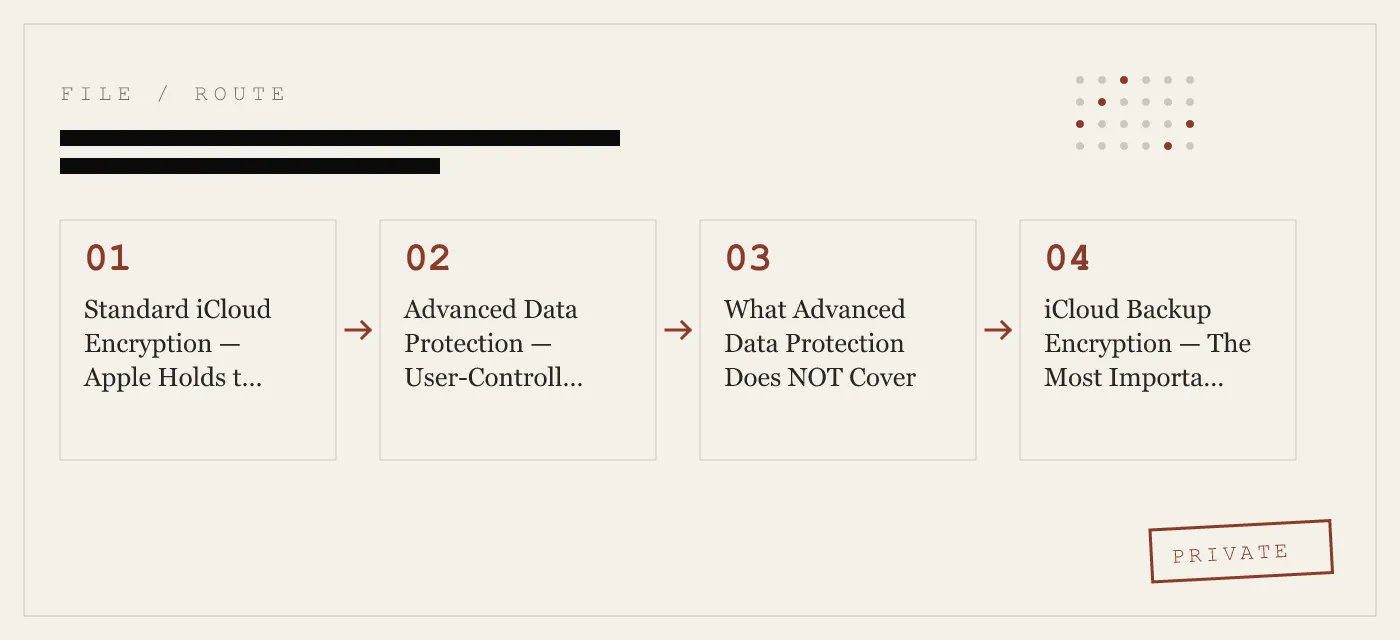
Standard iCloud Encryption — Apple Holds the Keys
When you sign into iCloud without enabling Advanced Data Protection, Apple encrypts your data in two places: on the wire and on the disk. But Apple also holds the decryption keys.
The technical mechanism is straightforward. Your device negotiates a TLS session with Apple’s edge servers. Data is encrypted with session keys derived during that handshake. At the server, data is re-encrypted with a storage key managed by Apple’s key management service. That storage key lives inside an HSM that requires multiple administrative approvals to operate.
Apple publishes a detailed breakdown of which data categories use which key hierarchy in the Apple Platform Security guide. The relevant table lists 23 data categories and marks each as either “end-to-end encrypted” or “encrypted with Apple-held keys.”
Under standard encryption, the following major categories use Apple-held keys:
- iCloud Backup (includes device backups containing photos, messages, app data)
- iCloud Photos
- iCloud Drive
- Notes (unless the user has enabled the separate Notes password feature)
- Calendar data
- Contacts
- Reminders
- Safari bookmarks and reading list
- Siri shortcuts and intent data
- Freeform boards
- Wallet passes
- Maps recent searches and routes
- iCloud Mail (Apple cannot read mail in transit, but stores it with Apple-held keys)
For each of these categories, Apple can decrypt the data. This is by design — Apple needs key access to support account recovery, iCloud.com web access, and features like shared photo libraries where multiple users need to decrypt the same asset.
The practical consequence is straightforward. If Apple receives a valid legal request for your iCloud data, Apple can produce the plaintext for any of these categories. Apple’s Law Enforcement Guidelines confirm this capability. Apple publishes a transparency report that lists the number of accounts affected by such requests.
Advanced Data Protection — User-Controlled Keys
Advanced Data Protection, introduced in iOS 16.2 and expanded since, shifts the key ownership model for most iCloud data categories. Instead of Apple’s HSMs holding the wrapping keys, the keys are derived on your device and backed by your iCloud Keychain, which is itself end-to-end encrypted.
Under ADP, the following categories become end-to-end encrypted:
- iCloud Backup
- iCloud Photos
- iCloud Drive
- Notes
- Calendar data
- Contacts
- Reminders
- Safari bookmarks
- Siri shortcuts
- Freeform boards
- Wallet passes
- Maps recent searches and routes
- Voice Memos
- Safari History
- Payment information (Apple Pay)
- Shortcuts
- Stocks data
- Weather data
- Home data
- News data
- Game Center data
- iCloud Mail (still encrypted with Apple-held keys — Mail is excluded from ADP)
Apple cannot decrypt any of these categories when ADP is enabled. Apple cannot comply with a lawful request for the contents of your iCloud Backup, your Photos library, or your iCloud Drive files. Apple cannot reset your keys if you lose access to your account.
The trade-off is recovery complexity. With ADP enabled, you must configure at least one recovery contact or generate a 28-character recovery key. Without one, your end-to-end encrypted data becomes permanently inaccessible if you lose access to all trusted devices and your iCloud Keychain. Apple cannot help you.
ADP also requires that all devices signed into your iCloud account run at least iOS 16.2, macOS 13.1, or watchOS 9.2. Devices on older software cannot receive the end-to-end encrypted data and are excluded from sync.
What Advanced Data Protection Does NOT Cover
Three categories of iCloud data remain encrypted with Apple-held keys even under ADP:
- iCloud Mail. Apple encrypts mail in transit, but stores it with Apple-held keys. Apple can read your mail if required by law. This is because mail must interoperate with non-Apple mail servers that do not support end-to-end encryption.
- iCloud Contacts, Calendar, and Reminders when accessed through iCloud.com. The web interface requires Apple to have key access. On-device sync is end-to-end encrypted under ADP.
- Metadata. File names, creation dates, modification dates, folder hierarchies, file sizes, and thumbnails are not end-to-end encrypted under any tier. Apple’s servers need metadata to enable search, sort, and sync operations.
The metadata point is worth emphasizing. Even with ADP enabled, Apple’s servers know how many files you have in iCloud Drive, what each file is named, when it was created, and which folder it lives in. Apple does not know the file contents, but the metadata alone can reveal substantial information about your activities.
iCloud Backup Encryption — The Most Important Category
iCloud Backup deserves its own section because it is the single largest repository of iPhone data for most users. A standard iCloud Backup contains:
- Device settings and preferences
- Messages and attachments
- Photos and videos not already in iCloud Photos
- App data from most third-party apps
- Home screen layout and app organization
- Health data (though Health is end-to-end encrypted in transit, it is included in the backup under standard encryption)
- Call history
- Voicemail
- Safari state
Under standard iCloud encryption, Apple holds the keys to your backup. Under ADP, the backup becomes end-to-end encrypted.
The distinction matters for anyone who stores sensitive material on their iPhone. A journalist’s sources, a lawyer’s privileged communications, a medical professional’s patient notes — all of these can end up in iCloud Backup even if the user never explicitly placed them there. App data is included automatically unless the developer opts out.
Apple provides a mechanism for developers to mark specific app data as excluded from backup. The NSURLIsExcludedFromBackupKey flag tells iOS not to include a file in iCloud Backup. App-Vault uses this flag for its encrypted vault files. Combined with App-Vault’s zero-network-calls architecture, this means App-Vault’s ciphertext never touches Apple’s servers — not even in an ADP-protected backup.
The Gap — What iCloud Encryption Cannot Protect
iCloud encryption, even at its strongest tier, operates within Apple’s infrastructure. That means three categories of data remain exposed:
Metadata. As discussed, file names, folder structure, and timestamps are visible to Apple. For many users, metadata is almost as revealing as content. A folder named “Medical Records 2025” with a file called “Biopsy Results.pdf” tells an observer everything they need to know, even if the file contents are encrypted.
App data from third-party apps. Apps that store plaintext data on the device and rely on iCloud Backup for persistence leave that data accessible to Apple under standard encryption. The user has no control over which app data gets backed up unless the developer explicitly opts out.
Network telemetry. iCloud services generate logs and analytics that Apple uses for operational monitoring. Apple states that these logs do not contain user content, but they do contain metadata about when and how services are accessed.
Account recovery. Under standard encryption, Apple can reset your iCloud account access. Under ADP, you can set a recovery contact or key, but the recovery process itself requires Apple to verify your identity — a process that can be socially engineered.
A local-only vault like App-Vault operates outside all of these categories. App-Vault makes zero network calls by default. No metadata leaves the device. No file names are transmitted. No timestamps are logged. Even the encrypted vault file is excluded from iCloud Backup. Apple sees nothing.
Where App-Vault Sits in the Encryption Landscape
App-Vault’s architecture is fundamentally different from iCloud encryption because it does not use cloud infrastructure at all.
The encryption stack is straightforward:
- Cipher: AES-256 in Galois/Counter Mode, with a unique 96-bit nonce generated per file. NIST FIPS 197 and NIST SP 800-38D are the canonical references. The nonce ensures that encrypting the same file twice produces different ciphertext.
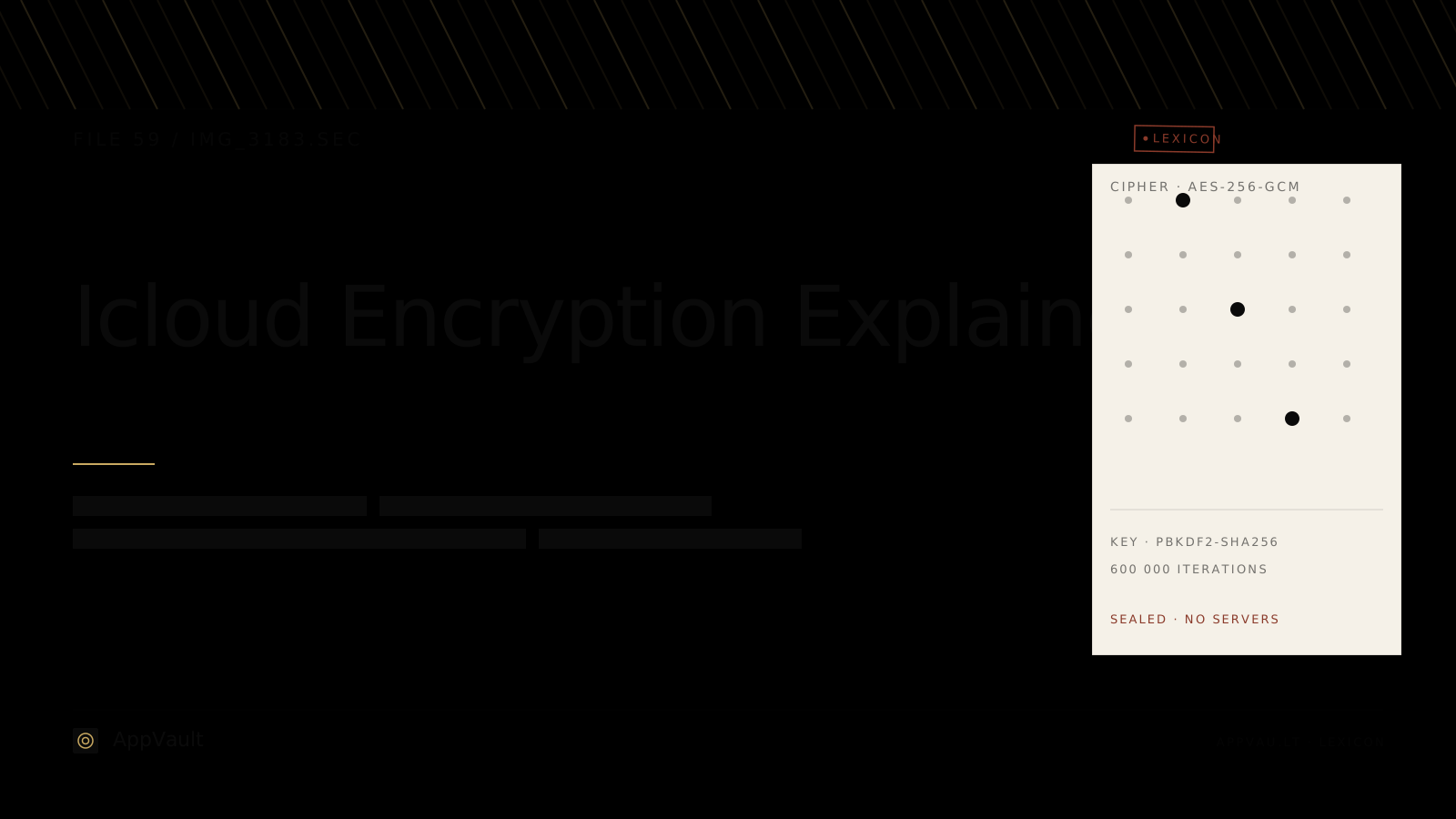
- Key derivation: PBKDF2-SHA256 at 600,000 iterations, with a per-install 128-bit salt. This follows the OWASP Password Storage Cheat Sheet recommendation for key stretching.
- Hardware binding: The PBKDF2 output is wrapped by a key generated inside the iPhone Secure Enclave. The Secure Enclave key never leaves the chip. Even App-Vault’s own code cannot extract it.
- No servers: App-Vault makes zero network calls by default. Encrypted iCloud Backup is opt-in, and files are sealed with a separate per-device backup key before upload. Apple receives only ciphertext that App-Vault’s code can decrypt.
- No account: No email address, no telemetry, no third-party SDKs. The privacy nutrition label declares no data collected.
- Catalog encryption: Even the list of files — count, names, dates — is sealed. An attacker with raw access to the device cannot determine how many files the vault contains.
This architecture means App-Vault does not need to answer the question “who holds the keys?” because the keys never leave the device. There is no cloud key management, no HSM wrapping, no account recovery backdoor. The vault is either unlocked by the user’s pattern or it is sealed.
The threat model page documents what App-Vault defends against and what it does not. The short version: App-Vault protects against device theft, forensic extraction, shoulder-surfing, and unauthorized iCloud access. It does not protect against a compromised device with a jailbreak or against a user being coerced into unlocking the vault.
Practical Recommendations
For most users: Enable Advanced Data Protection. The trade-off in recovery complexity is worth the gain in key ownership. Apple’s support document walks through the setup.
For journalists, lawyers, and medical professionals: Enable ADP and use a local-only vault like App-Vault for material that must never appear in any cloud infrastructure. Even with ADP, metadata exposure and the risk of a recovery contact being compromised are real concerns.
For anyone selling or trading in an iPhone: ADP does not help with residual data on the device itself. A factory reset is required. Even then, forensic tools can sometimes recover fragments. A vault that encrypts with Secure Enclave-bound keys and zero-network architecture ensures that no cloud copy of sensitive files exists to be recovered later.
For families sharing an iPad: The Decoy Vault feature provides a second, mathematically independent vault catalog accessible via a separate 5x5 pattern. This is useful when one physical device serves multiple people. The Calculator Launcher provides an additional layer of discretion — a fully functional iOS calculator with an opt-in long-press equals-key shortcut to the encrypted vault.
The Bottom Line
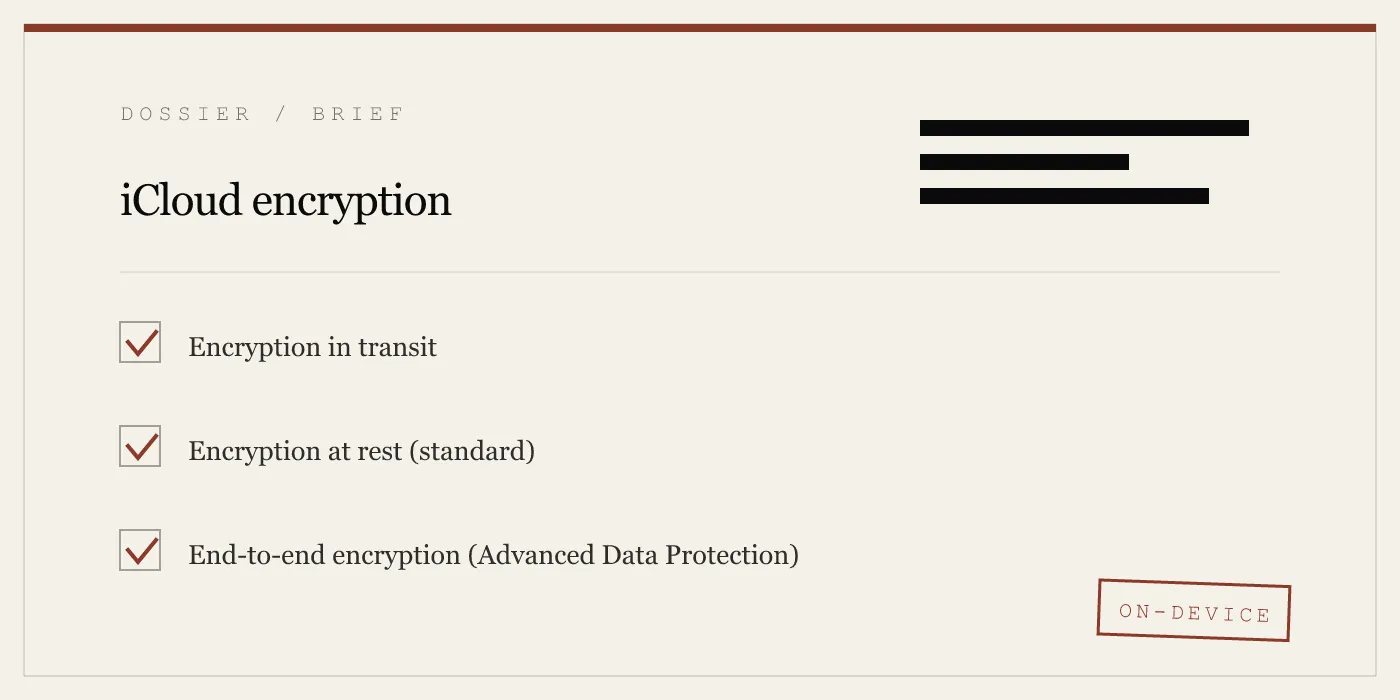
iCloud encryption is strong, but its strength depends entirely on who holds the keys. Standard encryption protects against external attackers but not against Apple itself. Advanced Data Protection shifts key ownership to the user for most categories, but leaves metadata exposed and requires careful recovery planning.
A local-only vault like App-Vault operates on a different model entirely. No cloud, no key escrow, no metadata transmission, no account recovery. The AES-256-GCM encryption and Secure Enclave key wrapping ensure that the only person who can open the vault is the person who knows the pattern.
The two approaches are not competitors. They serve different threat models. iCloud encryption protects your data from device loss and hardware failure. A local vault protects your data from cloud infrastructure itself. For anyone whose material requires the stronger of those two guarantees, the choice is clear.
DIAGRAM · 04
DOSSIER
QUESTIONS
10 sharp answers.
-
01 Does Apple encrypt iCloud data?
Yes. All iCloud data is encrypted in transit with TLS 1.3 and at rest with AES-256 on Apple's servers. The question is who holds the keys. -
02 Is iCloud end-to-end encrypted?
For 23 data categories under Advanced Data Protection, yes — Apple cannot decrypt. For standard iCloud, Apple holds the keys and can decrypt most data categories. -
03 What is iCloud Advanced Data Protection?
Advanced Data Protection is an opt-in setting that extends end-to-end encryption to most iCloud data, including iCloud Backup, Photos, and iCloud Drive. Apple loses key access. -
04 Does iCloud Backup encryption protect my photos?
Under standard iCloud encryption, Apple holds the keys to your backup, which includes photos. Under Advanced Data Protection, iCloud Backup becomes end-to-end encrypted. -
05 Can Apple read my iCloud data?
Under standard encryption, Apple can decrypt most iCloud data categories using keys stored in its Hardware Security Modules. Under Advanced Data Protection, Apple cannot decrypt the 23 covered categories. -
06 What data does Apple never have keys for?
iCloud Keychain, Health data, Screen Time, iMessage and FaceTime content, and HomeKit data are end-to-end encrypted by default. Apple cannot decrypt these. -
07 Does Advanced Data Protection protect metadata?
No. File names, timestamps, folder structure, and file sizes remain visible to Apple under ADP. Metadata is not end-to-end encrypted. -
08 How do I turn on iCloud Advanced Data Protection?
Open Settings, tap your name, select iCloud, tap Advanced Data Protection, then turn it on. You will need at least one trusted device or a recovery contact. -
09 What happens if I lose my iCloud account with ADP enabled?
You must have a recovery contact or a recovery key. Without one, your end-to-end encrypted data is unrecoverable. Apple cannot reset your ADP keys. -
10 Does App-Vault use iCloud?
No. App-Vault makes zero network calls by default. Encrypted iCloud Backup is opt-in, and files are sealed with a separate per-device backup key before upload.
RELATED DOSSIERS
Keep reading.
9 ENTRIES
- LINK / 01 · CRYPTOGRAPHY STACK
AES-256-GCM encryption
App-Vault's cipher, nonce generation, and key derivation published with NIST citations.
- LINK / 02 · ARCHITECTURE
Zero-knowledge architecture
What App-Vault cannot know about your files — and why that matters for threat modeling.
- LINK / 03 · THREAT MODEL
App-Vault security model
What App-Vault defends against, what it does not, and how to reason about risk.
- LINK / 04 · COMPARISON
App-Vault vs Keepsafe
Feature-by-feature breakdown of architecture, encryption, and data collection policies.
- LINK / 05 · COMPARISON
App-Vault vs Vaultaire
How two zero-knowledge vault apps differ in key derivation, hardware binding, and metadata handling.
- LINK / 06 · AUTHENTICATION
Pattern Lock design
How a 5x5 grid becomes a 600,000-iteration PBKDF2 seed, wrapped by the Secure Enclave.
- LINK / 07 · GUIDE
Is Apple Hidden Album safe on iPhone?
Apple's Hidden album hides photos from view, but it is not a separate encrypted vault. See what it protects, what still syncs, and better options.
- LINK / 08 · GUIDE
How to Password Protect Photos on Your iPhone: 3 Methods That Actually Work
Three ways to password protect photos on iPhone: Hidden Album with Face ID, Screen Time passcode, and dedicated vault apps. Plus the limits of each.
- LINK / 09 · GUIDE
PBKDF2 Explained: The Password-Based Key Derivation Function That Secures Your Vault
What is PBKDF2? How it works, why direct hashing fails, the OWASP 2026 recommendation of 600,000 iterations, and how it compares to Argon2id, bcrypt, and scrypt.
GET STARTED
Seal the vault.
Free to download. The free tier holds one file. Premium removes the limit — Weekly from $3.99 or Yearly from $29.99 with a 7-day free trial.