FILE G5 / IPHONE PHOTO RECOVERY
How to Recover Deleted Photos on iPhone
Deleted a photo on your iPhone and need it back? The options depend on how long ago you deleted it, whether you have a backup, and what you are willing to trade — time, money, or a full device restore. This guide walks through every recovery path that actually works, from the 30-day safety net to the edge cases where recovery is no longer possible.
UPDATED · 2026-05-16 · REVIEWED BY APP-VAULT
TL;DR
Deleted iPhone photos sit in the Recently Deleted album for 30 days — recover them from there in under a minute. After 30 days, recovery requires an iCloud or iTunes/Finder backup made before the deletion date, or a third-party tool that scans backup files. Without a backup, photos deleted from Recently Deleted are cryptographically erased and unrecoverable. The only reliable prevention is a dedicated vault app that keeps sensitive photos out of the Camera Roll entirely.
The 30-Day Safety Net: Recently Deleted Album
Every photo deleted on an iPhone lands in the Recently Deleted album. It stays there for exactly 30 days. During that window, recovery takes about five seconds.
How to recover recently deleted photos:
- Open the Photos app.
- Tap Albums at the bottom.
- Scroll down to Utilities and tap Recently Deleted.
- Tap the photo or video you want back.
- Tap Recover, then confirm.
The photo returns to its original album — Camera Roll, a custom album, or a shared album — with its metadata intact. Date, location, and any edits are preserved.
This is the path most people need. The volume of searches for “how do I recover recently deleted photos” and “how to get photos back from recently deleted” tells the story: the majority of deletions are accidental, and the majority of those accidents happen within the 30-day window.
What counts as deletion: Tapping “Delete Photo” in the Photos app moves the file to Recently Deleted. Tapping “Delete from Recently Deleted” — or letting the 30-day timer expire — triggers permanent erasure. There is no second confirmation dialog after the 30-day window. The file is gone.
What Happens After 30 Days: Cryptographic Erasure
The 30-day timer is not a soft delete. When it expires, the iPhone destroys the per-file encryption key that protects that photo. The encrypted data may still sit on the flash storage for a while — until the system overwrites those blocks — but without the key, it is random noise.
This is not a limitation Apple chose to impose. It is how modern iPhone storage encryption works. Every file on an iPhone is encrypted with a unique key. Those keys are themselves protected by keys rooted in the Secure Enclave, a dedicated security coprocessor on the A-series or M-series chip. When the system marks a file for permanent deletion, it destroys the file’s key in the Secure Enclave’s key hierarchy. The data becomes mathematically unrecoverable.
This architecture is documented in Apple’s Platform Security guide. The Secure Enclave generates and stores encryption keys in hardware. Keys never leave the chip. When a key is destroyed, no software update, no forensic lab, and no Apple support agent can reconstruct it.
The practical consequence: if you are searching for “how to recover deleted photos after deleting from recently deleted” or “can you recover photos deleted from recently deleted,” the honest answer is no — unless you have a backup that predates the permanent deletion.
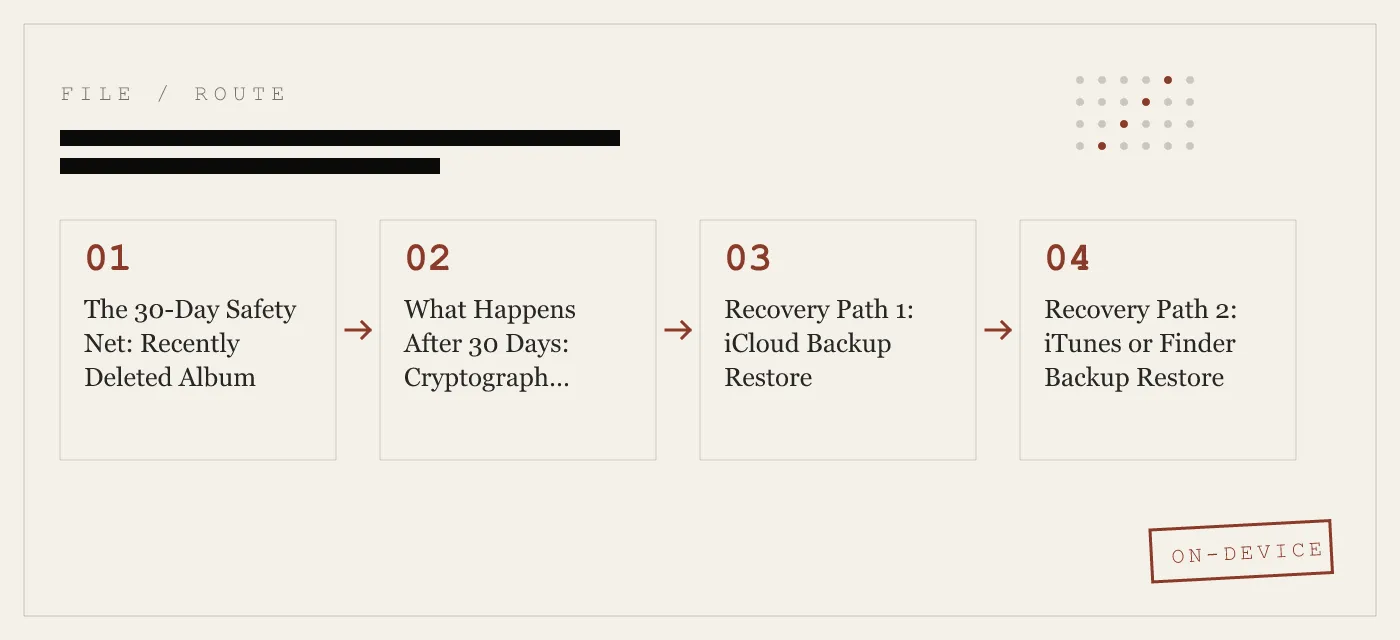
Recovery Path 1: iCloud Backup Restore
iCloud Backup is the most common recovery path for photos that have left the Recently Deleted album. It is also the most disruptive.
How iCloud Backup works: When enabled, iCloud backs up your iPhone automatically once a day, usually overnight while the phone is charging and on Wi-Fi. The backup includes your Camera Roll — unless iCloud Photos is enabled, in which case photos are synced separately and not included in the backup.
How to restore from iCloud Backup:
- Erase the iPhone: Settings > General > Transfer or Reset iPhone > Erase All Content and Settings.
- Follow the setup assistant until you reach the Apps & Data screen.
- Tap Restore from iCloud Backup.
- Sign in with your Apple ID and select the backup that predates the photo deletion.
- Wait for the restore to complete. Depending on backup size and connection speed, this can take minutes to hours.
The trade-off: Restoring an iCloud backup rolls the entire device back to the state it was in when that backup was made. Any photos, messages, app data, or settings created or changed after that backup date are lost. There is no selective restore — you get the whole snapshot or nothing.
When this works: If you deleted a photo on June 10, emptied Recently Deleted on July 9, and your last iCloud backup ran on June 8, that backup contains the photo. Restore it and the photo returns — along with everything else as it existed on June 8.
When this does not work: If iCloud Photos was enabled, your photos were syncing to iCloud in real time. Deleting a photo on the iPhone deleted it from iCloud too. The iCloud Backup would not contain the photo because iCloud Backup excludes photos that are already in iCloud Photos.
Recovery Path 2: iTunes or Finder Backup Restore
If you back up your iPhone to a Mac or PC, you have a local backup that can serve the same recovery purpose as iCloud Backup — with the same all-or-nothing trade-off.
On macOS Catalina and later: Backups are managed through Finder. Connect the iPhone, select it in the Finder sidebar, and click Restore Backup.
On macOS Mojave and earlier, or Windows: Backups are managed through iTunes. Connect the iPhone, click the device icon, and click Restore Backup.
Advantages over iCloud Backup: Local backups are typically faster to restore, do not depend on internet speed, and are not subject to iCloud’s 5 GB free tier. If you back up regularly, you may have a more recent snapshot than iCloud provides.
The same trade-off applies: Full device restore. No selective photo recovery. Everything after the backup date is lost.
Recovery Path 3: Third-Party Recovery Tools
A category of desktop software claims to recover deleted iPhone photos. Tools like Dr.Fone (Wondershare), iMobie PhoneRescue, and Tenorshare UltData fall into this group.
What they actually do: These tools do not break iPhone encryption. They cannot. What they can do is parse the contents of an iTunes or Finder backup file on your computer, extract the photos from that backup, and let you save them individually. Some can also download and parse iCloud backups.
When they are useful: If you have a local backup that contains the deleted photos and you do not want to perform a full device restore, a third-party tool lets you extract just the photos. This avoids the nuclear option of rolling your entire iPhone back in time.
When they are useless: If no backup exists — local or iCloud — these tools have nothing to parse. No tool can recover photos from the iPhone’s flash storage after the encryption key has been destroyed. Any tool that claims otherwise is either lying or exploiting a vulnerability that Apple will patch.
Safety considerations: Reputable tools operate on local backup files and do not require you to disable Find My iPhone, install a configuration profile, or grant remote access to your computer. If a tool asks for any of those things, close it. The iPhone security model is designed to prevent exactly the kind of low-level access these tools would need to bypass encryption.
Recovery Path 4: iCloud Photos and Shared Albums
If iCloud Photos was enabled when the photo existed, there is one more place to check — but the odds are not in your favor.
iCloud Photos syncs your entire library across all devices linked to the same Apple ID. Deletion syncs too. If you deleted a photo on your iPhone, it was deleted from iCloud Photos and from every other device using the same account. The Recently Deleted album exists in iCloud Photos as well, but it follows the same 30-day rule.
Shared Albums behave differently. If you shared a photo to a Shared Album before deleting it from your library, the copy in the Shared Album still exists. Open the Photos app, go to Albums, and check Shared Albums. The photo may be there.
My Photo Stream — Apple’s older syncing feature — stored the last 3,000 photos for 30 days. Apple discontinued My Photo Stream in July 2023. If you are reading this after that date, this path is closed.
What Does Not Work
Contacting Apple Support. Apple cannot recover photos deleted from Recently Deleted. The encryption keys are stored on the device, in hardware Apple designed to be tamper-resistant. Apple does not have a copy.
Checking “hidden” albums. The Hidden album in Photos is not a recovery location. It is a user-controlled album that hides photos from the main library view. Deleting a photo from the Hidden album sends it to Recently Deleted, same as any any other album.
File recovery software that scans the iPhone directly. Desktop tools that claim to scan an iPhone’s storage and recover deleted files are either parsing backups (see above) or making claims they cannot back up. The iPhone’s flash storage is encrypted at the hardware level. Without the per-file key, the data is inaccessible.
Waiting. The 30-day timer is exact. There is no grace period, no “almost deleted” state, no way to extend it. When the timer expires, the key is destroyed.
The Prevention Pitch: Stop Losing Photos in the First Place
Every recovery method above is a workaround for a problem that is entirely preventable. The real question is not “how do I recover deleted photos” — it is “how do I make sure I never need to.”
For general photo safety:
- Enable iCloud Photos so your library syncs continuously. A photo taken on your iPhone exists in iCloud within seconds.
- Maintain regular local backups via Finder or iTunes. A weekly backup to a Mac or PC gives you a rolling recovery window.
- Use Shared Albums for photos you cannot afford to lose. A copy in a Shared Album survives deletion from your personal library.
For sensitive photos — the ones people actually panic about losing or exposing:
The Camera Roll is not a safe place for private photos. It is the first place anyone looks when they pick up your iPhone. It is the album that appears when a customs officer swipes through your device, when a child opens the Photos app on a shared iPad, or when a friend scrolls past the group photo they just took.
A dedicated vault app moves sensitive photos out of the Camera Roll entirely. App-Vault stores photos in an encrypted container with AES-256-GCM encryption — the same cipher standard published by NIST. The vault is protected by a 5×5 pattern lock with PBKDF2 key derivation rooted in the Secure Enclave. There is no account, no server, no way for anyone — including the app’s developer — to access the files.
The Calculator Launcher means the vault app looks like a standard iOS calculator. The Decoy Vault means a second pattern opens a separate, mathematically independent photo catalog. These are not gimmicks. They are architectural responses to real threat models: customs inspections, shared devices, lent iPhones, and the moment before you sell or trade in your phone.
Keepsafe is the category leader by install count; the full feature-by-feature breakdown is on App-Vault vs Keepsafe. For a closer architectural comparison, App-Vault vs Vaultaire covers the closest competitor in the calculator-vault space.
The threat model page is honest about what App-Vault does not defend against. A product that overstates its threat model is the product you should not trust.
Summary Table
| Recovery Method | Works When | Trade-off |
|---|---|---|
| Recently Deleted album | Within 30 days of deletion | None — tap and recover |
| iCloud Backup restore | Backup predates deletion | Full device rollback |
| iTunes/Finder backup restore | Local backup predates deletion | Full device rollback |
| Third-party tool | Backup exists (local or iCloud) | Cost of software; no backup = no recovery |
| Shared Albums | Photo was shared before deletion | Must have been shared proactively |
| Apple Support | Never | Keys are on-device only |
The pattern is clear: recovery depends entirely on a copy existing somewhere outside the deleted file’s encryption envelope. Once that envelope is sealed and the key is destroyed, no tool, no service, and no amount of searching will bring the photo back.
DIAGRAM · 01
DOSSIER
QUESTIONS
10 sharp answers.
-
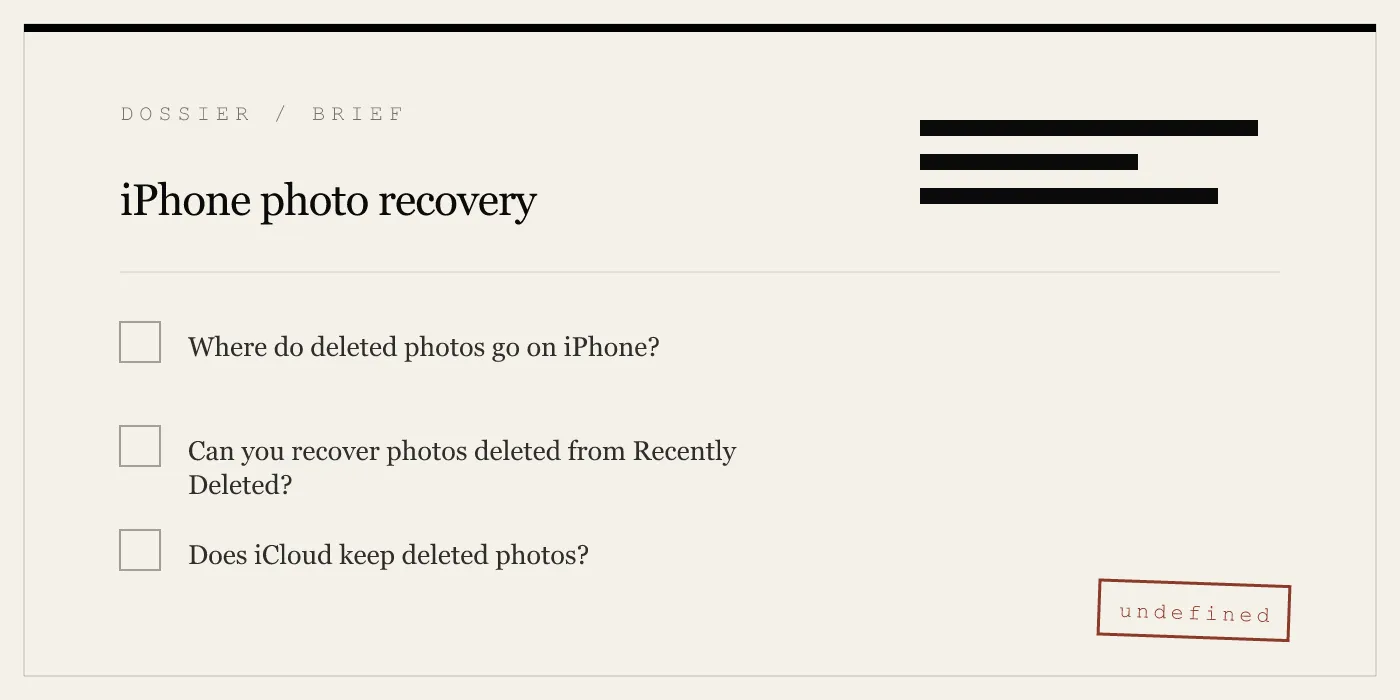
01 How do I recover recently deleted photos on iPhone?
Open Photos, go to Albums, scroll to Recently Deleted, tap the photo, and tap Recover. The photo returns to its original album. This works for up to 30 days after deletion. -
02 Can I recover photos deleted from the Recently Deleted folder?
Only if you have an iCloud or iTunes/Finder backup that was created before the photo was permanently deleted. Without a backup, the encryption key has been destroyed and recovery is not possible. -
03 How do I recover permanently deleted photos from iPhone without a backup?
You cannot. Modern iPhones use per-file encryption keys stored in the Secure Enclave. When a photo is removed from Recently Deleted, that key is destroyed. No software can reconstruct it. -
04 Does restoring an iCloud backup recover deleted photos?
An iCloud backup restores the entire device to the state it was in when the backup was made. If the photo existed at that time, it returns. Everything added or changed after that backup date is lost. -
05 Can I recover deleted photos from iPhone after 30 days?
Only from a backup made within the 30-day window. After 30 days with no backup, the files are cryptographically erased. The storage blocks may still hold residual data until overwritten, but no consumer tool can access them. -
06 Are third-party iPhone photo recovery tools safe?
Reputable tools like Dr.Fone, iMobie PhoneRescue, and Tenorshare UltData parse local backups without uploading data. Avoid any tool that requires disabling Find My iPhone or installing a configuration profile — those are red flags. -
07 How do I recover deleted photos from iCloud?
If iCloud Photos was enabled, deleted photos sync across all devices and cannot be recovered from iCloud directly. If iCloud Backup was enabled, you can restore the entire device from a backup that predates the deletion. -
08 Will a factory reset recover deleted photos?
No. A factory reset erases the encryption keys, making all data on the device permanently inaccessible. It is the opposite of recovery. -
09 Can Apple recover my deleted photos?
No. Apple does not store the encryption keys needed to decrypt data on your device. Once a photo is removed from Recently Deleted, even Apple cannot recover it. -
10 How can I prevent losing photos in the future?
Enable iCloud Photos for automatic sync, maintain regular iTunes or Finder backups, and store sensitive photos in a dedicated vault app like App-Vault that keeps them encrypted and separate from the Camera Roll.
RELATED DOSSIERS
Keep reading.
9 ENTRIES
- LINK / 01 · Calculator Launcher
Hide Your Vault Behind a Working Calculator
A fully functional iOS calculator with a long-press shortcut to your encrypted photo vault. Looks like math. Stores your private files.
- LINK / 02 · Decoy Vault
A Second Pattern That Opens a Separate Album
Two independent vaults behind two different 5×5 patterns. One device, two separate photo catalogs.
- LINK / 03 · Pattern Lock
How App-Vault's 5×5 Grid Actually Works
The math behind the pattern — PBKDF2 key derivation, Secure Enclave binding, and why brute-force is not a realistic attack.
- LINK / 04 · AES-256-GCM Encryption
The Cryptography Stack Inside App-Vault
AES-256 in GCM mode, unique 96-bit nonce per file, and why this is the same cipher that protects classified government data.
- LINK / 05 · Zero-Knowledge Architecture
What App-Vault Cannot See or Know
No servers, no accounts, no telemetry. The privacy nutrition label declares zero data collected. Here is why that matters.
- LINK / 06 · Threat Model
What App-Vault Defends Against — and What It Does Not
Customs inspections, shared iPhones, lent devices. Honest about the limits. A product that overstates its threat model is a product you should not trust.
- LINK / 07 · GUIDE
What Is Secure Enclave?
Learn what Secure Enclave is, which Apple security features rely on it, how apps use it, and the real limits of iPhone hardware security.
- LINK / 08 · GUIDE
Does iPhone Have a Secure Folder? The Full Answer for iOS Users
iOS has no Samsung-style Secure Folder. Learn what Apple offers natively, the gaps that remain, and how App-Vault fills them with AES-256 encryption.
- LINK / 09 · GUIDE
What Is AES-256 Encryption? A Non-Cryptographer’s Guide
AES-256 is the encryption standard used by governments and banks. Learn what 256-bit AES means, how it works, and where it falls short.
GET STARTED
Seal the vault.
Free to download. The free tier holds one file. Premium removes the limit — Weekly from $3.99 or Yearly from $29.99 with a 7-day free trial.