FILE G1 / IPHONE PRIVACY GUIDE
How to Hide Photos on iPhone — Every Method, Honestly Evaluated
iOS gives you a Hidden Album. It also gives you a Recently Deleted folder that keeps files for 30 days. Neither is private in the way most people assume. This guide walks through every method Apple provides, explains where each one breaks down, and shows what a dedicated vault app does differently.
UPDATED · 2026-05-16 · REVIEWED BY APP-VAULT
TL;DR
The iPhone's built-in Hidden Album removes photos from the main library view but leaves them visible in a dedicated "Hidden" album that anyone can open. The Locked Folder in iOS 16+ adds Face ID protection but still shows the folder's existence. Dedicated vault apps like App-Vault encrypt files with AES-256-GCM, derive keys through PBKDF2 with 600,000 iterations, and can disguise the app itself as a calculator — none of which the native tools offer. The right method depends on who you are protecting against.
The Built-in Hidden Album: What It Actually Does
Apple added the Hidden Album to iOS as a convenience feature. It removes selected photos and videos from the main library view — the Photos tab, the For You tab, and Memories. The files relocate to a dedicated album found under Albums → Utilities → Hidden.
That is the entire mechanism. No password. No biometric gate. No encryption change. The files sit in the same unencrypted container as every other photo on the device, indexed by the same database, visible to anyone who navigates to the right screen.
Apple added a toggle in iOS 14 that lets you hide the Hidden Album listing itself. Go to Settings → Photos and switch off “Hidden Album.” The album disappears from the Utilities section. But the photos are still indexed. They still appear in search results. They still surface in Siri suggestions. The toggle is a UI change, not a security control.
When the Hidden Album is enough: You want to keep casual swiping hands — a friend flipping through your camera roll, a child tapping around — from stumbling onto specific images. The Hidden Album removes photos from the default browsing flow. For that narrow purpose, it works.
When it is not enough: Anyone who opens the Photos app with intent can find the Hidden Album in under five seconds. It requires no authentication step. If your threat model includes a person who knows what they are looking for, the Hidden Album is not a barrier.
The Locked Folder (iOS 16 and Later)
iOS 16 introduced the Locked Folder, which adds Face ID or Touch ID protection to hidden photos. When you move photos into the Locked Folder, the Photos app requires biometric authentication before displaying them.
This is a meaningful step up from the Hidden Album. A person swiping through your phone cannot open the Locked Folder without your face or fingerprint. The files are also excluded from iCloud Photos sync — they stay on-device only.
But the Locked Folder has its own limits. The folder itself is visible in the Photos app. A viewer can see that a Locked Folder exists and infer that it contains content you have chosen to protect. The folder shows a lock icon and a label. It announces its own existence.
The Locked Folder also does not encrypt files separately from the rest of the iOS data protection system. When the device is locked, all files are protected by the hardware encryption tied to your passcode. When the device is unlocked, the Locked Folder adds a biometric gate — but the underlying storage is the same encrypted APFS volume that protects everything else on the phone.
When the Locked Folder is enough: You want biometric protection against someone who has your unlocked phone in hand. A colleague, a family member, a friend — someone who can physically interact with the device but cannot authenticate as you.
When it is not enough: The Locked Folder does not hide the fact that hidden content exists. It does not protect against someone with your device passcode (since the passcode can override Face ID). It does not encrypt files with a separate key. And it does not help if you need the vault app itself to be invisible.
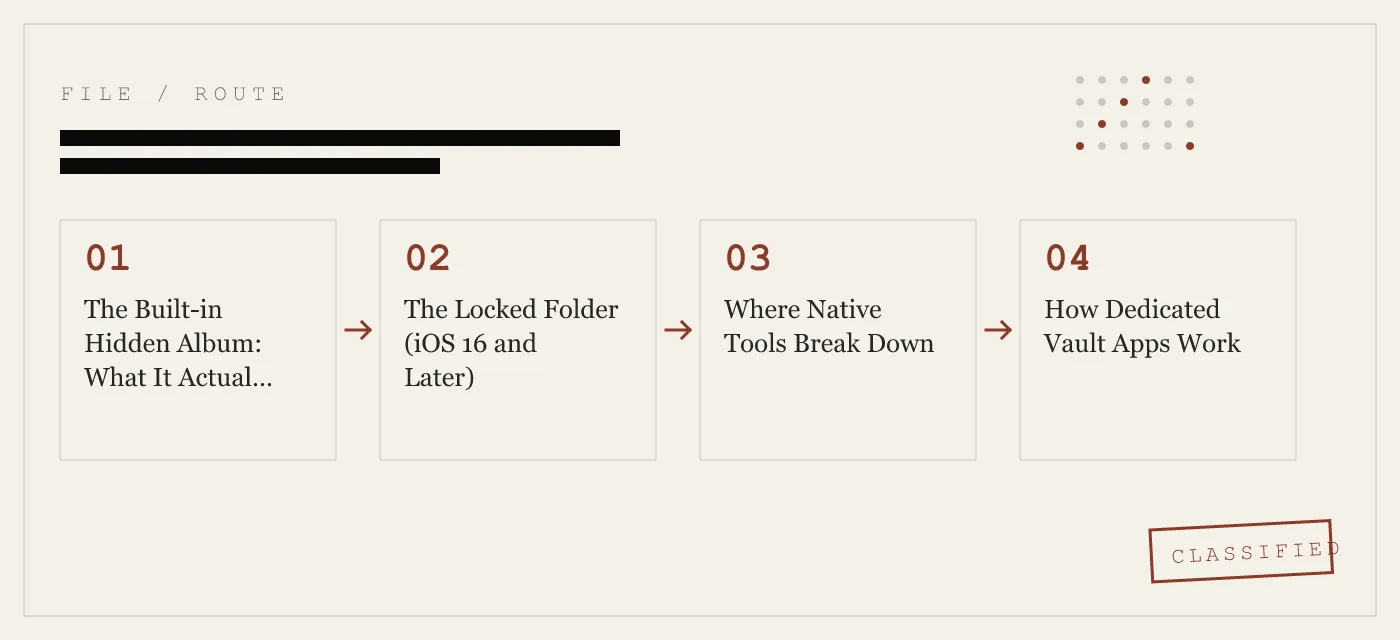
Where Native Tools Break Down
The core problem with both Apple-native options is architectural. The Photos app is a single application with a single data store. Hiding a photo means changing a flag in a database row. The file stays in the same directory, on the same flash storage, referenced by the same index.
This has concrete consequences:
Search and Siri. Even with the Hidden Album toggle off, photos can surface in Spotlight search, Siri suggestions, and the search bar inside Photos. Apple’s indexing pipeline does not fully respect the hidden flag.
Shared albums and AirDrop. Hidden photos can still be selected for AirDrop or shared albums if the user navigates to them through search or a shared link. The hiding mechanism is a display filter, not an access control.
Backups. Hidden and Locked Folder photos are included in iCloud backups and iTunes/Finder backups. If someone gains access to your iCloud account or a local backup file, the hidden photos are there.
Recently Deleted. When you delete a photo — hidden or not — it moves to the Recently Deleted folder and stays recoverable for 30 days. The Hidden Album does not change this behavior.
Forensic access. Tools used in device forensics read the flash storage directly or extract the Photos database. A boolean flag in a SQLite column does not stop a forensic examiner.
For the threat models that matter — customs and border inspections, shared family iPads, lending your phone to someone, selling or trading in a device — the native tools leave gaps that a dedicated vault app is designed to close.
How Dedicated Vault Apps Work
A vault app takes a fundamentally different approach. Instead of toggling a visibility flag inside the Photos app, it removes files from the Photos library entirely and stores them in an encrypted container that the app controls.
The typical workflow:
- Import. The user selects photos or videos from the Photos library. The vault app copies them into its own sandboxed storage.
- Encrypt. Each file is encrypted with a symmetric key derived from the user’s passphrase or pattern. In App-Vault’s case, the cipher is AES-256-GCM with a unique 96-bit nonce per file, and the key is derived through PBKDF2-SHA256 at 600,000 iterations with a per-install 128-bit salt.
- Delete originals. The app deletes the original files from the Photos library, including from the Recently Deleted folder, so no trace remains in the native photo database.
- Store. The encrypted files live inside the app’s sandbox. The iOS sandbox prevents other apps from reading the data. The encryption prevents anyone who extracts the sandbox contents from reading the files without the key.
The result: the photos no longer exist in the Photos app, in search, in Siri suggestions, in shared albums, or in the camera roll. They exist only as ciphertext inside the vault app’s container.
What Encryption Actually Means Here
App-Vault’s cryptography stack is published in full on the encryption concept page. The short version:
- AES-256-GCM (Galois/Counter Mode) provides authenticated encryption. Each file gets a unique 96-bit nonce, so two identical photos produce completely different ciphertext. The algorithm is specified in NIST FIPS 197 and NIST SP 800-38D.
- PBKDF2-SHA256 at 600,000 iterations converts the user’s pattern into a cryptographic key. The iteration count follows the OWASP 2026 recommendation for password-based key derivation. A random 128-bit salt, generated once at install time, ensures that two devices with the same pattern produce different keys.
- Secure Enclave wrapping. The PBKDF2 output is wrapped by a key generated inside the iPhone Secure Enclave. The Enclave key never leaves the chip. On devices with a Secure Enclave (iPhone 5s and later), this means the key material is bound to the hardware and cannot be extracted by software alone.
This is not marketing language. Each of these choices has a specific security property. The high iteration count makes brute-force attacks on the pattern computationally expensive. The per-file nonce prevents pattern analysis across ciphertext. The Secure Enclave binding means that even if someone copies the encrypted container to another device, the files cannot be decrypted without the original hardware.
The Calculator Launcher: Hiding the Hider
Encryption protects the files. But if the vault app itself is visible on the home screen, a viewer knows that hidden content exists. The app icon is a signal.
App-Vault’s Calculator Launcher addresses this by shipping a fully functional iOS calculator as the app’s primary interface. The user opens the app, sees a standard calculator, and can perform calculations normally. A long-press on the equals key opens the encrypted vault.
This is not a fake calculator. It is a real calculator that also happens to have a vault behind a specific gesture. The design is built to satisfy Apple guideline 4.3 (alternate icons) by providing genuine calculator functionality.
The Calculator Launcher changes the threat model. A person who picks up your phone and sees a calculator app on the home screen has no reason to suspect it contains encrypted photos. A customs officer scrolling through apps sees a calculator. A friend who borrows your phone sees a calculator.
This is not invisibility. A forensic examination of the app’s bundle identifier and entitlements would reveal its true nature. But for the practical scenarios that most people face — a person with physical access and casual intent — the Calculator Launcher raises the barrier from “open the obvious vault app” to “figure out that the calculator is not a calculator.”
The Decoy Vault: Two Albums, One Device
Some situations require more than a hidden app. If someone knows you use a vault app and demands access, a single password creates a problem: refusal implies guilt, and compliance defeats the purpose.
App-Vault’s Decoy Vault provides a second 5×5 pattern that opens a separate, mathematically independent vault catalog. The decoy vault is a fully functional encrypted space. It can contain its own photos, videos, and files. The encryption keys for the decoy vault are derived from the decoy pattern — they are unrelated to the keys for the primary vault. There is no cryptographic link between the two.
This is useful in specific scenarios: a shared family iPad where one person’s vault access is expected, a device used by more than one person, or any situation where plausible deniability has practical value.
The decoy vault is not a magic shield. It does not protect against forensic analysis that examines the app’s entire storage. It protects against the social scenario where someone knows the vault exists and wants to see what is inside.
Pattern Lock: Why the Grid Matters
App-Vault uses a 5×5 pattern lock instead of a numeric PIN or alphanumeric password. The grid provides 25 nodes, and the pattern connects them in sequence. The total number of possible patterns is large — significantly larger than a 4-digit PIN (10,000 combinations) and comparable to a 6-digit PIN, though the exact count depends on the minimum and maximum node constraints.
The pattern is not the encryption key. The pattern is the input to PBKDF2, which stretches it into a 256-bit key. The security comes from the key derivation function, not from the pattern itself. A 4-digit PIN run through PBKDF2 at 600,000 iterations is also secure against brute force — the iteration count is what makes each guess expensive.
The pattern lock is a usability choice. Most people can remember a geometric shape more reliably than a random string. The 5×5 grid is familiar from Android’s legacy lock screen. And the visual nature of the pattern makes it faster to enter than a typed password on a touchscreen.
What Vault Apps Do Not Protect Against
Honesty about limits is more useful than overstatement. Here is what a vault app like App-Vault does not defend against:
Forensic chip-off attacks. A laboratory that desolders the NAND flash chip and reads it directly can extract the encrypted container. AES-256-GCM with a strong key makes decryption infeasible, but the ciphertext is physically present. If the key is weak (a simple pattern, low iteration count), the encryption can be broken. App-Vault’s 600,000-iteration PBKDF2 and Secure Enclave wrapping raise the cost substantially, but no software-only solution defeats a well-funded forensic lab.
Compelled decryption. In some jurisdictions, authorities can legally compel you to provide a password or biometric. A vault app cannot protect against a court order. The Decoy Vault may provide plausible deniability in informal settings, but it is not a legal shield.
Device passcode compromise. If someone knows your device passcode, they can unlock the phone and attempt to open the vault app. The vault’s pattern is a separate authentication factor, but the device passcode is the first line of defense. A strong device passcode (alphanumeric, not 4-digit) remains essential.
Screen recording and shoulder surfing. A vault app cannot prevent someone from watching you enter your pattern or from recording the screen while you browse encrypted photos. Physical security — awareness of your surroundings, screen privacy filters — is a separate layer.
iCloud Backup of the vault container. If the user opts in to iCloud Backup, the vault’s encrypted container is backed up. The files remain encrypted, and the backup key is separate from the vault key. But the ciphertext exists on Apple’s servers. App-Vault’s backup encryption uses a per-device key that Apple does not hold, but the metadata (backup exists, app installed) is visible.
The full threat model page details these scenarios with more precision.
Comparing App-Vault to the Category
The calculator vault category on the App Store includes dozens of apps. Most share a similar premise — a disguised icon, a pattern or PIN lock, encrypted storage — but the implementation quality varies enormously.
Keepsafe is the category leader by install count. It offers cloud sync, a subscription model, and a polished interface. The full feature-by-feature breakdown is on the App-Vault vs Keepsafe comparison page. Keepsafe’s cloud architecture means files pass through Keepsafe’s servers, which is a fundamentally different trust model than a local-only app.
Vaultaire is the closest competitor in the calculator-vault niche. It uses a calculator disguise and local storage. The architectural differences — key derivation, encryption mode, Secure Enclave usage — are detailed on the App-Vault vs Vaultaire comparison page.
Most other calculator vault apps in the store do not publish their cryptography stack. Without published iteration counts, cipher modes, and key derivation details, there is no way to evaluate whether the encryption is meaningful or decorative. An app that claims “military-grade encryption” but runs PBKDF2 at 1,000 iterations is not providing meaningful protection.
App-Vault publishes its full stack with primary-source citations. The cipher, iteration count, salt generation, and hardware binding are documented on the encryption page. This is the minimum standard for a product that asks users to trust it with private files.
Practical Scenarios: Which Method to Use
Customs and border inspections. An officer who picks up your phone and scrolls through apps and photos. The Calculator Launcher addresses this: the app looks like a calculator. The encrypted files are not in the Photos app. The officer has no obvious reason to suspect hidden content. This is the scenario where a vault app with a disguised icon provides the most value over native tools.
Shared family iPad. Multiple people use the same device. The Locked Folder provides biometric protection, but the folder is visible. A vault app with a separate pattern keeps files out of the Photos app entirely. The Decoy Vault adds a second layer if one family member’s access is expected.
Lending your phone. A friend takes a group photo and swipes further. The Hidden Album removes photos from the main view, but a determined swipe can reach it. A vault app removes the files from the Photos app completely.
Selling or trading in an iPhone. Before a factory reset, move sensitive files to the vault app, then use the app’s secure delete function. After deleting the app and performing a factory reset, the encrypted container is destroyed. The native Hidden Album and Recently Deleted folder are wiped by the factory reset, but a vault app gives you explicit control over the deletion timing.
Journalists, lawyers, medical professionals. Privileged work material that should not be accessible to anyone with device access. A vault app with strong encryption and no cloud sync keeps files local and encrypted. The zero-knowledge architecture — detailed on the zero-knowledge page — means the app developer has no access to file contents or metadata.
How to Set Up App-Vault for Photo Hiding
The setup process is designed to minimize the window during which files exist in both the Photos library and the vault simultaneously.
- Install App-Vault from the App Store. The app appears as a calculator on the home screen.
- Set the primary pattern. Choose a 5×5 pattern you can remember. This pattern derives the encryption key for your primary vault.
- Set the decoy pattern (optional). This opens a separate vault catalog with its own encryption keys.
- Generate the recovery passphrase. App-Vault creates a written recovery phrase during setup. Store it somewhere physically separate from the phone. If you forget both patterns, this is the only way back in.
- Import photos. Open the vault, tap import, and select photos from the Photos library. App-Vault encrypts them and stores them in its sandbox.
- Delete originals. After confirming the photos are visible inside the vault, delete them from the Photos app. Then open the Recently Deleted folder and delete them there too.
- Verify. Open the Photos app and confirm the images are gone from all views — Photos tab, Albums, Search, and Recently Deleted.
The photos now exist only as encrypted files inside App-Vault’s sandbox. They are not in the Photos database, not in search, not in iCloud Photos, and not in any backup unless you have explicitly opted in to encrypted iCloud Backup.
The Cost of Getting It Wrong
The worst outcome is not having no protection. It is having the illusion of protection.
A person who relies on the Hidden Album and assumes their photos are private has made a specific, testable claim about their security — and the claim is false. The Hidden Album is a display preference, not an access control. Anyone with unlocked device access can find the hidden photos in seconds.
A person who downloads a free vault app with ad SDKs and assumes their photos are encrypted has made a different claim — one that may also be false. Without published cryptography details, there is no way to verify that the app encrypts anything. Some free vault apps have been found to store files in plaintext inside the app’s Documents directory, readable by anyone who can access a local backup.
The right approach is to match the method to the threat model. If the threat is a casual swipe through your camera roll, the Hidden Album or Locked Folder is sufficient. If the threat is a person with intent — a border inspection, a shared device, a phone you are handing to someone — a dedicated vault app with published encryption, a disguised icon, and local-only storage is the appropriate tool.
App-Vault is built for the second category. The full architecture — cipher, key derivation, hardware binding, zero-knowledge design — is documented on the encryption, zero-knowledge, and security pages. No claims are made that cannot be verified against primary sources.
DIAGRAM · 04
DOSSIER
QUESTIONS
10 sharp answers.
-
01 How do I hide photos on iPhone using the built-in Hidden Album?
Open Photos, select the images, tap the share button, and choose 'Hide.' The photos move to the Hidden album under Albums → Utilities. No password or biometric is required to view them. -
02 Can people see my Hidden Album on iPhone?
Yes. The Hidden Album appears in the Albums tab under Utilities. On iOS 14 and later, you can toggle its visibility in Settings → Photos, but the toggle only hides the album listing — the photos are still accessible through search, Siri suggestions, and shared albums. -
03 What is the Locked Folder in iOS 16?
Introduced in iOS 16, the Locked Folder moves photos behind Face ID or Touch ID. Unlike the Hidden Album, it requires biometric authentication to open. The folder itself is still visible in the Photos app, and its existence signals that hidden content is present. -
04 Do hidden photos back up to iCloud?
Yes. Hidden and Locked Folder photos sync to iCloud Photos if the feature is enabled. They are encrypted in transit and at rest by Apple's iCloud encryption, but Apple holds the keys for standard iCloud accounts — meaning the files are accessible to Apple and, under legal compulsion, to law enforcement. -
05 How do dedicated vault apps hide photos differently?
Vault apps import photos from the library, encrypt them with a user-derived key, and delete the originals from the Photos app. The encrypted files exist only inside the app's sandbox. Some vault apps, like App-Vault, add a Calculator Launcher so the app appears as a standard iOS calculator. -
06 Can a vault app protect photos at the border?
A vault app with a disguised icon and no visible photo content raises the practical barrier significantly. No app can guarantee protection against a forensic examination, but encryption with a strong key derivation function makes brute-force recovery infeasible. -
07 What happens if I forget my vault app password?
In a zero-knowledge architecture, forgotten credentials mean permanent data loss. App-Vault generates an optional written recovery passphrase during setup. Without it, there is no reset mechanism — by design. -
08 Are free vault apps safe to use?
Many free vault apps monetize through ad SDKs that collect device identifiers and usage data. Some have been caught uploading photo metadata to third-party servers. An app that hides your photos while sending telemetry to advertisers has not solved the problem. -
09 How do I hide photos on iPhone before selling it?
Move sensitive photos to a vault app, then use the app's secure delete function. After that, sign out of iCloud, erase all content and settings, and perform a factory reset. The vault's encrypted container is destroyed when the app is deleted. -
10 Does hiding photos save iCloud storage?
No. Hidden photos still count against your iCloud storage quota. Moving photos to a third-party vault app and deleting them from the Photos library frees iCloud space, but the vault app stores files locally on the device.
RELATED DOSSIERS
Keep reading.
9 ENTRIES
- LINK / 01 · Calculator Launcher
How App-Vault Disguises Itself as a Calculator
A fully functional iOS calculator with a long-press shortcut to the encrypted vault — built to satisfy Apple guideline 4.3.
- LINK / 02 · Decoy Vault
The Second Pattern That Opens a Separate Album
A mathematically independent vault catalog behind a different 5×5 pattern. One device, two private spaces.
- LINK / 03 · Pattern Lock
How App-Vault's 5×5 Grid Derives Encryption Keys
The math behind the pattern: PBKDF2, salt, and why the grid matters less than the key derivation.
- LINK / 04 · Encryption Stack
AES-256-GCM and the Secure Enclave
Every file gets a unique 96-bit nonce. The key never leaves the chip. Primary-source citations included.
- LINK / 05 · Zero-Knowledge
What App-Vault Cannot Know About Your Files
No servers, no accounts, no telemetry. The privacy nutrition label declares no data collected.
- LINK / 06 · Threat Model
What App-Vault Defends Against — and What It Does Not
Customs inspections, shared devices, lent phones. Not forensic labs with chip-off capabilities.
- LINK / 07 · GUIDE
How to Hide Text Messages on iPhone: iOS Privacy Tools and the iMessage Locking Problem
Learn how to hide text messages on iPhone using Notification privacy, Messages filters, Screen Time, and why no app can lock iMessages.
- LINK / 08 · GUIDE
How to Hide Videos on iPhone: Three Methods That Actually Work
Hide videos on iPhone using Apple’s Hidden Album or a vault app. Compare privacy, password protection, and encryption limits.
- LINK / 09 · GUIDE
How to Lock Photos on iPhone Without Getting Fooled by Half-Protection
Three independent methods to lock photos on iPhone: Face ID Hidden Album, Screen Time restrictions, and third-party app vaults like App-Vault.
GET STARTED
Seal the vault.
Free to download. The free tier holds one file. Premium removes the limit — Weekly from $3.99 or Yearly from $29.99 with a 7-day free trial.