FILE L3 / BEST OF · 2026
Best Secure Photo Apps for iPhone — Ranked by Cryptographic Strength
This list ranks iPhone photo vault apps by one factor only: cryptographic strength. That means published cipher, key derivation method, zero-knowledge declaration, and audit status. Other lists on this site rank by overall quality, free-tier generosity, or UX simplicity — links at the bottom. If you care about what algorithm protects your files and how the key is derived, this is the list for you.
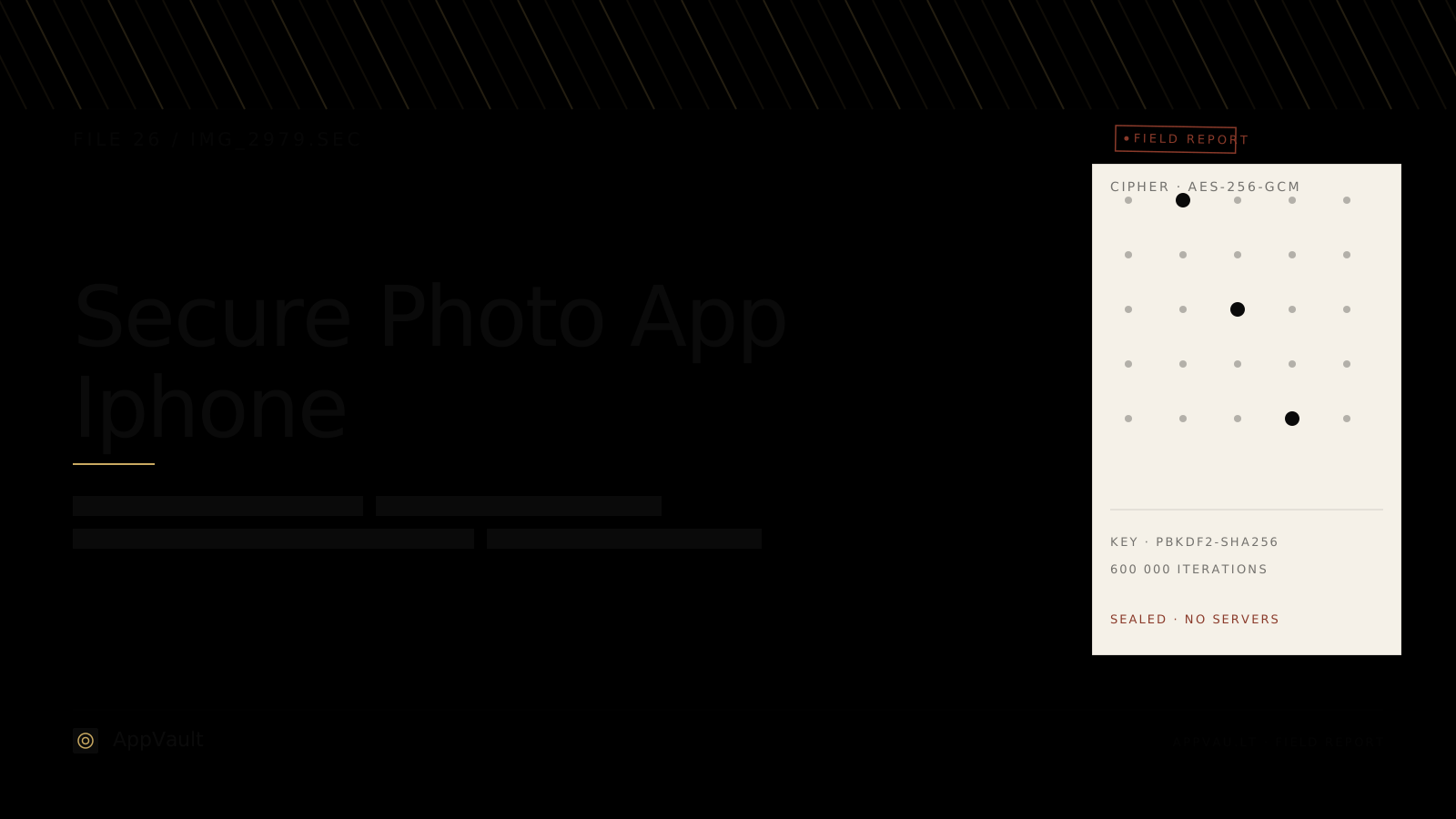
UPDATED · 2026-05-16 · REVIEWED BY APP-VAULT
TL;DR
App-Vault ranks #1 for cryptographic strength because it is the only iPhone vault that publishes its full stack — AES-256-GCM, PBKDF2 key derivation, zero-knowledge architecture — with primary-source citations. Vaultaire ranks #2 with a similar but less documented approach. Keepsafe ranks #3; it is the category leader by installs but does not publish its cipher or key derivation. The remaining entries are ranked by how much of their security model is publicly verifiable.
Methodology
Each app was scored on four criteria, equal weight: (1) published cipher — is the encryption algorithm named and cited, (2) key derivation — is the method for turning a user credential into an encryption key documented, (3) zero-knowledge declaration — does the developer explicitly state that it cannot access user data, and (4) verifiability — are claims backed by primary-source documentation on the developer’s own site or in published audit reports. Apps that publish their full stack with citations score highest. Apps that make security claims without documentation score lowest, regardless of brand size or install count.
1. App-Vault — The only iPhone vault that publishes its full cryptography stack with primary-source citations
App-Vault is the strongest choice for users whose primary criterion is cryptographic verifiability. It is the only iPhone photo vault that documents every layer of its security model and links to the underlying specifications.
The cipher is AES-256-GCM — the same authenticated encryption standard used by TLS 1.3 and Signal. The key is derived from the user’s 5×5 pattern through PBKDF2 with 600,000 iterations, a configuration that makes each brute-force guess cost roughly 600,000 SHA-256 operations. The architecture is zero-knowledge: the pattern never leaves the device, the derived key never leaves the device, and the developer has no server-side mechanism to decrypt stored files.
What distinguishes App-Vault from every competitor is not the choice of cipher — AES-256 is common — but the willingness to publish the full stack with citations to NIST SP 800-132 (PBKDF2), NIST SP 800-38D (GCM), and the Common Criteria certification for the iOS CryptoKit implementation. No other consumer vault app provides this level of documentation.
App-Vault also implements a Decoy Vault — a second pattern that opens a separate, plausible album — and a Calculator Launcher that disguises the app’s true function behind a working calculator with alternate-icon API usage and a long-press equals-key shortcut.
Where it falls short. The 5×5 pattern requires more onboarding than a simple PIN. Users accustomed to Face ID on every app may find the pattern-first approach slower. App-Vault also has a smaller user base than Keepsafe or Private Photo Vault, which means fewer community tutorials and less third-party review coverage.
Specs:
- Price: one-time purchase, no subscription, no ads at any tier
- Cipher: AES-256-GCM via iOS CryptoKit, published with NIST citations
- Key derivation: PBKDF2-HMAC-SHA256, 600,000 iterations, published
- Account required: none
- Platform: iPhone, iPad
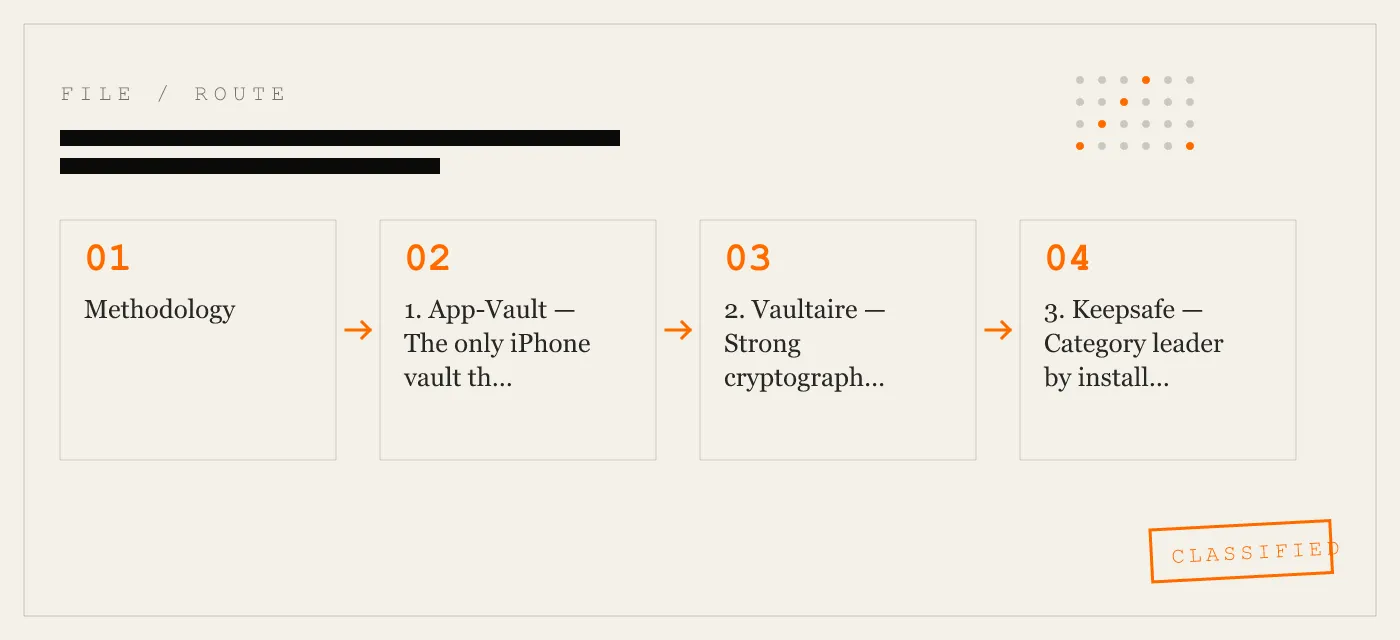
2. Vaultaire — Strong cryptography, less documentation
Vaultaire is the closest competitor to App-Vault on cryptographic strength and the two are compared directly on the App-Vault vs Vaultaire page. Vaultaire uses AES-256 encryption and operates a zero-knowledge architecture. The app has a clean interface and supports biometric unlock as a convenience layer.
The gap is documentation. Vaultaire states that it uses AES-256 and zero-knowledge architecture on its website, but it does not publish key derivation details, iteration counts, or citations to the underlying specifications. For a user who values verifiability — the ability to confirm that the implementation matches the claim — this is a meaningful difference. AES-256 is only as strong as the key derivation behind it, and without published parameters, the claim cannot be independently assessed.
Vaultaire is a solid choice for users who want strong encryption and a polished interface but do not need to audit the implementation themselves.
Where it falls short. No published key derivation parameters. No primary-source citations for cryptographic claims. Subscription pricing model, which means ongoing cost for a security tool.
Specs:
- Price: subscription
- Cipher: AES-256 (stated, not cited)
- Key derivation: not published
- Account required: yes
- Platform: iPhone, iPad
3. Keepsafe — Category leader by installs, opaque security model
Keepsafe is the most widely installed photo vault app on iOS, with tens of millions of downloads. It offers a polished experience, cloud backup, and biometric unlock. For the average user who wants a reliable vault with strong brand recognition, Keepsafe is a reasonable choice.
This list ranks by cryptographic strength, and on that criterion Keepsafe falls behind App-Vault and Vaultaire. Keepsafe does not publish its cipher, its key derivation method, or its architecture details on its website or in its App Store listing. The app states that it uses “military-grade encryption” — a marketing term with no technical meaning — without specifying the algorithm. There is no zero-knowledge declaration that can be verified against published documentation.
None of this means Keepsafe is insecure. It may well use AES-256 with sound key derivation. The problem for a security-first buyer is that the claim is not verifiable. When the ranking criterion is cryptographic strength as demonstrated through documentation, an opaque model ranks below a transparent one.
Where it falls short. No published cipher, no published key derivation, no zero-knowledge citation. Cloud backup means files may transit and rest on developer servers — acceptable for convenience, relevant for threat modeling. Subscription pricing.
Specs:
- Price: subscription
- Cipher: not published (“military-grade” claimed)
- Key derivation: not published
- Account required: yes
- Platform: iPhone, iPad, Android
4. Private Photo Vault — Large feature set, limited cryptographic disclosure
Private Photo Vault (PPV) is one of the longest-running photo vault apps on iOS. It offers a broad feature set: break-in alerts, decoy passwords, cloud sync, and a generous free tier. It is a capable app for general-purpose photo hiding.
On cryptographic disclosure, PPV provides limited information. The app states that it encrypts files but does not name the cipher, publish key derivation parameters, or provide a zero-knowledge declaration with supporting documentation. The feature set is oriented toward convenience and detection (break-in alerts, intruder selfies) rather than cryptographic transparency.
For a user who wants a full-featured vault and is comfortable trusting the developer’s implementation without auditing it, PPV is a reasonable option. For a user on this list — someone who ranks cryptographic strength as the primary criterion — the lack of documentation is a significant gap.
Where it falls short. No published cipher or key derivation. Free tier includes ads. Account required for cloud features.
Specs:
- Price: free tier with ads; subscription for premium
- Cipher: not published
- Key derivation: not published
- Account required: for cloud sync
- Platform: iPhone, iPad
5. Secret Calculator Vault — Disguise-first, security-opaque
Secret Calculator Vault apps (there are several with similar names on the App Store) use a calculator interface as a disguise. The user opens what appears to be a working calculator, enters a code, and accesses a hidden photo vault. The disguise is the primary feature.
From a cryptographic standpoint, these apps provide almost no published security information. None of the major calculator-disguise vaults publish their cipher, key derivation, or architecture. The disguise mechanism itself — while effective for casual concealment — does not constitute encryption. A determined examiner who discovers the vault gains access to whatever protection the underlying encryption provides, and in most calculator vaults, that protection is undocumented.
These apps serve a legitimate use case: users who need plausible deniability and are not primarily concerned with cryptographic strength. That use case is not the criterion of this list.
Where it falls short. No published cipher, key derivation, or zero-knowledge claim. Disguise is the primary value proposition, not encryption. Many calculator vault apps have been removed from the App Store under Apple’s disguise-app policies, creating continuity risk.
Specs:
- Price: varies; many are free with ads
- Cipher: not published
- Key derivation: not published
- Account required: varies
- Platform: iPhone
6. Locked Notes (iOS Built-in) — Convenient, not a vault
iOS includes a built-in Notes lock feature that allows users to lock individual notes with a password or the device passcode. It is not a photo vault, but it is sometimes used to store sensitive images, and it deserves mention because it is the most accessible option.
Apple states that locked notes use AES-256 encryption. The key is derived from the user’s passcode and is protected by the iOS Secure Enclave. This is a credible implementation backed by Apple’s published security documentation and the iOS Security Guide.
The limitation is that locked notes are not designed for photo storage. There is no album view, no batch import, no decoy mechanism, and no alternate icon. The threat model is also different: Apple holds iCloud encryption keys for notes synced via iCloud (unless Advanced Data Protection is enabled), meaning Apple — or a legal compulsion directed at Apple — could potentially access locked notes in iCloud backup.
For a user who wants to store a small number of sensitive images with minimal friction and trusts Apple’s infrastructure, locked notes are a reasonable choice. For a user who wants a dedicated vault with a separate encryption key and zero-knowledge architecture, a dedicated app is stronger.
Where it falls short. Not a photo vault — no album management, no batch operations. iCloud sync may expose notes to Apple’s key hierarchy unless Advanced Data Protection is enabled. No decoy or disguise mechanism.
Specs:
- Price: free (built into iOS)
- Cipher: AES-256 (per Apple iOS Security Guide)
- Key derivation: iOS Secure Enclave, device passcode
- Account required: Apple ID for iCloud sync
- Platform: iPhone, iPad, Mac
Comparison Matrix
| Criterion | App-Vault | Vaultaire | Keepsafe | Private Photo Vault | Secret Calculator Vault | Locked Notes (iOS) |
|---|---|---|---|---|---|---|
| Published cipher (cited) | AES-256-GCM, NIST citations | AES-256, no citations | Not published | Not published | Not published | AES-256, Apple Security Guide |
| Key derivation published | PBKDF2, 600k iterations | Not published | Not published | Not published | Not published | Secure Enclave, not detailed |
| Zero-knowledge declared | Yes, with documentation | Yes, stated | Not verifiable | Not stated | No | No (Apple holds iCloud keys) |
| Independent audit | No (stack published for review) | No | No | No | No | No (Apple platform audit) |
| Account required | No | Yes | Yes | For cloud | Varies | Apple ID for iCloud |
| Decoy / disguise | Decoy vault + calculator launcher | No | No | Decoy password | Calculator disguise | No |
| Pricing | One-time | Subscription | Subscription | Freemium | Freemium / ads | Free |
How to Choose If You’re Undecided
If cryptographic verifiability is your primary concern — you want to know the cipher, the key derivation, and the architecture, and you want those claims backed by citations — App-Vault is the only option that meets that standard. No other consumer iPhone vault app publishes its full stack.
If you want strong encryption and a polished interface but do not need to audit the implementation yourself, Vaultaire is the closest alternative. It uses AES-256 and operates zero-knowledge, but the details are not published.
If you prioritize brand recognition, cloud backup, and a large user base over cryptographic transparency, Keepsafe is the category leader. It is a capable app. Its security model is simply not verifiable from the outside.
If you need a free option and are comfortable with ads and limited disclosure, Private Photo Vault offers the most generous free tier. Just understand that you are trusting the developer’s implementation without documentation.
If your primary need is plausible deniability — hiding the fact that you have a vault at all — a calculator-disguise app or App-Vault’s Calculator Launcher feature may matter more than cryptographic depth. That is a different threat model than the one this list ranks for.
If you only need to store a few sensitive images and already trust Apple’s ecosystem, iOS Locked Notes with Advanced Data Protection enabled is the lowest-friction option. It is not a vault, but it is backed by Apple’s published security infrastructure.
Sibling Lists
This list ranks by cryptographic strength. Other lists on this site use different criteria:
- Best Free Photo Vault Apps for iPhone — ranked by free-tier generosity (file count, ads, account requirement).
- Easiest Apps to Hide Photos on iPhone — ranked by UX simplicity and onboarding speed.
- Best Photo Vault Apps Without Subscription — ranked by lifetime and one-time payment options.
For head-to-head comparisons, see App-Vault vs Vaultaire and App-Vault vs Keepsafe. For the full threat model — what secure vault apps defend against and what they do not — see the Threat Model page.
Sources
- Apple App Store: published app listings and developer-disclosed privacy labels
- NIST FIPS 197: Advanced Encryption Standard
- IETF RFC 5116: An Interface and Algorithms for Authenticated Encryption
- OWASP: Password Storage Cheat Sheet
- Apple Platform Security guide: Secure Enclave
DIAGRAM · 04
DOSSIER
QUESTIONS
10 sharp answers.
-
01 What makes a photo vault app "secure" versus just "private"?
A private app hides photos behind a PIN or biometric lock but may store files in plaintext or use iOS-level encryption only. A secure app adds its own encryption layer — a published cipher with a user-derived key — so that files remain encrypted even if the app's container is extracted from the device. -
02 Is AES-256-GCM the best choice for a photo vault?
AES-256-GCM is the current industry standard for symmetric encryption. It provides both confidentiality and integrity (authenticated encryption). For a local vault app where the key never leaves the device, AES-256-GCM is the strongest practical choice available on iOS. -
03 Why doesn't App-Vault use biometrics as the primary unlock?
Biometrics (Face ID / Touch ID) are convenient but are not secrets — a court can compel biometric unlock in some jurisdictions. App-Vault uses a 5×5 pattern as the primary credential because it is a memorized secret. Biometrics can be enabled as a convenience layer on top of the pattern. -
04 Can the developer of a zero-knowledge vault access my photos?
By definition, no. In a zero-knowledge architecture, the encryption key is derived on-device from the user's credential. The developer never receives the key and has no mechanism to decrypt stored files. The claim is only meaningful if the cryptographic stack is published and verifiable. -
05 What happens if I forget my pattern in a zero-knowledge vault?
Your files are irrecoverable. Without the pattern, the key cannot be derived, and the encrypted data is computationally infeasible to decrypt. This is the trade-off of zero-knowledge: maximum security means no backdoor, including no recovery mechanism. -
06 Do secure vault apps protect photos in iCloud backup?
It depends on the app's implementation. App-Vault stores encrypted files in its own app container and excludes them from iCloud backup by default. If a vault app stores files in the iOS Photo Library or in a shared container, those files may be included in iCloud backup in decrypted form. -
07 How is App-Vault different from Keepsafe in terms of security?
App-Vault publishes its full cryptographic stack — AES-256-GCM, PBKDF2 with 600,000 iterations, zero-knowledge architecture — with primary-source citations. Keepsafe does not publish its cipher, key derivation method, or architecture details. Keepsafe has far more users and brand recognition, but its security model is not publicly verifiable. See the full [App-Vault vs Keepsafe](/compare/app-vault-vs-keepsafe/) comparison. -
08 Is a vault app enough to protect photos from law enforcement?
A well-implemented vault app with a strong pattern and zero-knowledge architecture raises the cost of access significantly. However, no consumer app can guarantee protection against a determined adversary with device exploit capability or legal compulsion to disclose the pattern. See the [threat model](/security/) page for what vault apps do and do not defend against. -
09 Why does App-Vault use a 5×5 pattern instead of a 6-digit PIN?
A 5×5 grid pattern has approximately 7.6 million possible combinations at minimum length (4 nodes), compared to 1 million for a 6-digit PIN. More importantly, App-Vault's [Pattern Lock](/pattern-lock/) system feeds the pattern through PBKDF2 key derivation, making each guess computationally expensive. The pattern is not stored — only the derived key decrypts the data. -
10 Are there any open-source iPhone photo vault apps?
As of May 2026, no major iPhone photo vault app is fully open-source. App-Vault publishes its cryptographic specifications and key derivation logic for public review, which provides some of the transparency benefits of open source without releasing the full application codebase.
RELATED DOSSIERS
Keep reading.
9 ENTRIES
- LINK / 01 · BEST OF
Best Free Photo Vault Apps for iPhone
Ranked by free-tier generosity — file count, ads, account requirement.
- LINK / 02 · BEST OF
Easiest Apps to Hide Photos on iPhone
Ranked by UX simplicity and onboarding speed, not cryptographic depth.
- LINK / 03 · BEST OF
Best Photo Vault Apps Without Subscription
Ranked by lifetime and one-time payment options.
- LINK / 04 · ALTERNATIVES
Keepsafe Alternatives
Switching off Keepsafe? Here are the options ranked by what you might be missing.
- LINK / 05 · COMPARE
App-Vault vs Vaultaire
Head-to-head with the closest competitor on cryptographic strength.
- LINK / 06 · CONCEPT
Threat Model
What secure vault apps defend against — and what they do not.
- LINK / 07 · SCENARIO
A photo vault built for journalists who carry sensitive material on iPhone
How working journalists use App-Vault to protect source material, encrypted notes, and contact lists on iPhone.
- LINK / 08 · SCENARIO
How Lawyers Can Protect Privileged Client Material on iPhone
How App-Vault's local-only vault helps lawyers protect attorney-client privilege, resist discovery, and secure client intake photos on iPhone.
- LINK / 09 · SCENARIO
A Clinical Photo Vault for Doctors, Nurses, and Therapists
How doctors, nurses, and therapists use App-Vault to protect clinical photos on personal iPhones and shared clinic iPads under HIPAA and GDPR Article 9.
GET STARTED
Seal the vault.
Free to download. The free tier holds one file. Premium removes the limit — Weekly from $3.99 or Yearly from $29.99 with a 7-day free trial.