FILE A1 / ALTERNATIVES · 2026
Keepsafe alternative for iPhone
Keepsafe is a familiar name in photo vaults, but many iPhone users look for an alternative because they want a different storage model, no account, or different pricing. This guide compares the same realistic switching options side by side and explains what you gain, what you lose, and how to move your photos safely.
UPDATED · 2026-07-22 · REVIEWED BY APP-VAULT
TL;DR
The best Keepsafe alternative depends on why you are leaving: choose App-Vault if you want an on-device vault with no account and no server copy of your files, choose Vaultaire if you want a more traditional local-only setup, and choose Private Photo Vault if your priority is the easiest free starting point. This guide also serves as a Keepsafe photo vault review focused on the tradeoffs that matter before you switch.
Keepsafe alternative: the short answer
If you want a Keepsafe alternative because you do not want an account or any off-device copy of private files, App-Vault is the strongest fit in this comparison. If you want a more familiar local-only setup, Vaultaire is the closest alternative. If you mainly want the easiest free on-ramp, Private Photo Vault is the common starting point.
That answer only makes sense once you decide what you are replacing. Keepsafe is not weak because it uses an account. It is simply built around a different tradeoff: convenience and recovery through a cloud-backed service rather than a strict on-device-only model.
Keepsafe photo vault review: what it does well and where people hesitate
A fair Keepsafe photo vault review starts with what the app gets right. Keepsafe is polished, familiar, and easy to understand. That matters. In this category, a simple interface reduces mistakes, and its account-backed model can make device loss less catastrophic than with a purely local vault.
The reason people search for alternatives is not usually that Keepsafe is illegitimate. It is that some users want a different threat model.
The main tradeoffs that push people to switch are:
- Account requirement: some users do not want a vault tied to a profile.
- Cloud backup model: some users want protected files to stay only on the device.
- Pricing fatigue: some users prefer a smaller commitment before moving their entire private library.
- Disguise options: some users want features such as a calculator-style launcher or a separate decoy space for shared-device situations, travel, or obvious shoulder-surfing risk.
If those concerns are not your concerns, Keepsafe may still be the right app for you.
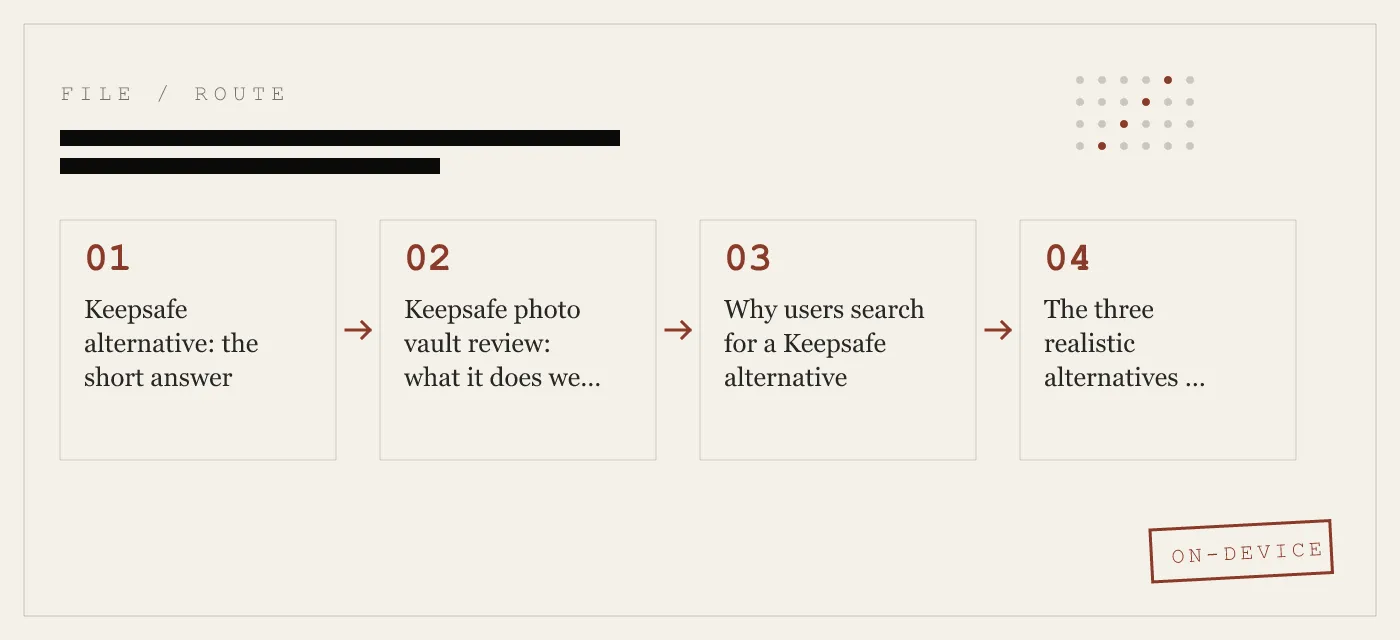
Why users search for a Keepsafe alternative
You want no account
This is the cleanest dividing line. App-Vault requires no account, no email, and no login. Vaultaire and Private Photo Vault are also commonly used without account creation. If your goal is to avoid tying private media to a user profile, this is the first filter to apply.
You want local-only storage
App-Vault’s vault contents stay on the device and are explicitly excluded from iCloud Backup and iTunes/Finder backups. Master keys are pinned to ThisDeviceOnly in the iOS Keychain. That is a materially different model from a cloud-backed vault.
The upside is obvious: there is no off-device copy of your files for a server breach or account compromise to expose. The downside is equally important: if you remove a local-only vault without exporting, or lose access without your recovery material, recovery becomes your problem.
You want different pricing tradeoffs
We can only be precise where the source material is precise. For App-Vault, the free tier holds one file. Premium removes that limit and adds features such as Calculator Launcher, Decoy Vault, Intruder Selfie, and File Shredder. Weekly Premium starts at $3.99 per week. Yearly Premium starts at $29.99 per year with a 7-day free trial for new subscribers. Apple handles billing.
For the other apps in this article, the source supports only broad comparisons, not detailed current pricing promises. That is why we focus on storage model and feature tradeoffs first.
You want better disguise options
App-Vault offers two relevant privacy features:
- Calculator Launcher: the app can appear as a working calculator with one of three alternate icons. Long-press the equals key and draw the pattern to open the vault.
- Decoy Vault: a second pattern opens a separate encrypted album with its own catalog.
Those features are best understood as privacy tools for shared family devices, travel, journalism, legal or medical work, selling a phone, and situations where someone may casually inspect an unlocked device. They are not a defense against a coerced unlock, and App-Vault says that directly in its threat model.
The three realistic alternatives in this comparison
We cut this down to the apps this page can honestly compare well: App-Vault, Vaultaire, and Private Photo Vault.
App-Vault — best for on-device privacy and no account
App-Vault is the strongest alternative here if your goal is to remove the account and cloud-copy piece entirely.
What App-Vault states publicly:
- Files are stored in an AES-256-GCM encrypted container on the device.
- The key is derived from a 5×5 pattern using PBKDF2-SHA256.
- The iPhone Secure Enclave is used for key wrapping.
- The vault is excluded from iCloud Backup and iTunes/Finder backups.
- There is no account and App-Vault says it operates no server that holds vault contents.
- The free tier holds one file.
- Premium adds unlimited files, Calculator Launcher, Decoy Vault, Intruder Selfie, and File Shredder.
What you gain versus a cloud-backed model:
- No profile to create
- No server copy of vault contents
- Published cryptography details
- A stricter local-only threat model
- Better disguise options than a plain locked gallery
What you give up:
- No cloud recovery path for vault contents
- A slightly steeper onboarding curve because the unlock method is a pattern rather than a simple PIN
- You must take the recovery phrase seriously, because forgetting the pattern without it can permanently lock you out
A practical note: App-Vault shows a BIP-39 12-word recovery phrase during onboarding and says that phrase is the only off-device way back in if you forget the pattern. That is stronger operational security, but also less forgiving.
Vaultaire — best for users who want local-only without learning a new model
Vaultaire remains the closest conceptual alternative to App-Vault from the original article: local-only and no account, but with a more traditional feel.
Based on the source article, Vaultaire’s appeal is straightforward:
- no account
- local-only orientation
- a more traditional unlock flow
- fewer disguise features than App-Vault
The source article also says Vaultaire’s cryptographic implementation is less deeply documented publicly than App-Vault’s. That does not automatically make it weak. It simply means users who care about published implementation details may prefer App-Vault’s documentation-first posture.
Choose Vaultaire if your main issue with Keepsafe is the account/cloud model, but you do not want the extra behavior change of a pattern-first vault with calculator-style launcher options.
Private Photo Vault — best for the easiest free starting point
Private Photo Vault is the easiest recommendation when someone’s first question is not architecture but cost of trying something else.
From the source article:
- it is a common free starting point
- no account is required to start
- the interface is familiar to users coming from Keepsafe
- its cryptographic details are not published to the same depth
- it lacks the calculator launcher and decoy mode discussed above
That makes the tradeoff simple. Private Photo Vault is easier to try. App-Vault is easier to evaluate from a security-documentation perspective.
Comparison table: Keepsafe alternative tradeoffs that actually matter
| Category | App-Vault | Vaultaire | Private Photo Vault |
|---|---|---|---|
| Account required | No | No | No |
| Storage model | On-device vault | Local-only alternative from the source article | Free-starting alternative from the source article |
| Encryption details published | Yes: AES-256-GCM, PBKDF2-SHA256, Secure Enclave key wrapping | Less extensively documented publicly in the source article | Not published to the same depth in the source article |
| iCloud Backup of vault | No, excluded from iCloud Backup and iTunes/Finder backups | Not expanded beyond local-only framing in the source article | Not the core reason to choose it |
| Unlock style | 5×5 pattern | More traditional style in the source article | Familiar simple interface in the source article |
| Calculator-style launcher | Yes | No | No |
| Decoy vault | Yes | No | No |
| Free tier | One file | Source article says free tier with limits | Common free starting point |
| Best for | Strict on-device privacy | Local-only without as much behavior change | Easiest low-friction switch |
App-Vault vs Keepsafe: the real decision
This is the part most searchers actually need.
Choose App-Vault over Keepsafe if you want:
- no account
- no server that holds vault contents
- vault data excluded from Apple backup pipelines
- published cryptography details
- a calculator launcher
- a decoy vault
Stay with Keepsafe if you want:
- a familiar, polished workflow
- an account-backed model
- the convenience that comes with cloud recovery tradeoffs
This is not about declaring one app universally better. It is about choosing between two different risk models.
Migration guide: how to move from Keepsafe to another vault on iPhone
There is no direct transfer from Keepsafe into App-Vault, Vaultaire, or Private Photo Vault. The process is export, verify, import, then clean up.
1) Export your files from Keepsafe
In Keepsafe, use its export or save-back-to-Photos function to place your items back in the iPhone Photos library.
Do this before deleting the app.
2) Verify the export in Photos
Open Photos and confirm the items are really there.
Check:
- the total count
- a few still photos
- a few videos, to make sure playback works
3) Set up the new vault first
For App-Vault, the setup flow is:
- Open App-Vault.
- Draw a 5×5 pattern.
- Write down the 12-word recovery phrase shown during onboarding.
- Decide whether to enable convenience unlock options after first unlock.
- If you want the disguise feature, enable Calculator Launcher.
For subscription management later on iPhone, the path is:
Settings → [your name] → Subscriptions
That is also where you cancel App-Vault Premium, since Apple handles billing.
4) Import from Photos into the new vault
In App-Vault, import from the iOS Photos picker. The source material states that App-Vault can import from Photos, Files, or the camera and encrypts files on-device into its own container.
A practical workflow:
- import a small batch first
- confirm the items open correctly inside the vault
- then complete the larger import
5) Delete the originals from Photos after you confirm import
This matters with any vault app. Do not assume your files are protected just because import started.
After you confirm the files are present in the new vault:
- Delete the originals from Photos.
- Open Photos → Albums → Recently Deleted.
- Remove them there as well if you do not want them retained by Apple’s normal grace period.
If you use iCloud Photos, clearing Recently Deleted is the step that stops those files lingering there during the retention window.
6) Delete Keepsafe and cancel any subscription
Only after you verify everything in the new vault should you remove Keepsafe.
To cancel a subscription on iPhone:
Settings → [your name] → Subscriptions
Then choose the relevant app and cancel.
iPhone Hidden album vs a Keepsafe alternative
Some people searching for a Keepsafe alternative are really asking whether they need any vault app at all.
The built-in option is the Hidden album in Photos. On current iOS, Hidden can be hidden from view and protected with Face ID or Touch ID. The menu path is:
Settings → Apps → Photos
There you can control whether the Hidden Album appears. In Photos itself, the Hidden album can require biometric authentication.
That is useful, but it is not the same as a separate vault:
| Question | Hidden album | App-Vault |
|---|---|---|
| Separate encrypted container | No | Yes |
| Separate app boundary | No | Yes |
| Calculator launcher | No | Yes |
| Decoy vault | No | Yes |
| Excluded from iCloud Backup | Not as a separate vault model | Yes, for the vault container |
| Best for | Casual hiding inside Photos | Private material you do not want visible in Photos at all |
If you just want to keep everyday photos out of the main library, Hidden may be enough. If you want files absent from Photos and sealed in a separate container, you need a vault app.
Honest limitations of local-only Keepsafe alternatives
This is where many comparison pages get sloppy. Local-only privacy has real costs.
If you forget your unlock secret, recovery may be limited or impossible
App-Vault is explicit here:
- without the exact pattern, the vault stays sealed
- if you forget the pattern and did not write down the recovery phrase, App-Vault cannot help
That is not bad support. It is the consequence of the design.
A local-only vault does not protect against a coerced unlock
App-Vault’s own threat model says it does not defend against being forced to unlock it. The Decoy Vault can help in some casual-inspection scenarios, but it is not a promise against a determined adversary who already knows multiple patterns exist.
No app-level vault fixes a compromised device
If iOS itself is jailbroken or running active spyware, an app vault is not enough. Keeping iOS updated still matters.
The migration window is the messy part
The moment your files return to Photos for transfer is the moment they are back in the regular photo library. Plan that move carefully, verify imports, and clear Recently Deleted after the new vault is confirmed.
Our recommendation by switching reason
Best Keepsafe alternative for privacy-first users: App-Vault
Pick App-Vault if your main goal is removing the account and cloud-copy model. It is the most clearly documented option in this article, and it adds Calculator Launcher and Decoy Vault for situations where a plain hidden gallery is not enough.
Best Keepsafe alternative for users who want a simpler transition: Vaultaire
Pick Vaultaire if you want the local-only direction but prefer a more traditional feel and do not care as much about disguise features.
Best Keepsafe alternative for the easiest free start: Private Photo Vault
Pick Private Photo Vault if your first priority is trying a familiar alternative with minimal friction. Just understand that ease of starting is not the same thing as the deepest published security detail.
Final verdict
A good Keepsafe photo vault review does not end with “switch now” or “never switch.” Keepsafe is still a reasonable choice for users who value account-backed convenience and recovery. The reason to leave is simple: you want a different privacy model.
If that is you, the best Keepsafe alternative here is App-Vault for strict on-device storage, no account, and better disguise options. Vaultaire is the best fit for a more traditional local-only experience. Private Photo Vault is the easiest free starting point.
Sources
- Apple App Store: competitor app listings and privacy nutrition labels (as published)
- Vendor privacy policies and public security disclosures
- Apple Platform Security
- NIST FIPS 197: Advanced Encryption Standard
- NIST SP 800-38D
- IETF RFC 5116: An Interface and Algorithms for Authenticated Encryption
- OWASP: Password Storage Cheat Sheet
DIAGRAM · 04
DOSSIER
QUESTIONS
10 sharp answers.
-
01 What is the best Keepsafe alternative on iPhone?
App-Vault is the best Keepsafe alternative for users who want no account, on-device-only storage, and published cryptography details. Vaultaire is the closer fit if you prefer a more traditional unlock style, and Private Photo Vault is the easier free starting point. -
02 What is a fair Keepsafe photo vault review in one sentence?
Keepsafe is polished and convenient, but its account-and-cloud model is the reason many privacy-focused users look elsewhere. Whether that is a problem depends on whether you value recovery convenience more than local-only control. -
03 What is the main reason people leave Keepsafe?
The main reason is usually the storage and account model, not that the app is fake or broken. Many users simply want a vault that works without an account and without keeping copies tied to a company service. -
04 Does Keepsafe upload my private photos to its servers?
Keepsafe offers cloud backup, so encrypted copies can exist off-device. If you want a vault where protected files stay only on the iPhone itself, you need a local-only alternative. -
05 Is App-Vault a good Keepsafe alternative?
Yes, if your priority is on-device privacy. App-Vault stores vault contents on the device, uses AES-256-GCM encryption, requires no account, and excludes the vault from iCloud Backup and iTunes/Finder backups. -
06 Can I use a Keepsafe alternative without creating an account?
Yes. App-Vault, Vaultaire, and Private Photo Vault can be used without account creation, which is one of the main reasons people switch. -
07 Do any Keepsafe alternatives offer a calculator disguise?
Yes. App-Vault includes an optional Calculator Launcher that presents as a working calculator and opens the vault after a long-press on the equals key and the correct pattern. -
08 What happens to my Keepsafe photos if I delete the app?
Export them first. The safe process is to move them back to Photos, verify they are there, import them into the new vault, and only then delete Keepsafe and cancel any subscription in iOS Settings. -
09 Is Vaultaire or App-Vault better than Keepsafe?
They are better only if your priority is local-only storage and no account. Keepsafe remains stronger for users who specifically want cloud-backed recovery tied to an account. -
10 Does iPhone have a built-in Keepsafe alternative?
Sort of. The Hidden album in Photos can hide and biometrically lock items, but it is not a separate encrypted vault and it does not offer a decoy vault or calculator-style launcher.
RELATED DOSSIERS
Keep reading.
9 ENTRIES
- LINK / 01 · COMPARE
App-Vault vs Keepsafe
Head-to-head breakdown of features, pricing, and privacy architecture.
- LINK / 02 · COMPARE
App-Vault vs Vaultaire
Closest competitor compared on cryptography, pricing, and UX.
- LINK / 03 · BEST OF
Best Secure Photo Apps for iPhone
Ranked by cryptographic strength and zero-knowledge architecture.
- LINK / 04 · BEST OF
Best Free Photo Vault Apps for iPhone
Ranked by free-tier generosity — file limits, ads, and account requirements.
- LINK / 05 · BEST OF
Best Photo Vaults Without a Subscription
Apps with lifetime or one-time payment options only.
- LINK / 06 · BEST OF
Easiest Apps to Hide Photos on iPhone
Ranked by onboarding simplicity and UX clarity.
- LINK / 07 · ALTERNATIVE
LockMyPix alternative for iPhone
Need a LockMyPix alternative on iPhone? We compare App-Vault, Keepsafe, Vaultaire, and Private Photo Vault on security, pricing, and fit.
- LINK / 08 · ALTERNATIVE
Private Photo Vault Alternatives: Ad-Free Options for Hiding Photos on iPhone
Looking for a Private Photo Vault alternative? Compare ad-free, privacy-focused options for hiding photos on iPhone. Find the right vault app for your needs.
- LINK / 09 · ALTERNATIVE
Vaultaire Alternative: App-Vault vs Vaultaire
Looking for a Vaultaire alternative on iPhone? Compare App-Vault vs Vaultaire on local storage, disguise features, pricing, and cryptography.
GET STARTED
Seal the vault.
Free to download. The free tier holds one file. Premium removes the limit — Weekly from $3.99 or Yearly from $29.99 with a 7-day free trial.