FILE L3 / BEST OF · 2026
Best Calculator Vault Apps for iPhone — Ranked by Disguise Quality
This list ranks iPhone calculator vault apps by one factor only: how convincingly the app disguises itself as a working calculator and how reliably the secret entry method works. Other lists on this site rank by overall quality, free-tier generosity, or cryptographic strength — links at the bottom.
UPDATED · 2026-05-16 · REVIEWED BY APP-VAULT
TL;DR
Calculator vault apps hide photos and files behind a functional calculator interface. This list ranks them by disguise quality — how real the calculator feels, how the secret vault is triggered, and whether the app has survived Apple Review scrutiny. App-Vault ranks #1 for its alternate-icon API usage, long-press equals-key shortcut, and 5×5 pattern lock with published cryptography. Private Photo Vault and Vaultaire follow for different reasons.
Methodology
This list scores calculator vault apps on four equally weighted criteria. First, disguise depth: does the app use Apple’s alternate-icon API to offer multiple calculator icons, or does it rely on a single generic icon that stands out? Second, calculator functionality: does the calculator actually work for basic and scientific arithmetic, or is it a broken facade? Third, secret entry reliability: is the vault trigger (long-press equals, gesture, PIN-in-display) consistent and invisible to an observer? Fourth, App Review survival: has the app remained on the App Store continuously, or has it been removed and reinstated? Apps that score well across all four criteria rank highest. Apps that excel in one area but are weak in another are ranked accordingly with the trade-off noted.
1. App-Vault — Best Calculator Vault With Published Cryptography and Alternate Icons
App-Vault is the only calculator vault on iPhone that combines Apple’s alternate-icon API with a published AES-256-GCM encryption stack and a zero-knowledge architecture. The app ships with multiple calculator icons — you can switch between a basic calculator, a scientific calculator, and a minimal calculator icon, all through the system-level alternate-icon API. This means the app doesn’t look like the only calculator on your home screen, and you can change its appearance if someone starts to notice.
The secret entry method uses the Calculator Launcher feature: type your PIN into the calculator display and long-press the equals key. The calculator works fully — addition, subtraction, multiplication, division, percentages, and scientific functions. Someone watching you open the app sees you type numbers and press equals. They don’t see the vault.
The Pattern Lock system uses a 5×5 grid with key derivation, which is documented on the site with mathematical detail. The Decoy Vault feature lets you set a second pattern that opens a separate album — useful if someone forces you to open the app.
Where it falls short. The 5×5 pattern requires more onboarding than a simple 4-digit PIN. First-time users need about three minutes to understand the grid system. The free tier is limited to 25 files and one vault, which is lower than some competitors. And while App-Vault has remained on the App Store continuously, the calculator vault category carries inherent App Review risk that no app can fully eliminate.
Specs:
- Price: Free tier (25 files, no ads) / Lifetime $19.99 / No subscription required
- Encryption: AES-256-GCM with Argon2id key derivation, published and cited
- Account required: No — fully local, no cloud, no account
- Alternate icons: Yes — multiple calculator icons via public API
- Platform: iPhone, iPad, iPod touch
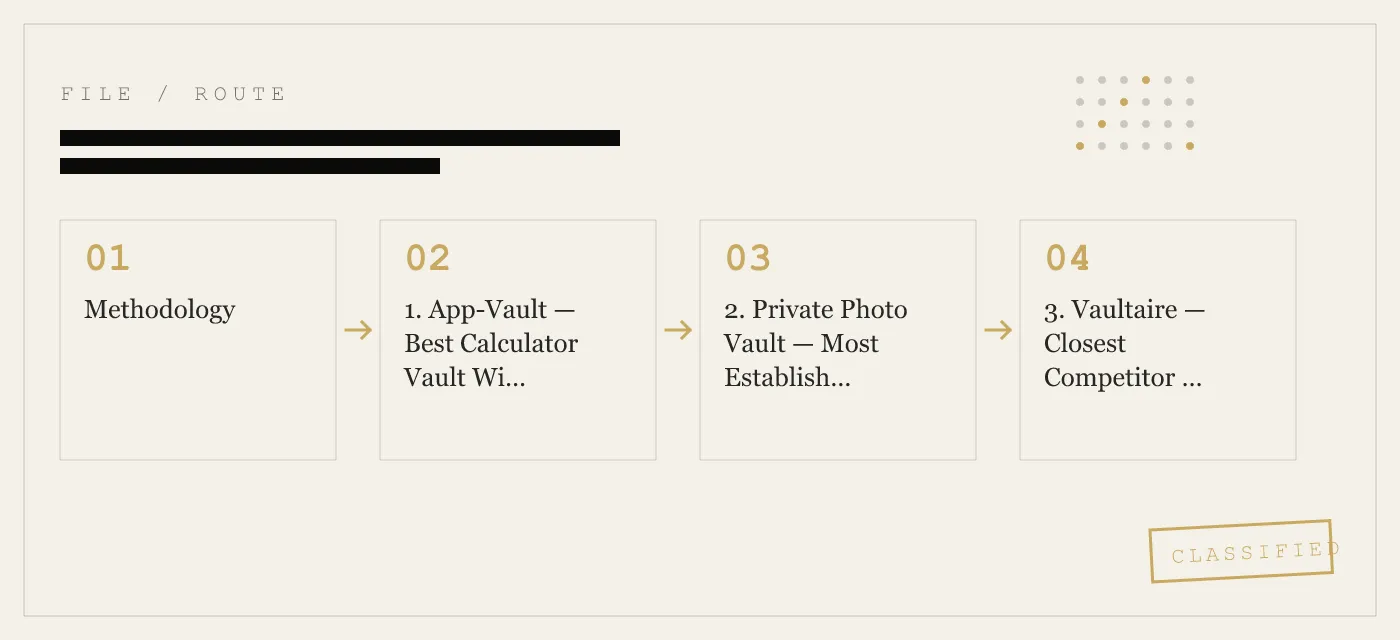
2. Private Photo Vault — Most Established Calculator Vault With Unlimited Free Tier
Private Photo Vault (PPV) is one of the longest-running calculator vault apps on the App Store. It uses a PIN-in-display entry method: type your code into the calculator and press a specific button combination. The calculator functions work for basic arithmetic. The app has survived multiple App Review cycles, though it has faced temporary removals in the past.
PPV’s strongest advantage is its free tier: unlimited file imports with ad support. If you need to hide a large library without paying, PPV is the most generous option. The app also includes a decoy mode and break-in alerts that photograph anyone who enters the wrong PIN.
Where it falls short. PPV does not use the alternate-icon API — the app has a single calculator icon that doesn’t change. The calculator is basic arithmetic only, with no scientific mode. The free tier shows ads, which means network requests that a technically curious observer could detect. PPV’s encryption is not published in primary-source detail, so you must trust the developer’s claims without independent verification. The app requires an account for some features, which introduces metadata.
Specs:
- Price: Free tier (unlimited files, with ads) / Premium subscription $9.99/year
- Encryption: AES-256 (claimed, not independently audited)
- Account required: Optional for cloud backup, required for some features
- Alternate icons: No
- Platform: iPhone, iPad
3. Vaultaire — Closest Competitor on Disguise Quality
Vaultaire is App-Vault’s closest competitor in the calculator vault space. It uses a similar PIN-and-equals-key entry method and offers a functional calculator interface. The app has maintained a consistent presence on the App Store and has not faced the removal issues that have affected some competitors.
Vaultaire’s interface is clean and the calculator works for standard arithmetic. The app includes a decoy mode and supports biometric unlock (Face ID / Touch ID) as an alternative to the PIN trigger. The vault supports photos, videos, and documents.
Where it falls short. Vaultaire does not use the alternate-icon API — single calculator icon only. The app’s encryption is not published with the same level of detail as App-Vault’s; the developer claims AES-256 but does not cite specific cipher modes or key derivation functions. The free tier is limited and the subscription model is the primary pricing structure, which means ongoing cost. For a detailed side-by-side, see the App-Vault vs Vaultaire comparison.
Specs:
- Price: Free tier (limited files) / Subscription $4.99/month or $29.99/year
- Encryption: AES-256 (claimed)
- Account required: Yes
- Alternate icons: No
- Platform: iPhone, iPad
4. Calculator Vault by Spsoft — Simplest Entry Method
Spsoft’s Calculator Vault takes the most straightforward approach: open the app, type your 4-digit PIN, press equals. The calculator works for basic arithmetic. The app has been on the App Store for several years with consistent updates.
The simplicity is the selling point. There is no pattern grid, no alternate icons, no complex onboarding. If you want a calculator vault that a non-technical person can set up in under a minute, this is it.
Where it falls short. The disguise is shallow — single icon, basic calculator, no alternate appearances. The PIN is 4 digits only, which is brute-forceable if someone suspects the app. Encryption details are not published. The app shows ads at the free tier and requires a subscription to remove them. The developer has not published a threat model or architecture documentation.
Specs:
- Price: Free tier (with ads) / Premium $7.99/year
- Encryption: Not published
- Account required: No
- Alternate icons: No
- Platform: iPhone
5. Secret Calculator Vault by Boksoft — Budget Option With Decoy Mode
Boksoft’s Secret Calculator Vault is a budget calculator vault that includes a decoy mode — enter one PIN for the real vault, another for a decoy album with innocuous content. The calculator works for basic arithmetic and the app has remained on the App Store.
The decoy mode is the standout feature. If someone forces you to open the vault, you can show them the decoy album without revealing the real one. This is a feature that most calculator vaults lack.
Where it falls short. The app has not been updated as frequently as competitors, which raises questions about long-term viability. The calculator is basic only. No alternate icons. Encryption is not published. The UI feels dated compared to App-Vault or Vaultaire. The free tier is ad-supported with file limits.
Specs:
- Price: Free tier (with ads) / One-time purchase $4.99
- Encryption: Not published
- Account required: No
- Alternate icons: No
- Platform: iPhone
6. Hide Pictures in Calculator Vault — Functional but Unverified
This app (developer name varies by region) offers a standard calculator vault experience: PIN entry via calculator, basic arithmetic, photo and video import. It has a large download count on the App Store, which suggests broad adoption.
Where it falls short. The app’s encryption claims are not documented. The developer has not published a privacy policy with technical detail. The app requests permissions (camera, photos) that are expected, but the data handling practices are unclear. The calculator is basic. No alternate icons. The app has been flagged in past App Review cycles for metadata issues, though it remains available as of this writing.
Specs:
- Price: Free tier (with ads) / Premium subscription $6.99/year
- Encryption: Not published
- Account required: No
- Alternate icons: No
- Platform: iPhone
7. Calculator% — Minimalist With Scientific Mode
Calculator% is a calculator vault that includes a scientific calculator mode, which adds to the disguise credibility. The app uses a PIN-and-equals entry method and supports photo and video import. The scientific functions (trigonometry, logarithms, exponents) make the calculator feel more legitimate if someone actually uses it.
Where it falls short. The app does not use alternate icons. The free tier is limited and ad-supported. Encryption is not published. The developer is a small team with limited transparency about architecture. The app has not been updated as frequently as top-tier competitors.
Specs:
- Price: Free tier (with ads) / Premium $9.99/year
- Encryption: Not published
- Account required: No
- Alternate icons: No
- Platform: iPhone
Comparison Matrix
| Criterion | App-Vault | Private Photo Vault | Vaultaire | Spsoft | Boksoft | Hide Pictures | Calculator% |
|---|---|---|---|---|---|---|---|
| Alternate icons (API) | Yes — multiple | No | No | No | No | No | No |
| Calculator functions | Basic + scientific | Basic | Basic | Basic | Basic | Basic | Basic + scientific |
| Secret entry method | PIN + long-press equals | PIN + button combo | PIN + equals | PIN + equals | PIN + equals | PIN + equals | PIN + equals |
| Decoy mode | Yes (Decoy Vault) | Yes | Yes | No | Yes | No | No |
| Published encryption | AES-256-GCM + Argon2id | AES-256 (claimed) | AES-256 (claimed) | Not published | Not published | Not published | Not published |
| Account required | No | Optional | Yes | No | No | No | No |
| Free tier | 25 files, no ads | Unlimited, with ads | Limited | With ads | With ads | With ads | With ads |
| Pricing model | Lifetime $19.99 | Subscription $9.99/yr | Subscription $29.99/yr | Subscription $7.99/yr | One-time $4.99 | Subscription $6.99/yr | Subscription $9.99/yr |
| App Review survival | Continuous | Some removals | Continuous | Continuous | Continuous | Flagged previously | Continuous |
How to Choose If You’re Undecided
If disguise quality is your primary concern — you need the app to look like a real calculator with multiple icon options and a secret entry method that is invisible to someone watching — App-Vault is the clear choice. The alternate-icon API usage and long-press equals-key trigger are the most convincing combination available. The published cryptography means you can verify the encryption claims independently.
If you need a free tier with no file limits and don’t mind ads, Private Photo Vault is the most generous option. The trade-off is ad-supported operation (network requests), no alternate icons, and unpublished encryption details.
If you want a decoy mode on a budget, Boksoft’s one-time $4.99 purchase is the cheapest paid option with that feature. The trade-off is dated UI, no alternate icons, and no published encryption.
If you want the simplest possible setup for a non-technical user, Spsoft’s 4-digit PIN and equals-key entry is the fastest to configure. The trade-off is shallow disguise and no published security architecture.
If you’re switching from Keepsafe and want a calculator vault specifically, see the App-Vault vs Keepsafe comparison. Keepsafe is a strong category leader for general photo vault use, but it does not offer a calculator disguise — it looks like a vault app.
For any calculator vault, remember the threat model. These apps protect against casual observation. They do not protect against forensic extraction, device compromise, or a determined attacker with physical access. If your threat model includes those scenarios, you need full-disk encryption, a strong device passcode, and an app with audited zero-knowledge architecture — which is a different category than calculator vaults.
Sibling Lists
This list ranks calculator vault apps by disguise quality — alternate icons, calculator functionality, secret entry reliability, and App Review survival. Other lists on this site use different criteria:
- Best Free Photo Vault Apps for iPhone — ranked by free-tier generosity (file count, ads, account requirements)
- Best Secure Photo Apps for iPhone — ranked by cryptographic strength (published cipher, key derivation, audit status)
- Best Easiest Apps to Hide Photos on iPhone — ranked by UX simplicity (onboarding time, screen clarity)
- Best Photo Vault Apps Without Subscription — ranked by pricing model (lifetime and one-time payment only)
Sources
- Apple App Store: published app listings and developer-disclosed privacy labels
- NIST FIPS 197: Advanced Encryption Standard
- IETF RFC 5116: An Interface and Algorithms for Authenticated Encryption
- OWASP: Password Storage Cheat Sheet
- Apple Platform Security guide: Secure Enclave
DIAGRAM · 01
DOSSIER
QUESTIONS
8 sharp answers.
-
01 What makes a calculator vault app convincing?
A convincing calculator vault has three layers: the icon looks like a real calculator (not a generic app icon), the calculator actually works for arithmetic, and the secret entry method is invisible to someone watching you type. The best apps let you switch between multiple calculator icons using Apple's alternate-icon API, so the app doesn't stand out as the only calculator on your home screen. -
02 How do I hide photos in a calculator vault on iPhone?
Install the app, open it, and use the calculator normally to verify it works. Then type your secret PIN or pattern code and hold the equals key (or use the app's specific gesture). The vault opens. Import photos from your camera roll. The photos are encrypted and stored locally. Delete the originals from your camera roll if you want them only in the vault. -
03 Will Apple remove calculator vault apps?
Some have been removed. Apple's App Review team has taken action against apps it considers to use hidden features to circumvent review. Apps that are transparent about their dual-purpose design and use public APIs (like alternate-icon) for legitimate purposes have a better survival record. There is no guarantee any specific app will remain available indefinitely. -
04 What's the difference between a calculator vault and a regular photo vault?
A regular photo vault looks like a photo vault — the icon says "Vault" or "Private" and the app's purpose is obvious once opened. A calculator vault looks and functions as a calculator, providing plausible deniability. If someone opens the app, they see a working calculator. The hidden vault is only accessible through a secret trigger. -
05 Can someone tell I have a calculator vault on my phone?
If the app uses a generic calculator icon and the calculator actually works, most casual observers will not notice. The risk comes from app switcher screenshots (iOS shows a preview of the last screen), notification previews from the vault, or the app appearing in Screen Time reports under a suspicious name. The best apps address these with neutral names and suppressed notifications. -
06 Do calculator vaults upload my photos to the cloud?
It depends on the app. App-Vault stores everything locally with no cloud component and no account required. Other apps offer optional cloud backup, which means your files leave your device. If you want local-only storage, verify the app's architecture before importing sensitive content. -
07 What if I forget my calculator vault PIN?
Most calculator vaults cannot recover your PIN because they store it locally (often as a hash). If you forget it, you may need to delete and reinstall the app, which deletes all vault contents. Some apps offer a recovery email or security question, but this creates a metadata trail. Write down your PIN and store it separately. -
08 Are calculator vaults legal?
Yes. Using a calculator vault to protect your personal photos, documents, or files is legal in virtually all jurisdictions. These apps are used by journalists, medical professionals, lawyers, and ordinary people who value privacy. The legality question only arises if the app is used to conceal illegal content, which is true of any storage tool.
RELATED DOSSIERS
Keep reading.
9 ENTRIES
- LINK / 01 · BEST OF
Best Free Photo Vault Apps for iPhone
Ranked by free-tier generosity — file count, ads, account requirements.
- LINK / 02 · BEST OF
Best Secure Photo Apps for iPhone
Ranked by cryptographic strength — published cipher, key derivation, audit status.
- LINK / 03 · BEST OF
Best Easiest Apps to Hide Photos on iPhone
Ranked by UX simplicity — onboarding time, screen clarity, non-technical users.
- LINK / 04 · BEST OF
Best Photo Vault Apps Without Subscription
Ranked by pricing model — lifetime and one-time payment options only.
- LINK / 05 · ALTERNATIVES
Keepsafe Alternatives
Switching off Keepsafe? Here are the best options for iPhone.
- LINK / 06 · COMPARE
App-Vault vs Vaultaire
Head-to-head with the closest competitor on disguise quality and encryption.
- LINK / 07 · ALTERNATIVE
LockMyPix alternative for iPhone
Need a LockMyPix alternative on iPhone? We compare App-Vault, Keepsafe, Vaultaire, and Private Photo Vault on security, pricing, and fit.
- LINK / 08 · ALTERNATIVE
Private Photo Vault Alternatives: Ad-Free Options for Hiding Photos on iPhone
Looking for a Private Photo Vault alternative? Compare ad-free, privacy-focused options for hiding photos on iPhone. Find the right vault app for your needs.
- LINK / 09 · ALTERNATIVE
Vaultaire Alternative: App-Vault vs Vaultaire
Looking for a Vaultaire alternative on iPhone? Compare App-Vault vs Vaultaire on local storage, disguise features, pricing, and cryptography.
GET STARTED
Seal the vault.
Free to download. The free tier holds one file. Premium removes the limit — Weekly from $3.99 or Yearly from $29.99 with a 7-day free trial.