FILE A1 / ALTERNATIVES · 2026
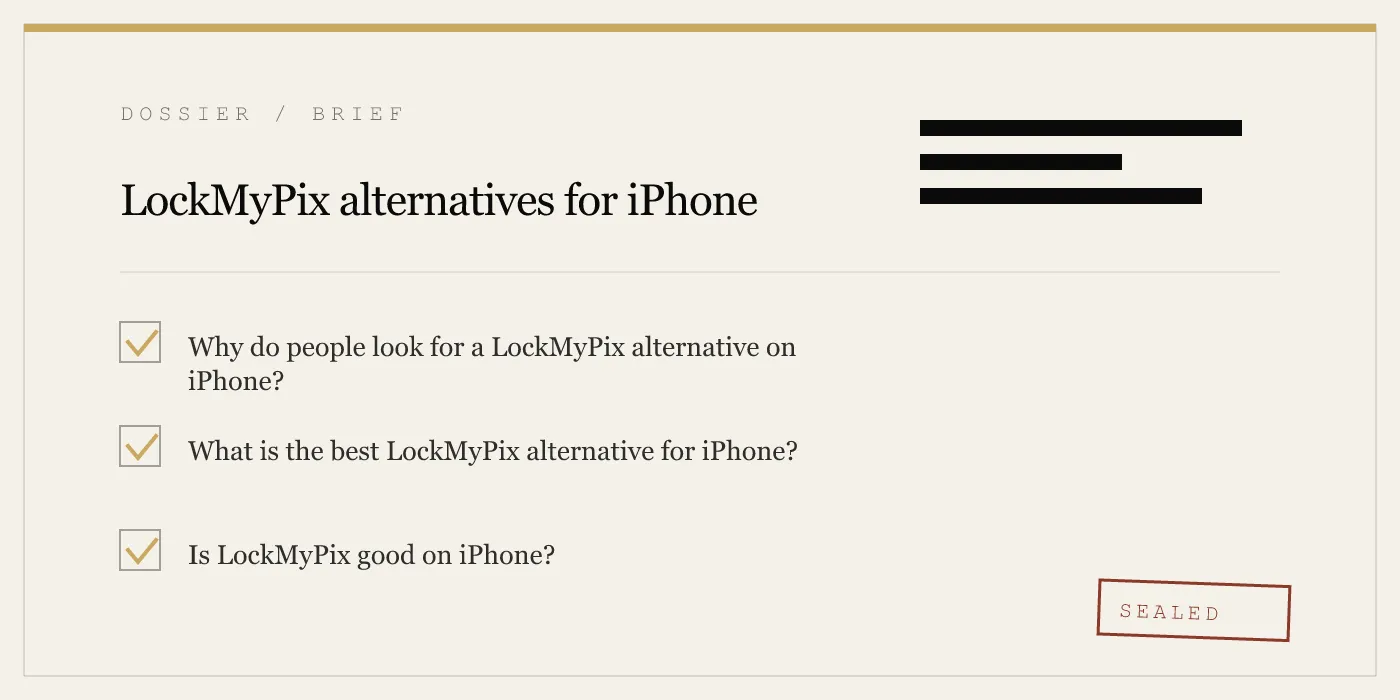
LockMyPix alternative for iPhone
LockMyPix is a cross-platform photo vault, but iPhone buyers usually compare it for different reasons: published encryption, local-only storage, disguise features, and pricing. This guide is for that narrower question. We focus on the iPhone tradeoffs, explain where LockMyPix still makes sense, and compare the same vault apps users actually switch to.
UPDATED · 2026-07-22 · REVIEWED BY APP-VAULT
TL;DR
If you want a LockMyPix alternative on iPhone, App-Vault is the strongest fit for local-only storage, published cryptography, and iPhone-first privacy features, while LockMyPix still makes more sense if you need cross-platform use and cloud backup.
LockMyPix review for iPhone users: the short answer
LockMyPix is a reasonable iPhone vault if your priority is cross-platform use and cloud backup. That is its clearest advantage.
The reason many iPhone users keep searching for a LockMyPix alternative is different: they want a vault that is more explicit about its cryptography, more tightly aligned with iOS privacy behavior, or more local-first in how it stores protected files. That is where an iPhone-first app can be the better fit.
For that narrower use case, we rank App-Vault first. It is not the broadest option, and it is not for Android users. But for iPhone owners who want on-device storage, a published security model, a pattern-derived key, and optional disguise features for shared family devices, border travel, journalism, legal, or medical work, it is the strongest match.
What LockMyPix does well on iPhone
Before comparing alternatives, it is worth being fair about why LockMyPix exists and why people use it.
Cross-platform support
LockMyPix is available across platforms, which matters if you move between iPhone and Android or share a workflow across different devices. App-Vault does not try to solve that problem; it is iPhone and iPad only.
Simple, approachable UX
LockMyPix is easy to understand. That matters for people who want a photo vault without a more opinionated setup flow.
Cloud-backup-oriented convenience
If your main fear is losing files rather than keeping them entirely local, cloud backup can feel like the right default. Some users want that convenience more than they want a stricter on-device design.
Those are real strengths. If they match your priorities, LockMyPix may still be the right call.
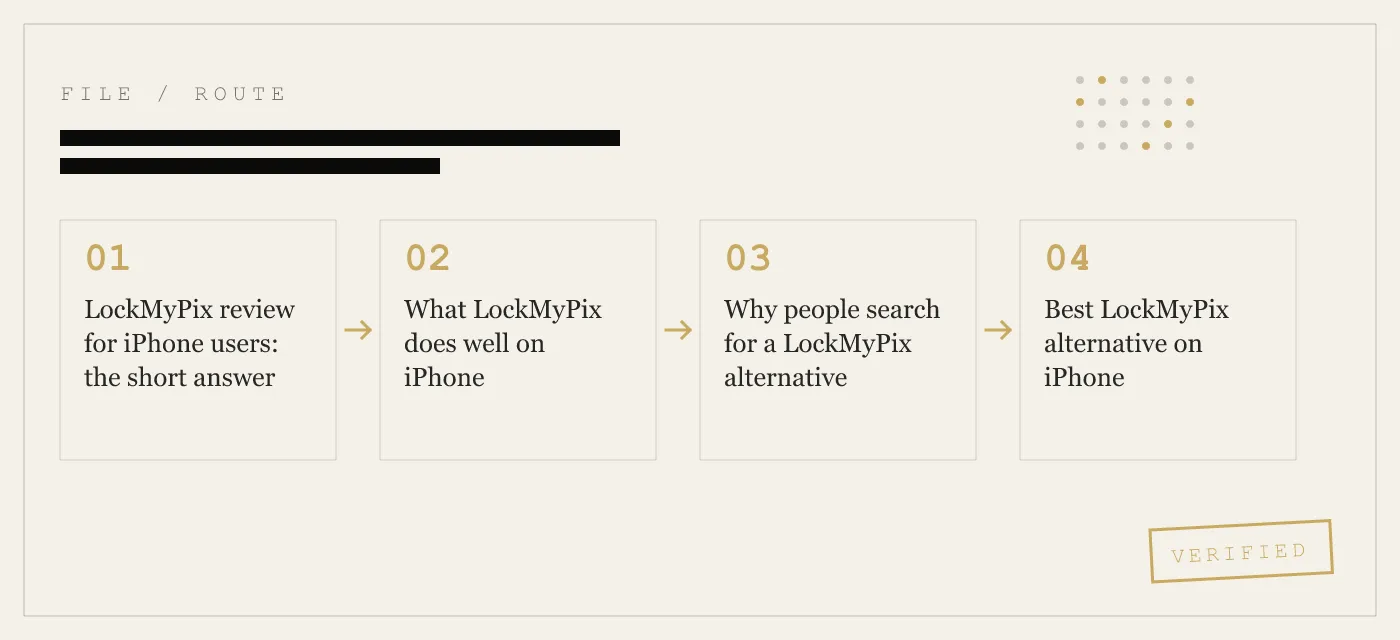
Why people search for a LockMyPix alternative
The iPhone search intent here is usually one of these:
1. You want local-only storage
Some users do not want protected files leaving the device at all. App-Vault is built around that model: vault contents stay on the device, the vault directory is excluded from iCloud Backup and iTunes/Finder backups, and the app does not operate a server that holds vault contents.
That is a different philosophy from a cloud-backup-first vault.
2. You want published cryptography, not just “encrypted”
If you work in a field where you must be able to explain what protects a file, “uses encryption” is not enough. App-Vault publishes AES-256-GCM for file encryption, PBKDF2-SHA256 for deriving a key from the 5×5 pattern, and Secure Enclave-backed key wrapping on iPhone.
If your standard is “can I independently check the cryptographic claims,” this is one of the biggest dividing lines in the category.
3. You want iPhone-first privacy features
Cross-platform apps often optimize for consistency across operating systems. iPhone-first buyers often want features designed around iOS behavior instead.
In App-Vault, that includes:
- a 5×5 pattern lock
- optional Face ID quick re-unlock
- an optional Calculator Launcher
- a Decoy Vault with a second pattern
- exclusion from Apple backup pipelines
4. You want a different pricing model
Some buyers simply want to test a vault first, or avoid paying before they trust the import and unlock flow. App-Vault’s free tier holds one file, which is intentionally enough to verify the encryption flow, recovery phrase, and unlock experience before subscribing.
Its paid plans are Weekly Premium from $3.99 or Yearly Premium from $29.99 with a 7-day free trial. There is no monthly plan and no lifetime tier.
Best LockMyPix alternative on iPhone
1. App-Vault — best for local-only privacy on iPhone
App-Vault is the strongest LockMyPix alternative for iPhone users who care most about local-only storage, published cryptography, and iPhone-specific privacy features.
What makes it different is not a longer feature list. It is the architecture:
- On-device vault only. Vault contents stay on the device.
- Published encryption stack. AES-256-GCM per file, PBKDF2-SHA256 with 600,000 iterations from the pattern, Secure Enclave-backed key wrapping.
- No account required. No email, no login, no server holding vault contents.
- Excluded from backups. The vault directory is excluded from iCloud Backup and iTunes/Finder backups, and keys are pinned to ThisDeviceOnly in the iOS Keychain.
- Pattern-based unlock. The vault key is derived from the 5×5 pattern, not from the phone passcode.
- Optional privacy features. Calculator Launcher, Decoy Vault, Intruder Selfie, and File Shredder are Premium features.
The setup is also straightforward. On first launch, you draw a 5×5 pattern, write down the 12-word recovery phrase, import from Photos, Files, or camera, and then confirm deletion of the source files when iOS prompts for it.
Where it falls short: App-Vault is iPhone and iPad only. If you need Android access, this is not your app. It also does not offer cloud backup of the vault, by design. And if you forget your pattern without your recovery phrase, there is no recovery process.
Pricing: Free tier for one file. Weekly Premium from $3.99. Yearly Premium from $29.99 with a 7-day free trial.
2. Private Photo Vault — best if your first filter is a free starting point
Private Photo Vault is a common comparison for users who care most about getting started free and with minimal friction. That makes it relevant if your main objection to LockMyPix is cost rather than architecture.
Where it falls short: If your concern is reviewable cryptographic detail or a local-only design, that is not the reason to choose it.
3. Vaultaire — best if you still want a simpler mainstream-style vault comparison
Vaultaire belongs in this comparison because users often cross-shop it with LockMyPix and App-Vault. It is a useful middle reference point if you are not fully committed to either the cross-platform-cloud model or the stricter local-only model.
The main value of including Vaultaire here is practical: some switchers want a cleaner middle ground rather than the strictest privacy posture.
4. Keepsafe — best if you prefer a familiar category name
Keepsafe remains one of the most recognized names in the vault category, so it is often compared during a LockMyPix search. If your buying style favors a well-known product over a narrower iPhone-first one, it can still make the shortlist.
Where it falls short: It is not the best fit for someone specifically searching for a more inspectable, local-only iPhone vault.
LockMyPix vs App-Vault: the decision most iPhone users are actually making
For this query, the real comparison is usually not “which of seven apps is best.” It is “should I stay with LockMyPix, or move to App-Vault.”
Choose LockMyPix if you need:
- cross-platform support
- cloud backup convenience
- a straightforward, familiar vault flow
Choose App-Vault if you need:
- on-device-only storage
- published AES-256-GCM details
- no account and no server holding vault contents
- a pattern lock instead of a basic PIN
- optional Calculator Launcher or Decoy Vault for shared-device privacy
Comparison table: LockMyPix alternatives on iPhone
| Criterion | App-Vault | LockMyPix | Vaultaire | Keepsafe | Private Photo Vault |
|---|---|---|---|---|---|
| Best fit | Local-only iPhone privacy | Cross-platform convenience | Middle-ground comparison | Familiar category choice | Free-start users |
| Platform focus | iPhone and iPad | Cross-platform | Not ranked here for local-only design | Cross-platform | Cross-platform-style utility |
| Published cryptography details | Yes | Not discussed publicly here in detail | Not the main reason to choose it | Not the main reason to choose it | Not the main reason to choose it |
| Account required | No | Not the main differentiator here | Varies by workflow | Not the main differentiator here | Not the main differentiator here |
| Cloud backup orientation | No, by design | Yes, core appeal | Often considered by users who want convenience | Common reason people consider it | Often chosen for ease, not architecture |
| Local-only architecture | Yes | Not the primary model people buy it for | Less central | Less central | Less central |
| Disguise / decoy features | Calculator Launcher, Decoy Vault | Not the main reason to choose it | Not central in this comparison | Not central in this comparison | Varies, but not the main reason to choose it |
| Free option | Yes, one file | Varies by plan | Not the main focus here | Not the main focus here | Common reason users compare it |
How to move from LockMyPix to an iPhone alternative
There is no direct one-tap migration path from LockMyPix to App-Vault, Vaultaire, Keepsafe, or Private Photo Vault. The safe method is manual.
Step 1: Export from LockMyPix to Photos
In LockMyPix, export the items you want to move to your iPhone Photos library. If your library is large, do it in batches.
Step 2: Verify in Photos
Open the Photos app and check that the files actually landed. Confirm that photos open and videos play before you delete anything from the original vault.
Step 3: Import into the new vault
In App-Vault, tap the import button and choose files from the iOS Photos picker, Files, or camera. App-Vault encrypts each file on-device and writes only ciphertext to its container.
Step 4: Confirm deletion when iOS prompts
iOS does not allow silent deletion of photos by third-party apps. After import, when prompted, confirm deletion of the source items from Photos. This step matters. If you skip it, the files remain visible in the Photos app.
Step 5: Empty Recently Deleted
In iPhone Photos, go to Photos app → Albums → Recently Deleted and permanently remove the exported items. Otherwise they remain recoverable from that album for a period of time.
Step 6: Verify the vault before you consider the move complete
Open the new vault again and test a few files. Then lock the app, unlock it once more, and make sure everything is present.
What you may lose during migration
Manual migration usually means some organization has to be rebuilt. Depending on the vault, album structure or certain app-specific labels may not carry over automatically.
What you gain if you move to App-Vault
If your reason for leaving LockMyPix is local-first privacy, App-Vault changes the model in specific ways:
- files live in an encrypted on-device container
- the Photos app shows nothing once the source copies are deleted
- the Hidden album shows nothing
- the vault can appear as a calculator if you enable Calculator Launcher
- even the catalog of file names is sealed
- the app holds no server copy of your vault contents
How App-Vault works on iPhone, in practical terms
If you are evaluating a LockMyPix alternative seriously, the setup and day-to-day flow matter as much as the marketing claims.
Setup flow
- Open App-Vault.
- Draw a 5×5 pattern.
- Write down the 12-word recovery phrase shown once during onboarding.
- Import from Photos, Files, or camera.
- Lock the app.
The process takes under two minutes.
What protects the files
According to App-Vault’s security documentation, each file is encrypted on-device with AES-256-GCM. The key that protects the vault is derived from your pattern with PBKDF2-SHA256 at 600,000 iterations and then wrapped using iPhone hardware protections through the Secure Enclave.
What App-Vault defends against
App-Vault is designed to defend against:
- casual access on an unlocked phone
- a lost or stolen phone when the finder knows the device passcode
- visual inspection of the camera roll
- forensic extraction without the pattern
- server breach risk, because vault contents are not stored on an App-Vault server
What App-Vault does not defend against
App-Vault does not defend against:
- being forced to unlock it
- a jailbroken or spyware-compromised device
- a forgotten pattern without the recovery phrase
- a court order directed at you personally to unlock it
- future cryptographic breaks
That matters because the most trustworthy vault guides should tell you where the protection stops.
Honest limitations of App-Vault as a LockMyPix alternative
App-Vault ranks first here, but not for everyone.
No Android support
If you need one vault across iPhone and Android, LockMyPix remains more aligned with that use case.
No cloud backup of vault contents
This is a privacy strength and a convenience tradeoff at the same time. App-Vault explicitly excludes the vault from iCloud Backup and iTunes/Finder backups. If you lose the device and do not have your 12-word recovery phrase, the vault stays sealed.
No account-based recovery
There is no “reset by email” path. That is the point of the design, but it raises the stakes of writing down the recovery phrase.
Premium features are subscription-based
App-Vault has a free tier, but Calculator Launcher, Decoy Vault, Intruder Selfie, File Shredder, and unlimited files are Premium-only.
Our recommendation by use case
Best overall LockMyPix alternative on iPhone: App-Vault
Choose this if privacy architecture matters more than cross-platform convenience.
Best reason to stay with LockMyPix
Stay with LockMyPix if your priority is using the same vault model across iPhone and Android with cloud backup convenience.
Best if you mainly want a free starting point
Private Photo Vault is the most relevant comparison if your first requirement is a more generous free start and not a stricter local-only model.
Best if you want a familiar mainstream option
Keepsafe remains a natural comparison if you prefer a widely recognized name and do not need the tighter local-first approach.
Final verdict
For the exact query “LockMyPix alternative” on iPhone, the best answer is not that LockMyPix is bad. It is that it serves a different priority set.
If you want cross-platform convenience and cloud backup, LockMyPix still makes sense.
If you want an iPhone-specific vault with on-device AES-256-GCM encryption, a published threat model, no account, backup exclusion, a 5×5 pattern lock, and optional Calculator Launcher or Decoy Vault, App-Vault is the better alternative.
Sources
- Apple Platform Security
- NIST FIPS 197: Advanced Encryption Standard
- NIST SP 800-38D: GCM mode
- NIST SP 800-132
- IETF RFC 5116: An Interface and Algorithms for Authenticated Encryption
- OWASP: Password Storage Cheat Sheet
DIAGRAM · 02
DOSSIER
QUESTIONS
12 sharp answers.
-
01 What is LockMyPix?
LockMyPix is a photo and video vault app available on iPhone and Android. It is best known for cross-platform use, a clean interface, and a cloud-backup-oriented approach. -
02 What is the best LockMyPix alternative on iPhone?
The best LockMyPix alternative on iPhone is App-Vault if you want local-only storage, published AES-256-GCM encryption details, and iPhone-first privacy features. If you need cross-platform use more than local-only design, LockMyPix may still fit better. -
03 Is LockMyPix good on iPhone?
Yes, LockMyPix is good on iPhone for users who value a straightforward interface and cross-platform convenience. It is less compelling for buyers who specifically want local-only architecture and published technical detail. -
04 Is there a LockMyPix review for iPhone users in this guide?
Yes. This page functions as a practical LockMyPix review for iPhone users by covering where it works well, where it falls short, and which alternatives fit specific needs better. -
05 Why would I switch from LockMyPix?
The usual reasons are wanting local-only storage, wanting clearer cryptographic disclosure, preferring a different pricing model, or wanting disguise and decoy features designed around iPhone use. -
06 How do I export photos from LockMyPix?
In LockMyPix, export the items to your iPhone Photos library, then verify they appear correctly before importing them into a new vault. After import, delete the exported copies from Photos and then from Recently Deleted. -
07 Is there a free LockMyPix alternative?
Yes. App-Vault has a free tier for one file, which is enough to test the encryption flow and recovery phrase before paying. Private Photo Vault is another common option for users who prioritize a more generous free tier over a local-only design. -
08 Does LockMyPix use end-to-end encryption?
LockMyPix uses encryption for stored files, but if you require reviewable technical specifics, you should look for an app that publishes its cipher, key derivation, and storage model plainly. -
09 What is the best LockMyPix alternative for privacy?
App-Vault is the strongest privacy-focused alternative here because it is built around on-device encryption, no account, no server holding vault contents, and exclusion from iCloud Backup. -
10 Can I use LockMyPix on iPhone?
Yes. LockMyPix is available on iPhone, but many searchers comparing it on iOS are deciding between a cross-platform vault and an iPhone-first vault with more local-only privacy choices. -
11 Is there a LockMyPix alternative with a calculator launcher?
Yes. App-Vault offers an optional Calculator Launcher on Premium. It presents as a working calculator and opens the vault when you long-press the equals key and draw the correct pattern. -
12 How do I choose between LockMyPix and App-Vault?
Choose LockMyPix if you need cross-platform access and cloud backup. Choose App-Vault if you want an iPhone-only vault with on-device AES-256-GCM encryption, a published threat model, and no server holding your vault contents.
RELATED DOSSIERS
Keep reading.
9 ENTRIES
- LINK / 01 · ALTERNATIVES
Keepsafe alternatives for iPhone
Sibling listicle covering switchers from the category leader.
- LINK / 02 · ALTERNATIVES
Vaultaire alternatives for iPhone
For users who want strict architecture but with disguise features.
- LINK / 03 · COMPARE
App-Vault vs LockMyPix head-to-head
Detailed feature-by-feature comparison rather than the alternatives list.
- LINK / 04 · BEST OF
Best secure photo apps for iPhone
Ranked strictly by cryptographic strength, not feature breadth.
- LINK / 05 · BEST OF
Best vaults without subscription
Lifetime / one-time pricing only — for users tired of recurring billing.
- LINK / 06 · CONCEPT
App-Vault encryption stack
AES-256-GCM, PBKDF2 600k iterations, Secure Enclave-bound keys, with primary-source citations.
- LINK / 07 · ALTERNATIVE
Private Photo Vault Alternatives: Ad-Free Options for Hiding Photos on iPhone
Looking for a Private Photo Vault alternative? Compare ad-free, privacy-focused options for hiding photos on iPhone. Find the right vault app for your needs.
- LINK / 08 · BEST-OF
Best Calculator Vault Apps for iPhone — Ranked by Disguise Quality
Ranked list of iPhone calculator vault apps by disguise quality, shortcut reliability, and App Review survival. Honest comparison with specs.
- LINK / 09 · BEST-OF
Best Photo Locker App for iPhone
Compare the best photo locker apps for iPhone by setup speed, lock type, ads, and disguise features, with honest limits and exact tradeoffs.
GET STARTED
Seal the vault.
Free to download. The free tier holds one file. Premium removes the limit — Weekly from $3.99 or Yearly from $29.99 with a 7-day free trial.