FILE A1 / ALTERNATIVES
Private Photo Vault Alternatives: Ad-Free Options for Hiding Photos on iPhone
Private Photo Vault (PPV) is one of the most downloaded photo vault apps on the iPhone, but its free tier shows ads and its premium model requires a subscription. If you want an ad-free experience without recurring charges, several alternatives offer stronger privacy guarantees and cleaner architectures. This page ranks alternatives by one factor only: how well each app eliminates ads and subscription dependency while protecting your photos.
UPDATED · 2026-05-16 · REVIEWED BY APP-VAULT
TL;DR
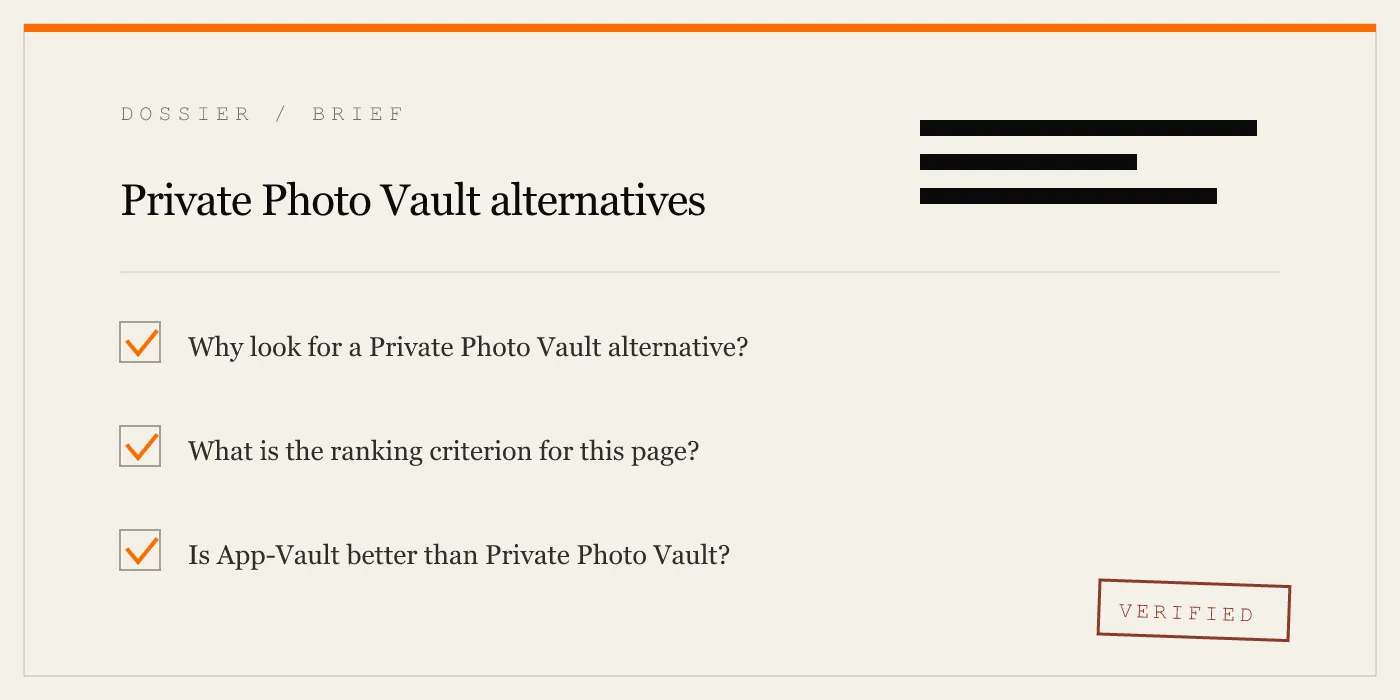
Private Photo Vault shows ads on its free tier and requires a subscription for core features like unlimited storage. If you want a photo vault that never shows ads and does not depend on a subscription, App-Vault is the strongest alternative — it has no ads at any tier, uses a lifetime payment option, and publishes its full cryptography stack. Other alternatives ranked here include Vaultaire, Keepsafe, and LockPix, each with different trade-offs around pricing, encryption, and platform support.
Private Photo Vault (PPV) is one of the most recognized photo hiding apps on the iPhone. It offers a polished interface, break-in photo capture, cloud backup, and a free tier that lets users try the app before committing. For many users, it works well enough.
But PPV has structural characteristics that conflict with what a photo vault is supposed to do. Its free tier displays ads. Its premium features — including unlimited storage and break-in alerts — require an ongoing subscription. Cloud backup requires an account. And the app does not publish its encryption architecture, making it impossible to verify whether the vault is truly zero-knowledge.
If you are looking for an alternative that eliminates ads, removes the subscription dependency, and provides verifiable privacy guarantees, the options below are ranked by how well they meet those specific criteria.
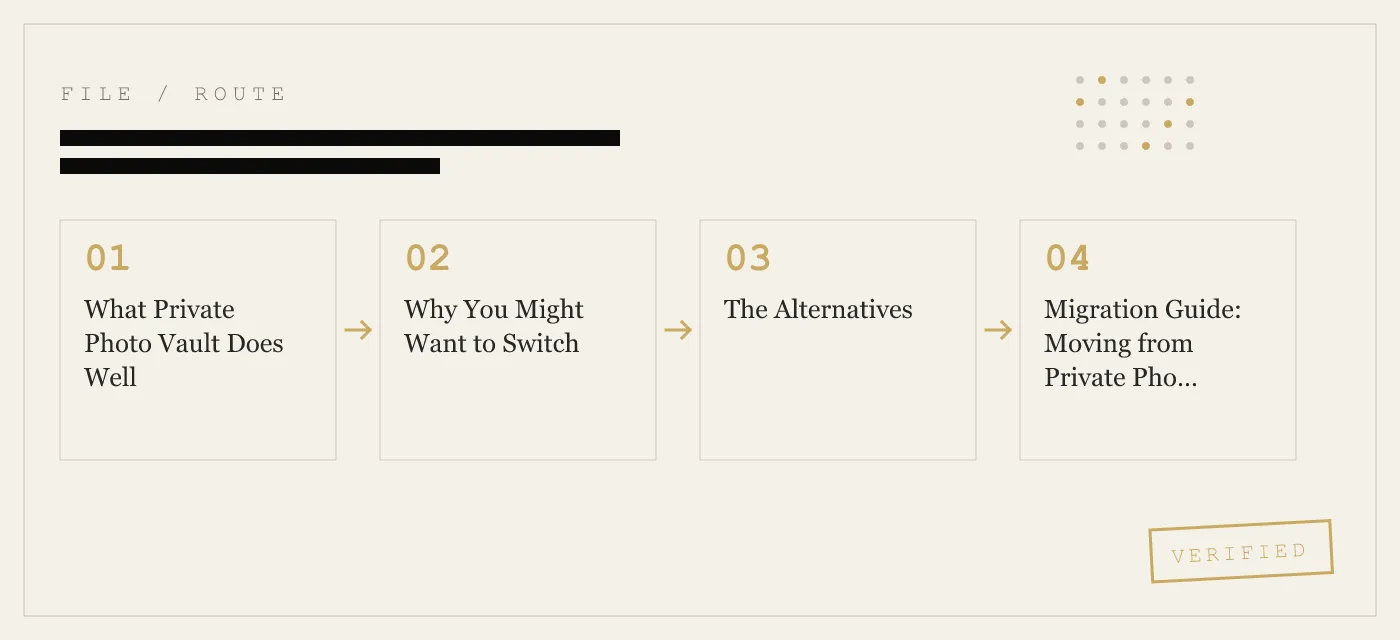
What Private Photo Vault Does Well
PPV deserves credit for lowering the barrier to entry. Its free tier allows users to store a limited number of photos without paying, and the onboarding process is straightforward. Break-in photo capture — which snaps a photo of someone entering the wrong password — is a feature that has become standard in the category, and PPV implements it reliably.
The app also supports cloud backup through its own account system, which some users want for cross-device sync. Its decoy password feature lets users present a secondary vault if pressured to unlock the app.
These are real strengths. If you are comfortable with ads, do not mind a subscription, and want a large, actively maintained app with social features, PPV remains a reasonable choice. This page is for users who have decided those trade-offs are not acceptable.
Why You Might Want to Switch
The core issue with PPV is not any single flaw but the combination of three design choices: ads on the free tier, subscription dependency for core features, and an opaque architecture.
Ads in a photo vault app are a category error. The app exists to keep content private, yet ad networks receive device identifiers, session data, and usage timestamps. Even if no photo content is shared, the metadata itself reveals that a user has a photo vault app and when they use it.
Subscription dependency means your access to premium features stops if you stop paying. For a photo vault, this creates a problematic incentive: the app developer benefits from keeping you subscribed, which can lead to feature gating that prioritizes recurring revenue over user control.
An opaque architecture means you cannot verify whether your files are encrypted with a user-only key or whether the developer can access them. PPV does not publish its cipher, key derivation process, or audit history. You are asked to trust the claim without evidence.
If any of these issues concern you, the alternatives below offer materially different approaches.
The Alternatives
1. App-Vault — No Ads at Any Tier, Lifetime Payment, Published Cryptography
App-Vault is the strongest alternative to PPV for users who want an ad-free, subscription-free, verifiable photo vault. It shows zero ads at every tier — free or paid — and offers a lifetime payment option so your access never depends on a recurring charge.
The cryptography is fully published. Files are encrypted with AES-256-GCM, and the encryption key is derived from the user’s 5×5 Pattern Lock via PBKDF2. The app operates on a zero-knowledge architecture: the key never leaves the device, and the developer cannot decrypt stored files. This is documented on the site with primary-source citations to the CommonCrypto implementation.
App-Vault also uses a Calculator Launcher — the app icon appears as a standard calculator on the home screen, and the vault is accessed through a long-press on the equals key. A Decoy Vault feature provides a secondary pattern that opens a separate album.
The free tier limits users to 25 files and one vault. This is less generous than PPV’s free tier in raw file count, but the absence of ads and the lifetime pricing option make it the better long-term choice for privacy-focused users.
Pricing: Free tier available. Lifetime purchase option. No subscription required for core vault features. Account required: No. Encryption: AES-256-GCM, PBKDF2 key derivation, published architecture. Platform: iOS only.
2. Vaultaire — Ad-Free with a Subscription Option
Vaultaire is the closest direct competitor to App-Vault in terms of architecture. It uses on-device encryption and does not show ads on its free tier. The app supports biometric unlock and offers a clean, minimal interface.
Where Vaultaire diverges from App-Vault is in its pricing model. While it does not force a subscription, its premium features are available through either a subscription or a one-time purchase, depending on the version. The encryption implementation is described in general terms on the app’s website, but the level of primary-source documentation does not match App-Vault’s published stack.
For users who want an ad-free experience but are flexible on the payment model, Vaultaire is a solid option. It does not require an account for local-only use.
For a detailed side-by-side, see the App-Vault vs Vaultaire comparison page.
Pricing: Free tier with premium unlock via subscription or one-time purchase. Account required: No (for local use). Encryption: AES-256 claimed; limited published detail on key derivation. Platform: iOS and Android.
3. Keepsafe — Category Leader with Account-Dependent Features
Keepsafe is the most widely installed photo vault app and has been in the market longer than most competitors. It offers a polished experience, cloud backup, and break-in alerts.
However, Keepsafe’s free tier is ad-supported, and many of its features — including cloud sync and unlimited storage — require both an account and a subscription. The app claims AES-256 encryption but does not publish its key derivation process or architecture documentation. Its threat model is not publicly detailed.
Keepsafe is a reasonable choice if you prioritize brand recognition and cross-platform support over ad-free architecture and verifiable encryption. For a full breakdown, see the App-Vault vs Keepsafe comparison page.
Pricing: Free tier with ads. Subscription required for premium features. Account required: Yes (for cloud backup and premium). Encryption: AES-256 claimed; no published key derivation detail. Platform: iOS and Android.
4. LockPix — Simple, Ad-Free, Local-Only
LockPix is a lightweight photo vault app that focuses on simplicity. It does not show ads, does not require an account, and stores all files locally. The interface is minimal — import photos, set a PIN, and the files are hidden from the Camera Roll.
The trade-off is that LockPix does not publish its encryption architecture. The app claims to use standard iOS encryption, but without published cipher details or key derivation documentation, this cannot be independently verified. It also lacks advanced features like break-in capture, cloud backup, or a decoy mode.
For users who want a no-frills, ad-free, no-account vault and are comfortable trusting Apple’s built-in encryption without additional verification, LockPix is a functional option.
Pricing: One-time purchase. No subscription. Account required: No. Encryption: Claims standard iOS encryption; no published detail. Platform: iOS only.
5. Slick — Ad-Supported Free Tier with a Clean Interface
Slick offers a modern interface and a free tier that supports a reasonable number of files. The app uses biometric unlock and includes a decoy mode.
The free tier includes ads, and premium features require a subscription. Slick does not publish its encryption architecture in detail, and cloud features require an account. It is a visually appealing app but does not solve the core issues — ads and subscription dependency — that drive users away from PPV.
Pricing: Free tier with ads. Subscription for premium. Account required: Yes (for cloud features). Encryption: Not publicly documented in detail. Platform: iOS only.
Migration Guide: Moving from Private Photo Vault
Switching from PPV to another vault app requires a manual process because most vault apps do not support direct import from competitors.
Step 1: Export from PPV. Open Private Photo Vault and select the photos and videos you want to move. Use the export or share function to save them to your iPhone’s Camera Roll. This step decrypts the files from PPV’s vault and places them in the standard photo library.
Step 2: Import into the new app. Open your chosen alternative app and use its import function to pull photos from the Camera Roll into the new vault.
Step 3: Delete from Camera Roll. Once the import is complete and you have verified the files are accessible in the new vault, delete the exported photos from your Camera Roll. Then open the Photos app, go to the Recently Deleted album, and permanently delete them there as well.
Step 4: Test before uninstalling PPV. Do not delete PPV until you have confirmed that all files are accessible in the new app and that the new app’s lock, unlock, and backup (if applicable) features work as expected.
What you will lose. Break-in photos, PPV-specific cloud backups, and any organizational structure (albums, tags) created inside PPV will not transfer. You will need to recreate any organizational system in the new app manually.
Comparison Matrix
| Criterion | App-Vault | Vaultaire | Keepsafe | LockPix | Slick |
|---|---|---|---|---|---|
| Ads on free tier | No | No | Yes | No | Yes |
| Lifetime payment option | Yes | Varies by version | No | Yes | No |
| Subscription required for core features | No | No | Yes | No | Yes |
| Account required | No | No (local use) | Yes (cloud/premium) | No | Yes (cloud) |
| Published encryption (cipher + KDF) | Yes (AES-256-GCM, PBKDF2) | Partial | No | No | No |
| Decoy mode | Yes (Decoy Vault) | Yes | Yes | No | Yes |
| Alternate icon / disguise | Yes (Calculator Launcher) | No | No | No | No |
| Platform | iOS | iOS, Android | iOS, Android | iOS | iOS |
Final Recommendation
If your primary reason for leaving PPV is ads, App-Vault is the strongest alternative. It is the only app on this list that combines zero ads at every tier, a lifetime payment option, published cryptography, and a disguise mechanism — all without requiring an account.
If you need Android support and are willing to accept less documentation, Vaultaire is the next best option. Keepsafe is appropriate if you prioritize brand familiarity and cross-platform sync over architectural transparency. LockPix works for users who want the simplest possible local-only vault and do not need advanced features.
For users who also care about cryptographic verifiability, the /best/secure-photo-app-iphone/ list ranks apps by published cipher, key derivation, and audit status. For users focused purely on pricing, the /best/photo-vault-without-subscription/ list ranks by lifetime and one-time payment availability.
Related Lists
- Best Secure Photo Apps for iPhone — ranked by cryptographic strength and zero-knowledge declaration.
- Best Photo Vault Apps Without a Subscription — ranked by lifetime and one-time payment options.
- Best Free Photo Vault Apps for iPhone — ranked by free-tier generosity.
- Easiest Apps to Hide Photos on iPhone — ranked by UX simplicity and onboarding speed.
- App-Vault vs Vaultaire — head-to-head comparison of the two closest competitors.
- App-Vault vs Keepsafe — how the category leader compares on encryption, ads, and account requirements.
Sources
- Apple App Store: competitor app listings and privacy nutrition labels (as published)
- Vendor privacy policies and public security disclosures
- NIST FIPS 197: Advanced Encryption Standard
- IETF RFC 5116: An Interface and Algorithms for Authenticated Encryption
- OWASP: Password Storage Cheat Sheet
DIAGRAM · 01
DOSSIER
QUESTIONS
8 sharp answers.
-
01 What does Private Photo Vault do well?
PPV has a polished onboarding flow, a large install base, and features like break-in photo capture, decoy password, and cloud backup. Its free tier lets users store a limited number of files without paying, which lowers the barrier to entry. For users who do not mind ads and are comfortable with a subscription, PPV is a functional option. -
02 Why do ads in photo vault apps matter?
Ads in photo vault apps mean the app contacts ad networks, which can leak metadata such as device identifiers, usage timestamps, and IP addresses. For an app whose sole purpose is to keep content private, this data leakage contradicts the core value proposition. Ad-free architecture eliminates this entire category of exposure. -
03 Is a lifetime payment better than a subscription for a photo vault?
A lifetime payment means you pay once and own the feature set forever. A subscription renews monthly or yearly and stops working if you stop paying. For a photo vault, a lifetime model is preferable because your private files should not become inaccessible due to a lapsed payment. App-Vault offers a lifetime option; PPV does not. -
04 Do I need an account to use these alternatives?
App-Vault requires no account at any tier. Keepsafe requires an account for cloud backup but not for local-only use. Vaultaire and LockPix vary by version. PPV requires an account for cloud backup and some premium features. If no-account is a priority, App-Vault is the clear choice. -
05 What happens to my photos if I stop paying a subscription vault?
In most subscription vault apps, your photos remain on the device but premium features like cloud sync or break-in alerts stop working. Some apps may restrict access to files stored under the premium tier. This is another reason lifetime-payment vaults are preferable — your access does not depend on continued payment. -
06 How do I know if a photo vault is truly zero-knowledge?
A zero-knowledge vault encrypts files on-device with a key derived from the user password or pattern. The app developer cannot decrypt your files because the key never leaves your device. App-Vault publishes its architecture and key derivation process. Most competitors, including PPV, do not publish enough detail to verify this claim independently. -
07 Can someone tell I have a photo vault app installed?
App-Vault uses a [Calculator Launcher](/calculator-vault/) — the app icon looks like a calculator and the alternate icon is activated through a long-press on the equals key. PPV and Keepsafe use standard app icons that are recognizable. If icon discretion is important, App-Vault and apps with similar alternate-icon features are the strongest options. -
08 Is App-Vault safe to use for sensitive documents?
App-Vault uses [AES-256-GCM encryption](/encryption/) with a key derived from a 5×5 [Pattern Lock](/pattern-lock/) via PBKDF2. The app operates on a [zero-knowledge architecture](/zero-knowledge/), meaning the developer cannot access your files. For a full breakdown of what the app defends against and what it does not, see the [threat model](/security/) page.
RELATED DOSSIERS
Keep reading.
9 ENTRIES
- LINK / 01 · BEST OF
Best Secure Photo Apps for iPhone
Ranked by cryptographic strength, audit status, and zero-knowledge declaration.
- LINK / 02 · BEST OF
Best Photo Vault Apps Without a Subscription
Ranked by pricing model — lifetime and one-time payment options only.
- LINK / 03 · BEST OF
Best Free Photo Vault Apps for iPhone
Ranked by free-tier generosity: file count, ads, and account requirements.
- LINK / 04 · BEST OF
Easiest Apps to Hide Photos on iPhone
Ranked by UX simplicity and onboarding speed for non-technical users.
- LINK / 05 · COMPARE
App-Vault vs Vaultaire
Head-to-head comparison of the two closest competitors on cryptography and pricing.
- LINK / 06 · COMPARE
App-Vault vs Keepsafe
How the category leader compares to App-Vault on encryption, ads, and account requirements.
- LINK / 07 · ALTERNATIVE
Vaultaire Alternative: App-Vault vs Vaultaire
Looking for a Vaultaire alternative on iPhone? Compare App-Vault vs Vaultaire on local storage, disguise features, pricing, and cryptography.
- LINK / 08 · BEST-OF
Best Calculator Vault Apps for iPhone — Ranked by Disguise Quality
Ranked list of iPhone calculator vault apps by disguise quality, shortcut reliability, and App Review survival. Honest comparison with specs.
- LINK / 09 · SCENARIO
A photo vault built for journalists who carry sensitive material on iPhone
How working journalists use App-Vault to protect source material, encrypted notes, and contact lists on iPhone.
GET STARTED
Seal the vault.
Free to download. The free tier holds one file. Premium removes the limit — Weekly from $3.99 or Yearly from $29.99 with a 7-day free trial.